Windows Server 2012 Build 7895.0.fbl_core1_hyp_dev.101206-1700
Windows Server 2012 build 7895 is a build of Windows Server 2012, which was shared on 26 October 2024, along with build 8010 from its client counterpart.
| Windows Server 2012 的版本 | |
 | |
| 操作系统系列 | Windows NT 系列 |
|---|---|
| NT 版本 | Windows NT 6.2 |
| 内部版本号 | 7895 |
| 修订版本号 | 0 |
| 体系结构 | x64 |
| 内部版本实验室 | fbl_core1_hyp_dev |
| 编译日期 | 2010 年 12 月 6 日 |
| 有效期 | |
| 时间炸弹 | 2011 年 7 月 1 日 (+207 天) |
| 关于对话框 | |
 | |
SKU 版本和密钥
| Key | 密钥 |
|---|---|
| Standard + StandardCore | YMFM8-J2RV2-66G78-XPQ7C-4RY3B |
| Enterprise + EnterpriseCore | 7P8GH-FV2FF-8FDCR-YK49D-D7P97 |
| Datacenter + DatacenterCore | 7X29B-RDCR7-J6R29-K27FF-H9CR9 |
| ServerWeb + ServerWebCore | YGTGP-9XH8D-8BVGY-BVK4V-3CPRF |
New features and changes
Many changes to the user interface have occurred since the build 7878:
- The bugcheck and Windows Boot Manager functionalities now support VBE2 at all times (the build 7801 only supported it during boot) and have been updated to the design first seen in Windows 8 build 7887.
- Accents and backgrounds have been implemented, of which are accessible using a registry key. The Start screen now has multiple views - although this is hinted at in the build 7880 of its its client counterpart by the existence of a "Move to Other View" option found while right-clicking on the Start screen tiles, it has not been implemented yet. This other view is an "Other Programs" view that contains all installed programs. As a result of this, there are far less applications in the default Start screen view. The tile colors in the Start screen have been changed to be more uniform.
- The Metro Horizon has been replaced with a desktop tile, although its resources are still present; clicking it brings the user back to the classic Windows desktop.
- The boot screen seen in the client counterpart's build 7888 is now enabled by default, it's used in the official Milestone 2 build and its client counterpart's build. On Server Core systems, the boot screen will not play the Windows logo boot animation in the center of the screen, instead only showing the "Starting Windows" message.
Redpill
Shell
This build is one of the first server builds to contain a new built-in volume HUD, replacing the one included by default by OEMs. The location of the volume HUD is in middle right instead of top left in RTM.
Start screen accent
To get the Start screen accent, open Registry Editor, head to HKEY_LOCAL_MACHINE\SOFTWARE\Microsoft\Windows\, create a new key called DWM, make a DWORD called EnableAccent and set its value to 1. Afterwards, log off and then log back on again.
Removable media prompt
The removable media prompt has been revamped as well, using the new Metro design. It mostly consists of the same actions as the previous removable media prompt used in earlier builds of Windows 7.
Immersive apps
Immersive Browser: C:\Program Files\Microsoft\Immersive Browser\Microsoft.ImmersiveBrowser\miexplore.exe.
Bugs and quirks
Redpill
To enable Redpill, the user will need to install Desktop Experience, otherwise, this will happen:
-
The bug in question

Gallery
-
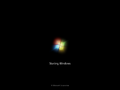
启动屏幕
-
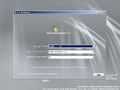
安装程序

