Windows 8 Build 7880.0.fbl_grfx_dev1.101110-1700
| Windows 8 的版本 | |
 | |
| 操作系统系列 | Windows NT 系列 |
|---|---|
| NT 版本 | Windows NT 6.2 |
| 内部版本号 | 7880 |
| 修订版本号 | 0 |
| 体系结构 | x64 |
| 内部版本实验室 | fbl_grfx_dev1 |
| 编译日期 | 2010 年 11 月 10 日 |
| 有效期 | |
| 时间炸弹 | 2011 年 7 月 1 日 (+233 天) |
| 关于对话框 | |
 | |
  | |
Windows 8 Build 7880 是 Windows 8 的版本。此版本的截图于 2020 年 6 月 2 日共享,版本本身后来于 2020 年 6 月 8 日上传到 BetaArchive。
这是 Windows 8 中最后一个包含蓝屏死机界面的版本,此界面最初是在 Windows XP 中引入的。
SKU 版本和密钥
| 版本 / SKU 名称 | 密钥 |
|---|---|
| Home Basic | YGFVB-QTFXQ-3H233-PTWTJ-YRYRV |
| Home Premium | RHPQ2-RMFJH-74XYM-BH4JX-XM76F |
| Professional | HYF8J-CVRMY-CM74G-RPHKF-PW487 |
| Ultimate | D4F6K-QK3RD-TMVMJ-BBMRX-3MBMV |
新增功能和更改
桌面窗口管理器
这是已知首个包含 DWM 光栅化功能软件实现的版本,它取消了 Aero 效果所需的 3D 加速硬件要求。与此相关,基于 XPDM 的标准 VGA 显卡适配器被基于 WDDM 的基本显示适配器取代,成为通用视频驱动。
内核文本模式
内核文本模式,用于显示蓝屏死机、autochk 和 /SOS 启动,现在始终支持 VBE 2.0(通过 BGFX),[a]但如果视频内存不足,它将回退到传统的 bootvid.dll 实现。它还使用平滑字体,同时在某些分辨率下不会覆盖整个屏幕。
Redpill
沉浸式功能
自 Build 7850 起,沉浸式外壳和 Metro 总体上已经有了很大进化。Metro 下空间被移除,尽管在“开始”屏幕上仍然为其保留了一个位置,以及其资源和 DirectUI UIFILE 文件。磁贴现在拥有图标感知功能,右键单击磁贴会显示一个包含多个选项的菜单——其中包括“移至其他视图”,但单击时实际上不会工作。事实上,除“打开”选项(可在不进入桌面的情况下打开应用)外,其他所有选项,包括“卸载”和“调整大小”,要么没有任何反应,要么单击时会显示错误。添加了文件搜索功能,其用户界面与 Build 7875 不同,但似乎无法正常工作。“开始”屏幕中的搜索建议现在首字母使用蓝色文本显示。
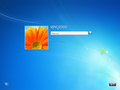
在此版本中,Windows 运行时比 Build 7850 更稳定。如果在 HKEY_LOCAL_MACHINE\Software\Microsoft\Windows\CurrentVersion 键中将 EnablePatternLogonForInternalTesting DWORD 设置为 1,则可使用图案登录。与之前的版本一样,登录屏幕上仍没有使用此功能的选项。
Bug
一般
- 在 VMware Workstation 15 或更高版本中运行此版本时,关机或重启会导致软锁定。可以通过使用主机的“电源”菜单来解决此问题。
安装程序
- 在启动设置并且计算机重新启动进入 OOBE 之前显示的状态消息的最后一个单词被截断。
- 尝试选择网络类型将导致驱动程序卸载错误检查。若要解决此问题,请在启动进入 OOBE 之前删除或禁用任何网络适配器。
主题
- 标题栏和水印使用的是 Arial 字体,这是由于
aero.msstyles和aerolite.msstyles文件中的拼写错误造成的。 - 使用 Windows Aero 主题时,只有窗口框架的顶部会被模糊,侧边框仍保持透明。
- 由于强制使用 DWM Aero 主题,Windows 基本和高对比度主题无法正常渲染。
外壳
- 桌面右键菜单可能需要几秒钟才能打开。
- 此版本同时使用了旧的和新的键盘布局切换器。
- 此版本中的 Charms 栏似乎是空白的。
- 此版本中的外壳启动异常缓慢。
其他
- 由于出现错误,无法在组策略编辑器中打开“管理模板”部分。标题文本还显示为 Wingdings 字体。
- 打开 Windows Media Center 可能会导致
SYSTEM_SERVICE_EXCEPTION错误检查。
图库
安装程序
-
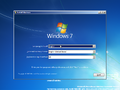
安装程序
-

“Setup is”Bug
-
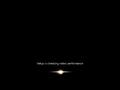
安装程序正在检查视频性能
-
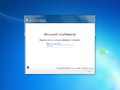
OOBE
-
Metro OOBE


界面
-
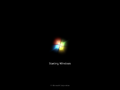
启动屏幕
-
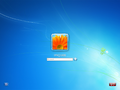
登录屏幕
-
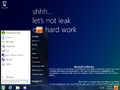
“开始”菜单
-
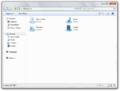
Windows 资源管理器
-
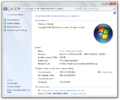
系统属性
-
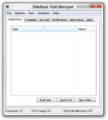
任务管理器
-
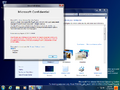
Aero 主题
-
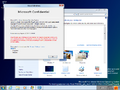
Aero Lite 视觉风格
-
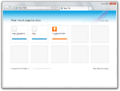
Internet Explorer
-
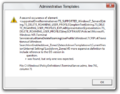
组策略编辑器管理模板错误。
-
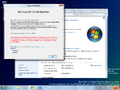
家庭普通版 SKU 中的 Aero Glass
-
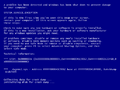
系统崩溃(VBE 2.0)
-
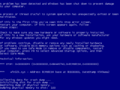
系统崩溃(
bootvid.dll) -
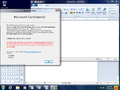
演示


error.png)


Redpill 限定
-
Metro 登录屏幕
-
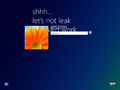
同上一个,以桌面壁纸作为背景
-
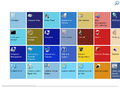
“开始”菜单
-
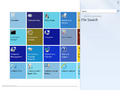
搜索
-
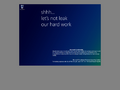
Snap 用户界面
-
MS Help
-

Modern 阅读器
-
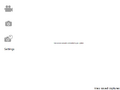
WebCam
-
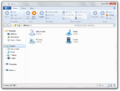
Windows 资源管理器(已 Redpill)
-
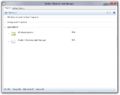
Modern 任务管理器
-
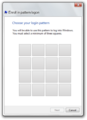
图片登录设置
-
![ImmersiveBackgroundWindow 占位符[1]](/images/thumb/8/8b/7880-WTF.png/120px-7880-WTF.png)
ImmersiveBackgroundWindow 占位符[1]


![ImmersiveBackgroundWindow 占位符[1]](/wiki/%E6%96%87%E4%BB%B6:7880-WTF.png)
注
引用资料
- ↑ Raymond Chen. The cats sitting on a fence in early builds of Windows 8(早期 Windows 8 版本中坐在篱笆上的猫), The Old New Thing. 2022 年 2 月 8 日.