Windows Server 2012 Build 7878.0.fbl_core1_hyp_dev.101107-1700
| Windows Server 2008 的版本 | |
 Default desktop | |
 Desktop with the Aero Theme | |
| 操作系统系列 | Windows NT 系列 |
|---|---|
| NT 版本 | Windows NT 6.2 |
| 内部版本号 | 7878 |
| 修订版本号 | 0 |
| 体系结构 | x64 |
| 内部版本实验室 | fbl_core1_hyp_dev |
| 编译日期 | 2010 年 11 月 7 日 |
| 有效期 | |
| 时间炸弹 | 2011 年 7 月 1 日 (+236 天) |
| 关于对话框 | |
 | |
Windows Server 2012 build 7878 is a build of Windows Server 2012, which was shared on 13 October 2024.
版本和密钥
| Key | 密钥 |
|---|---|
| Standard + StandardCore | YMFM8-J2RV2-66G78-XPQ7C-4RY3B |
| Enterprise + EnterpriseCore | 7P8GH-FV2FF-8FDCR-YK49D-D7P97 |
| Datacenter + DatacenterCore | 7X29B-RDCR7-J6R29-K27FF-H9CR9 |
| ServerWeb + ServerWebCore | YGTGP-9XH8D-8BVGY-BVK4V-3CPRF |
Changes
Start screen
Tiles are now icon-aware, and right-clicking on a tile shows a menu with several options - "Move to Other View" being among them, although this does nothing when clicked. In fact, all of the options bar the "Open" option (which opens the app without actually entering the desktop) - including such items as "Uninstall" and "Resize" - either do nothing or show an error when clicked. The ability to search files and applications in the Start screen was implemented as well.
Interface
- The Windows Server 2008 R2 branding in the watermark has been replaced with "Microsoft Pre-Release Windows Operating System". However, the old branding continues to be used in the
winver.exedialog until being replaced in build 8051. Additionally, the copyright date of the aforementioned application has been updated from 2009 to 2010.
- The desktop black background (which is only used in the build 7868) has been replaced with a blue-green gradient and text which advises Microsoft employees to not leak the build and the legal consequences of doing so outside of Microsoft, seen since the build 7785 of its client counterpart.
Bugs and quirks
General
- Shutdown or restart will cause a softlock when running this build in VMware Workstation 15 or newer. This can be worked around by using the host's Power menu. This can also be fixed by setting the USB compatibility to USB 2.0 in the VM settings.
- Running this build in VirtualBox with the Hyper-V paravirtualization interface enabled will result in a bugcheck.
- Certain visual elements in select MMC snap-ins (such as Services) may use the Wingdings font.
- The name of the floppy disk drive driver remains in pseudo-language.
Redpill
To enable Redpill, the user will need to install Desktop Experience, otherwise, this will happen:
-
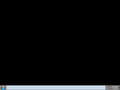
The bug in question

Setup
- The last word of status messages shown when starting Setup and before the computer reboots into OOBE is cut off.
- Attempting to select a network type will result in a driver unload bugcheck. To work around this issue, remove or disable any network adapters before booting into OOBE.
Shell
- An unassigned file association error may occur if certain options in the Start tile drop-down menu are selected.
- The new language bar is mostly broken in this build and only works on rare occasions. It may occasionally spawn an empty, non-functional button between the notification area and the current date/time.
Themes
- The title bar and watermark uses the Arial font due to a typo in the
aero.msstylesandaerolite.msstylesfiles. - Only the top portion of the window frame is blurred when using the Windows Aero theme, leaving the side borders transparent.
- The Windows Basic and the High Contrast themes do not render properly due to the enforcement of the DWM Aero theme.
Miscellaneous
- A warning will appear when opening the Local Security Policy snap-in. It can be safely ignored.
Gallery
-
启动屏幕
-
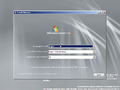
安装程序
-
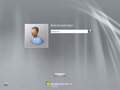
Metro login screen
-
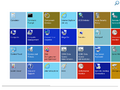
Start screen
-
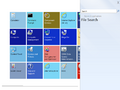
Search charms
-
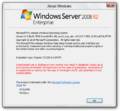
winverwith the Aero theme (Enterprise Server SKU) -
Server Core


