Windows Vista Build 5219.0.winmain_idx02.050830-2010
| Windows Vista 的版本 | |
 | |
| 发布名称 | September 2005 Community Technology Preview |
|---|---|
| 操作系统系列 | Windows NT 系列 |
| NT 版本 | Windows NT 6.0 |
| 内部版本号 | 5219 |
| 修订版本号 | 0 |
| 体系结构 | x86、x64 |
| 内部版本实验室 | winmain_idx02 |
| 编译日期 | 2005 年 8 月 30 日 |
| 有效期 | |
| 时间炸弹 | 2006 年 9 月 30 日 (+396 天) |
| 关于对话框 | |
 | |
  | |
Windows Vista Build 5219.050830-2010 是 Windows Vista 的官方 September 2005 Community Technology Preview(2005 年 9 月社区技术预览)版本,于 2005 年 9 月 13 日发布[1],并在 2005 年专业开发者大会(Professional Developer Conference,PDC)上以“The Goods”套装光盘 5 的形式分发。此版本是从 winmain_idx02 分支编译的,这表明它已多次重新编译。
NFO 文件
NFO 内容
  ________________________________________________________________________________
 |                                                                                |
 |________________________________________________________________________________|
 |                                                                                |
 |                 -%%.                                                           |
 |                 .:.  ::.                                                       |
 |                     #@@=                                                       |
 |                -:   ... ....                                                   |
 |                :.      =@@@#                                                   |
 |                   .+=  :---.#%%@%.                                             |
 |                   .-:      =@@@@++####*:-=+++:=+++=--:.                        |
 |             .+.       -==.  ....-@@@@@+%@@@@#-@@@@@@@@@%#+-.                   |
 |                  ..   ++= .---. *%%%%*#@@@@@-%@@@@@@@@@@@@@@%+:                |
 |                 -*-       *@@@.      :@@@@%++@@***##@@@@@@@@@@@%+.             |
 |           *@*       ...   :::. =@@@# *####*:@@=      :=%@@@@@@@@@@*:           |
 |           ::       .%%*        #%%%.*@@@@@-%@#        :@@=+#@@@@@@@@*.         |
 |              :%@%       +%%%.      -@@@@@*+@@:        %@+   .=%@@@@@@@=        |
 |         .-   .--.       +++- -###* +#****:@@*        =@%       =%@@@@@%.       |
 |         :-       #@@@-       %@@@:+@@@@@-#@%.       .%@:        #@@@@@-        |
 |             -=. .+++-:####=  ....-@@@@@#=@@-        *@*        =@@@@@*         |
 |             ++.      %@@@@:*****-+###**-@@@=-:.    -@%.       .%@@@@%.         |
 |       ++       .==-  ----:#@@@@%+@@@@@=#@@@@@@@@#+=%@-        *@@@@@-          |
 |                =#*- .::: :%%%@@+@@@@@#=@@@@@@@@@@@@@@+-      -@@@@@*           |
 |          .%%.      :@@@*       +#####:@@*++##%@@@@@@@@@@*-  .%@@@@@.           |
 |    .**.       ...  :---..#%%%--%%%@%=#@#      .-#@@@@@@@@@%-*@@@@@=            |
 |    :=-       +@@=       +@@@#.@@@@@#=@@:        #@+ -+%@@@@@@@@@@#             |
 |        =##-      .%%%*       *@@@@@:%@+        +@%.    -*@@@@@@@@:             |
 |        ++=.      -***. +***::*#**#-*@%.       .@@-       :#@@@@@+              |
 |           :%@@#       +@@@%.%@@@@#-@@=        *@*         %@@@@%               |
 |           -+++:=###*. :---.*@@@@@-%@*        -@%.        +@@@@@:               |
 |               -@@@@*-****+.*###*-*@@*--:.   .%@-        :@@@@@+                |
 |               .----:@@@@@+%@@@@%-@@@@@@@@%*=+@*         %@@@@%                 |
 |                    *@@@@#*@@@@@-%@@@@@@@@@@@@@#-.      +@@@@@-                 |
 |                         :@@@@@*+@@@@@@@@@@@@@@@@@#=.  :@@@@@*                  |
 |                                 .::-=+*#%@@@@@@@@@@@*-#@@@@%.                  |
 |                                          .:=#@@@@@@@@@@@@@@-                   |
 |                                               -*@@@@@@@@@@*                    |
 |                                                  -#@@@@@@@.                    |
 |                                                    :*@@@@=                     |
 |                                                      :%@#                      |
 |                                                        +:                      |
 |   -=      -+.     ;+,xx;xxx,=xx+ +++.-xx+;++=-              .;-.               |
 |   =#-     ##+     xX ==,===.-==- ===.;==--#####-            X##;               |
 |   .#x    -#x#.   .#= ,,  ,  .--;   -+++    .X###   .;;;.  ,,###=,.   ,;;;,     |
 |    +#,   X+,#+   =#. ## .#=++==X#, =###    .X##x -X#####x;#######X.x#######=   |
 |    .#+  ,#, x#.  X+  ## .##,    xX =#########X- =##x. .x##+=###=;;+XX=  ;###;  |
 |     x#. xx  ;#= ,#,  ## .#x     +# =###x++xX##X-###x+++x##x.###;    .;-=+###-  |
 |     -#=.#-   X# +X   ## .#+     +# =###     +######x=======.###;  -X##x==###-  |
 |      ##+#    -#+#=   ## .#+     +# =###.   .x######=   ,==-.###; .###-  ,###-  |
 |      =##=     X##.   ## .#+     +# =###########x,X##x=+##X. ###Xxx###x-=X###-  |
 |      .++      -+=    ++ .+=     -+ -+++++++++=,   -+XXX+-   .+XXXx,+XXx= +++;  |
 |  ____________________________________________________________________________  |
 | |Proudly Presents: Windows Vista Ultimate Build 5219 DVD                     | |
 | |____________________________________________________________________________| |
 | |                                                                            | |
 | |  ________________________________________________________________________  | |
 | | |  Release Information                                          [-][±][×]| | |
 | | |_______________________________________________________________________ | | |
 | | | Release Date.....: 13 September, 2005                                |^| | |
 | | | Directory Name...: Windows.Vista.Ultimate.Build.5219.DVD-WinBeta     |¯| | |
 | | | Supplier.........: Microsoft                                         | | | |
 | | | Type.............: OS                                                | | | |
 | | | Format.......... : DVD - ISO (as supplied by MS)                     |-| | |
 | | | Number of Discs..: 1                                                 ||| | |
 | | | Archives.........: 61 x 50 MB (2% rar recovery record)               ||| | |
 | | | Files............: Windows.Vista.Ultimate.Build.5219.DVD-WinBeta.rxx | | | |
 | | | Protection.......: key/wpa                                           | | | |
 | | | Requirements.....: CPU: 1.5GHz+ / RAM: 512MB+ / HDD: 6gb+            | | | |
 | | | Link.............: http://www.microsoft.com/windowsvista/default.mspx|_| | |
 | | |______________________________________________________________________|v| | |
 | | |                                                                    WB  | | |
 | | |________________________________________________________________________| | |
 | | |                                                                          | |
 | | |________________________________________________________________________  | |
 | | |  Release Notes                                                [-][±][×]| | |
 | | |_______________________________________________________________________ | | |
 | | |                                                                      |^| | |
 | | |Windows Vista codename Longhorn, the next generation OS from Microsoft|¯| | |
 | | |This is Build 5219 from Microsoft's PD Conference currently underway  | | | |
 | | |in Los Angeles.  Build compile date is 050830, not the 050824         | | | |
 | | |build shown in recently leaked screenshots.  (IBM leaking again?)     | | | |
 | | |                                                                      | | | |
 | | |There is 30 day activation protection.  The key below works to install| | | |
 | | |We were offered the antiwpa workaround which we declined as we do not | | | |
 | | |provide cracks.  The folks that offered antiwpa said they will make   | | | |
 | | |it available at the same time as this release in order to allow people| | | |
 | | |the opportunity to enjoy Windows Vista Build 5219 for more than 30    | | | |
 | | |days.  Look out for their release if you wish to use it.              | | | |
 | | |We recommend you enter the beta program or join MSDN to get your own  | | | |
 | | |legit key which you will be able to activate.                         | | | |
 | | |                                                                      | | | |
 | | |  Nukers-This must remain an iso or it will not extract or boot.      |-| | |
 | | |                                                                      ||| | |
 | | |  Enjoy Build 5219.  This is an original untouched iso.               |_| | |
 | | |______________________________________________________________________|v| | |
 | | |                                                                    WB  | | |
 | | |________________________________________________________________________| | |
 | | |                                                                          | |
 | | |________________________________________________________________________  | |
 | | |  Install Notes                                                [-][±][×]| | |
 | | |_______________________________________________________________________ | | |
 | | |   .Unpack.                                                           |^| | |
 | | |   .Burn to dvd or mount with an emulator                             |¯| | |
 | | |   .Install, Key is GKFV7-F2D9H-QKYXY-777P3-4M73W                     |_| | |
 | | |______________________________________________________________________|v| | |
 | | |                                                                    WB  | | |
 | | |________________________________________________________________________| | |
 | |                                                                            | |
 | |____________________________________________________________________________| |
 |                  WinBeta - Always Here From The Beginning.                     |
 |________________________________________________________________________________|
SKU 版本和密钥
| 版本 / SKU 名称 | 密钥 |
|---|---|
| Starter | R93TJ-7R9P9-B9GXM-HPYJM-VDH3W |
| Home Basic | KJ89T-MF23J-XD9X9-WHDF3-DV8X8 |
| Home Basic N | CDV26-DG6DG-7DY4J-GHXPR-W8YMT |
| Home Premium | RK83M-X2CQ4-6K2CW-W7HKF-TPTBW |
| Professional Standard | WHPY8-M92RQ-2KMD9-QWQMK-8KV4M |
| Professional Standard N | KFBH3-BX3DC-9YFWJ-Y9D7V-TPCJY |
| Professional Enterprise | MFKHB-RYT8V-H43HR-DC64T-T8YRD |
| Ultimate | GKFV7-F2D9H-QKYXY-777P3-4M73W |
安装程序
尽管安装程序与上述 Vista 版本大体相似,但安装程序自动运行现在提到 Beta 2,而非 Beta 1。磁盘分区页面现在还有一个新的高级选项,除非单击,否则它会隐藏后一个磁盘分区工具。由于补充驱动程序,安装光盘的大小也大幅增加,从 Build 5212 的大约 1 GB 增加到此版本中的大约 2.73 GB。
Get important updates for installation(获取安装的重要更新)页面上的两个选项上的复选标记和十字图标都替换为通用箭头。
-
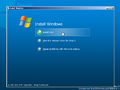
安装程序自动运行
-
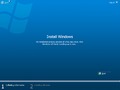
-
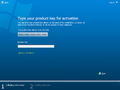
安装程序 - 产品密钥
-
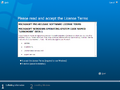
安装程序 - EULA
-
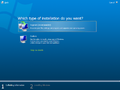
安装程序 - 升级页面
-
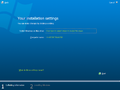
安装程序 - 你的安装摘要
-
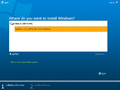
安装程序 - 磁盘分区
-
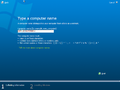
安装程序 - 计算机名称
-
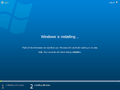
安装程序 - 正在复制文件
-
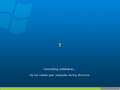
安装程序 - 硬件部分


发现
对 Hold 'Em 的引用首次出现在 Build 5284 中,可以在 C:\Windows\Help\Windows\en-US\games.h1S 文件中隐藏的各个位置看到,例如 games_tips_texas_IT.xml。这表明 Hold 'Em 出现在潜在的早期版本中,但在当时是一款私有游戏。
新增功能和更改
- Windows Search 更新了自 Build 5112 以来的架构,以包含网络计算机共享的名称、GUID 和计算机状态的元素。
- 更新了通知样式,类似于 RTM。
- Internet Explorer 7 收到了一些更新,例如更有序的布局和选项卡部分,包括蓝色到紫色的渐变。
- 关机后,不再有计时器提示,计算机会立即关闭。
- 添加了 SuperFetch。
- Auxiliary Displays(辅助显示器)现在可以在控制面板中打开,而不是在单独的窗口中打开。
- “Time Zone(时区)”选项卡从“日期和时间属性(Date and Time Properties)”中移除,调整时区的功能移至“Date & Time(日期和时间)”选项卡。
- Windows® 屏幕保护程序现在显示包括彩色标志的 Windows Vista 徽标,而非重置前 Windows Longhorn 徽标。
- “每 60 天运行一次桌面清理向导(Run Desktop Cleanup Wizard every 60 days)”从“显示属性(Display Properties)”中删除。
- Sync Manager(同步管理器)重命名为同步中心(Sync Center)。
- 添加了 Personalize handwriting recognition(个性化手写识别)和 Tablet PC Pen Training(Tablet PC 笔训练)。
- 游戏磁贴添加到游戏资源管理器(Games Explorer)。
- Windows 激活收到用户界面更新。
-
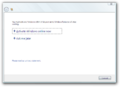
Windows 激活
-
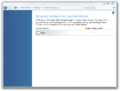
辅助显示器
-
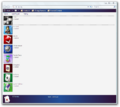
显示新游戏磁贴的游戏资源管理器
-
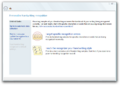
个性化手写识别
-
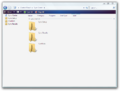
同步中心


文件资源管理器
- 新的虚拟文件夹:我共享的文档(Documents Shared By Me)。
- 针对元数据绘制添加了丰富的工具提示。
- 库虚拟文件夹现在限定了主用户配置文件、MAPIFolders、脱机文件(也称为客户端缓存 client-side cache,CSC)和公共的范围。以前,所有虚拟文件夹(例如,Build 5112 的所有文档)的范围都限定了与其自己的项目类型对应的位置(在所有文档(All Documents)的情况下,只有桌面(Desktop)、文档(Documents)和公用文档(Public Documents)的范围限定)。因此,不需要单独的虚拟文件夹,因为库引用了所有类型的项目。尽管如此,User's Files(用户文件)仍然是相同的。
- 导航窗格(不包括最近使用的文档,Recent Documents)或“开始”菜单不再引用以前版本的虚拟文件夹。但是,它们仍然存在于 Virtual Folders(虚拟文件夹)用户配置文件文件夹中,直到在 Build 5259 中它们被完全删除。
winver
winver 更新为使用 Windows Vista 名称而非 Longhorn。此横幅现在在蓝绿色-翡翠色渐变背景上展示了上述操作系统的名称,Windows 标志完全是白色的而非彩色的。
Outlook Express
- 菜单栏相当大,现在搜索框位于菜单栏内,而非工具栏内。
- 删除了发送即时消息的功能。
- 添加了新的导入和导出选项。
Windows 联系人(Windows Contacts)
Windows 联系人取代了 Windows 地址簿,它现在是一个 Windows 资源管理器 shell,而非一个单独的程序。
Windows Collaboration
添加了 Windows Collaboration(称为代号:Windows Collaboration,后来称为 Windows 会议室,Windows Meeting Space)。
用户帐户
- 用户帐户现在在控制面板窗口内打开,而非在单独的窗口中打开。
- 添加了 Perform administrative tasks(执行管理任务)选项。
Aero
更新了 Aero。任务栏现在在初始化 DWM 时是透明的,并引入了实时任务栏缩略图。Aero 主题元素略有更改。Flip 3D 现在支持玻璃缩览图,且 Alt+Tab 对话框现在具有玻璃般的饰面和新的动画。
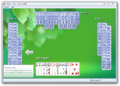
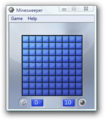
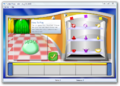
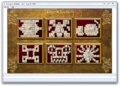
更新的 Windows 游戏
这些游戏由 Oberon Media 开发并由 Microsoft Corporation 发行。
基于 DirectX 的重制版
- Minesweeper(扫雷)
- Hearts(红心大战)
- Solitaire(纸牌)
- FreeCell(空当接龙)
- Spider Solitaire(蜘蛛纸牌)
高级游戏
- Purble Place
- Shanghai Solitaire(后来被称为“Mahjong Titans”和“Microsoft Mahjong”)
- Chess Titans
- Texas Hold 'em(提及)(后来称为“Windows Poker”和“Hold 'Em”)
-
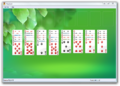
FreeCell
-
Hearts
-
Minesweeper
-
-
-
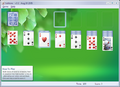
Solitaire


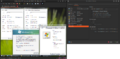
32 位 EFI 支持
它是已知的少数支持从 32 位 EFI 实现引导的重置后版本之一。由于 OEM 的需求较低,它很快就被取消了,[2]直到 Windows 8 才再次出现。
引述功能
帮助和支持中心相关
- Game Updates(游戏更新)
- Windows Experience Index(Windows 体验索引)
移除的功能
自 Build 5112
- List Pane(列表窗格)
- Microsoft Speech Center of Windows Speech Recognition(Windows 语音识别的 Microsoft 语音中心)
- Save Ghost(保存 Ghost)
- Static Lists(静态列表)
- 默认情况下,UAC 设置处于禁用状态。
自 Build 5212
- Network Computer Sharing(网络计算机共享)
Bug
安装
- 干净的硬盘驱动器无法格式化,因为它“未准备好”。若要解决此问题,请重新启动计算机。
- 此版本的 AMD64 编译可能无法格式化硬盘驱动器,并出现错误 0x80042405。
组合
- 与重置前版本一样,当 DWM 运行时,性能可能会受到很大影响。
- 如果启用了 DWM,“开始”按钮上的“开始”文本将呈现不正确,具体取决于当前显示驱动程序和 DPI 的分辨率。它要么使用更粗的字体,要么闪烁并且是透明的。
- 如果在存在最大化窗口时启用 DWM,窗口框架将变得不透明,但任务栏不会,这与 Build 4074 等重置前版本不同。
- 可以同时调用新的 Alt+Tab 对话框和 Windows 经典 Alt+Tab 对话框。
- 新的 Alt+Tab 对话框可以在 Flip3D 中像窗口一样调用。
Migration Wizard(迁移向导)
以下 bug 是在 sources 文件夹中的 MIGWIZRE.TXT 中发现的内部已知问题。
- 目前仅支持断开连接的迁移。
- Drive Exclusion(驱动器排除)页面对要迁移的项目不产生影响。
- 要提高具有 razzle 环境的计算机上的性能,请在运行向导之前通过设置环境变量
MIG_DOCS_MINSCAN=1来禁用扫描所有驱动器(在某些计算机上可能需要几分钟)。
Unit Properties(单位属性)
启用 DWM 后,磁盘布局无法正确显示,它会重叠和闪烁。
Media Center
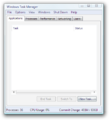
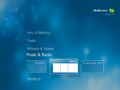
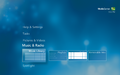
Media Center 默认使用 Tahoma 作为其用户界面的字体,尽管它原本应使用 Segoe Media Center,并且后者字体已经安装。导航到 C:\Windows\Fonts 中的 Segoe Media Center 字体可以解决此问题。
图库
-

-
-
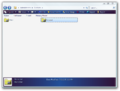
Windows 联系人
-
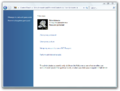
用户帐户
-
-
-
同上,使用 Segoe Media Center
-
演示
-
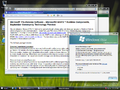
Aero 启用下的演示
-
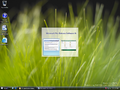
Alt-Tab 对话框
-

通知
-
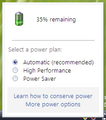
电池任务栏控件
-
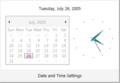
日期任务栏控件
-
32 位 UEFI 支持
-
Ctrl-Alt-Del 菜单
-
正在休眠
-

安全关机屏幕(仅组策略)


引用资料
- ↑ Microsoft Unveils New Platform Advancements at Microsoft Professional Developers Conference(Microsoft 在 Microsoft 专业开发人员大会上介绍新的平台进展), Microsoft News, 2005 年 9 月 13 日.
- ↑ Unified Extended Firmware Interface support in Windows Vista(Windows Vista 中的统一扩展固件接口支持), Microsoft 支持, 2007 年 10 月 26 日.