Windows Vista Build 5112.0.winmain_beta1.050720-1600
| Windows Vista 的版本 | |
 | |
| 发布名称 | Beta 1 |
|---|---|
| 操作系统系列 | Windows NT 系列 |
| NT 版本 | Windows NT 6.0 |
| 内部版本号 | 5112 |
| 体系结构 | x86、x64 |
| 内部版本实验室 | winmain_beta1 |
| 编译日期 | 2005 年 7 月 20 日 |
| 有效期 | |
| 时间炸弹 | 2006 年 9 月 30 日 (+437 天) |
| 已知 SKU 版本 | |
| Professional Standard | |
| 产品密钥 | |
| TCP8W-T8PQJ-WWRRH-QH76C-99FBW、 GKFV7-F2D9H-QKYXY-777P3-4M73W(变体) | |
| 关于对话框 | |
 | |
  | |
Windows Vista Build 5112 是 Windows Vista 的官方 Beta 1 版本,于 2005 年 7 月 27 日正式向公众发布。它是首批编译的 Beta 1 级别版本之一,也是首个广泛可用的重置后 Longhorn/Vista 版本。
在开发阶段,Microsoft 决定将 Windows Vista 作为操作系统的最终名称,希望提升此产品在最终用户中的形象和认知度。吉姆·奥尔钦(Jim Allchin)对这个名字表示了热情,他说:
'Vista' creates the right imagery for the new product capabilities and inspires the imagination with all the possibilities of what can be done with Windows – making people's passions come alive.
— Jim Allchin on the final operating system name, November 2006
“Vista”为新产品功能创造了正确的意像,并通过 Windows 可以完成的所有可能性激发了想象力 —— 让人们的激情栩栩如生。
— 吉姆·奥尔钦(Jim Allchin)谈到最终的操作系统名称,2006 年 11 月[1]
尽管如此,Longhorn 这个名字仍将用于整个作系统的许多领域,这是可以预料的,考虑到这个版本是在更名公告前两天才编译的,导致 Vista 品牌在这个开发阶段只是在桌面水印上被提及。
NFO 文件
NFO 内容
  ________________________________________________________________________________
 |                                                                                |
 |________________________________________________________________________________|
 |                                                                                |
 |                 -%%.                                                           |
 |                 .:.  ::.                                                       |
 |                     #@@=                                                       |
 |                -:   ... ....                                                   |
 |                :.      =@@@#                                                   |
 |                   .+=  :---.#%%@%.                                             |
 |                   .-:      =@@@@++####*:-=+++:=+++=--:.                        |
 |             .+.       -==.  ....-@@@@@+%@@@@#-@@@@@@@@@%#+-.                   |
 |                  ..   ++= .---. *%%%%*#@@@@@-%@@@@@@@@@@@@@@%+:                |
 |                 -*-       *@@@.      :@@@@%++@@***##@@@@@@@@@@@%+.             |
 |           *@*       ...   :::. =@@@# *####*:@@=      :=%@@@@@@@@@@*:           |
 |           ::       .%%*        #%%%.*@@@@@-%@#        :@@=+#@@@@@@@@*.         |
 |              :%@%       +%%%.      -@@@@@*+@@:        %@+   .=%@@@@@@@=        |
 |         .-   .--.       +++- -###* +#****:@@*        =@%       =%@@@@@%.       |
 |         :-       #@@@-       %@@@:+@@@@@-#@%.       .%@:        #@@@@@-        |
 |             -=. .+++-:####=  ....-@@@@@#=@@-        *@*        =@@@@@*         |
 |             ++.      %@@@@:*****-+###**-@@@=-:.    -@%.       .%@@@@%.         |
 |       ++       .==-  ----:#@@@@%+@@@@@=#@@@@@@@@#+=%@-        *@@@@@-          |
 |                =#*- .::: :%%%@@+@@@@@#=@@@@@@@@@@@@@@+-      -@@@@@*           |
 |          .%%.      :@@@*       +#####:@@*++##%@@@@@@@@@@*-  .%@@@@@.           |
 |    .**.       ...  :---..#%%%--%%%@%=#@#      .-#@@@@@@@@@%-*@@@@@=            |
 |    :=-       +@@=       +@@@#.@@@@@#=@@:        #@+ -+%@@@@@@@@@@#             |
 |        =##-      .%%%*       *@@@@@:%@+        +@%.    -*@@@@@@@@:             |
 |        ++=.      -***. +***::*#**#-*@%.       .@@-       :#@@@@@+              |
 |           :%@@#       +@@@%.%@@@@#-@@=        *@*         %@@@@%               |
 |           -+++:=###*. :---.*@@@@@-%@*        -@%.        +@@@@@:               |
 |               -@@@@*-****+.*###*-*@@*--:.   .%@-        :@@@@@+                |
 |               .----:@@@@@+%@@@@%-@@@@@@@@%*=+@*         %@@@@%                 |
 |                    *@@@@#*@@@@@-%@@@@@@@@@@@@@#-.      +@@@@@-                 |
 |                         :@@@@@*+@@@@@@@@@@@@@@@@@#=.  :@@@@@*                  |
 |                                 .::-=+*#%@@@@@@@@@@@*-#@@@@%.                  |
 |                                          .:=#@@@@@@@@@@@@@@-                   |
 |                                               -*@@@@@@@@@@*                    |
 |                                                  -#@@@@@@@.                    |
 |                                                    :*@@@@=                     |
 |                                                      :%@#                      |
 |                                                        +:                      |
 |   -=      -+.     ;+,xx;xxx,=xx+ +++.-xx+;++=-              .;-.               |
 |   =#-     ##+     xX ==,===.-==- ===.;==--#####-            X##;               |
 |   .#x    -#x#.   .#= ,,  ,  .--;   -+++    .X###   .;;;.  ,,###=,.   ,;;;,     |
 |    +#,   X+,#+   =#. ## .#=++==X#, =###    .X##x -X#####x;#######X.x#######=   |
 |    .#+  ,#, x#.  X+  ## .##,    xX =#########X- =##x. .x##+=###=;;+XX=  ;###;  |
 |     x#. xx  ;#= ,#,  ## .#x     +# =###x++xX##X-###x+++x##x.###;    .;-=+###-  |
 |     -#=.#-   X# +X   ## .#+     +# =###     +######x=======.###;  -X##x==###-  |
 |      ##+#    -#+#=   ## .#+     +# =###.   .x######=   ,==-.###; .###-  ,###-  |
 |      =##=     X##.   ## .#+     +# =###########x,X##x=+##X. ###Xxx###x-=X###-  |
 |      .++      -+=    ++ .+=     -+ -+++++++++=,   -+XXX+-   .+XXXx,+XXx= +++;  |
 |  ____________________________________________________________________________  |
 | |Proudly Presents: Microsoft Windows Vista codename Longhorn Beta 1 32Bit DVD| |
 | |____________________________________________________________________________| |
 | |                                                                            | |
 | |  ________________________________________________________________________  | |
 | | |  Release Information                                          [-][±][×]| | |
 | | |_______________________________________________________________________ | | |
 | | | Release Date.....: July 27th, 2005                                   |^| | |
 | | | Directory Name...: Microsoft.Windows.Vista.Codename.Longhorn.Beta.1. |¯| | |
 | | | Supplier.........: Microsoft                  DVD.READ.NFO-WinBeta   | | | |
 | | | Type.............: OS                                                | | | |
 | | | Format.......... : DVD - ISO (as supplied by MS)                     |-| | |
 | | | Number of Discs..: 1                                                 ||| | |
 | | | Archives.........: 54 x 50 MB (2% rar recovery record)               ||| | |
 | | | Files............: wb-winvlhb132bitdvd.rxx                           | | | |
 | | | Protection.......: key/wpa                                           | | | |
 | | | Requirements.....: CPU: 1.5GHz+ / RAM: 512MB+ / HDD: 6gb+            | | | |
 | | | Link.............: http://www.microsoft.com/windowsvista/default.mspx|_| | |
 | | |______________________________________________________________________|v| | |
 | | |                                                                    WB  | | |
 | | |________________________________________________________________________| | |
 | | |                                                                          | |
 | | |________________________________________________________________________  | |
 | | |  Release Notes                                                [-][±][×]| | |
 | | |_______________________________________________________________________ | | |
 | | |                                                                      |^| | |
 | | |Windows Vista codename Longhorn, the next generation OS from Microsoft|¯| | |
 | | |This is Beta 1. Build 5112 for those inclined to such information.    | | | |
 | | |                                                                      | | | |
 | | |There is 30 day activation protection.  The key below works to install| | | |
 | | |We were offered the antiwpa workaround which we declined as we do not | | | |
 | | |provide cracks.  The folks that offered antiwpa said they will make   | | | |
 | | |it available at the same time as this release in order to allow people| | | |
 | | |the opportunity to enjoy Windows Vista codename Longhorn Beta 1 for   | | | |
 | | |more than 30 days.  Look out for their release if you wish to use it  | | | |
 | | |We recommend you enter the beta program or join MSDN to get your own  | | | |
 | | |legit key which you will be able to activate.                         | | | |
 | | |                                                                      | | | |
 | | |  Nukers-This must remain an iso or it will not extract or boot.      |-| | |
 | | |                                                                      ||| | |
 | | |  Enjoy Beta 1.  This is an original untouched iso.                   |_| | |
 | | |______________________________________________________________________|v| | |
 | | |                                                                    WB  | | |
 | | |________________________________________________________________________| | |
 | | |                                                                          | |
 | | |________________________________________________________________________  | |
 | | |  Install Notes                                                [-][±][×]| | |
 | | |_______________________________________________________________________ | | |
 | | |   .Unpack.                                                           |^| | |
 | | |   .Burn to dvd or mount with an emulator                             |¯| | |
 | | |   .Install, Key is TCP8W-T8PQJ-WWRRH-QH76C-99FBW                     |_| | |
 | | |______________________________________________________________________|v| | |
 | | |                                                                    WB  | | |
 | | |________________________________________________________________________| | |
 | |                                                                            | |
 | |____________________________________________________________________________| |
 |                  WinBeta - Always Here From The Beginning.                     |
 |________________________________________________________________________________|
更新
此版本的安全更新已通过 Microsoft TechNet Beta 评估光盘分发。
6.0.5112.9.winmain_beta1.051012-1700
新增功能和更改
Windows 安装程序
在 Build 5098 中暂时删除后,虚拟进度条现在再次出现在安装程序的第二部分。就像在 Build 5048 中一样,它会逐渐填满,然后在循环中重置。
按照正常方式,此版本只能从 Build 5099 开始升级,尽管可以通过将 sources 文件夹(不包括 install.wim 文件)替换为 Build 5098 中的文件夹来解决。
- 通过在环境变量中将
UPGRADE_ALLOWED设置为1,可以从 5099 之前的任何版本升级到此版本,无需修改安装文件。
桌面窗口管理器
通过使用用于 x86 或 x64 体系结构编译的修补 uxss.exe 可执行文件,可以在虚拟机中或不符合 LDDM 的图形硬件上使用桌面窗口管理器。
有两种不同的方法来初始化 DWM:将 Windows\System32 目录中的 uxss.exe 库替换为修补的变体,并将硬件检查覆盖添加到注册表中,或者使用具有周期正确的图形硬件和显示驱动程序的物理机。第一种方法可以通过打开注册表编辑器,导航到 HKEY_LOCAL_MACHINE\Software\Microsoft,创建一个名为 DWM 的新键并在此键内创建以下 DWORD 值来实现:
| 键 | 值 |
|---|---|
| EnableMachineCheck | 1 - 启用图形硬件检查,这将 DWM 支持仅限于支持 Longhorn 显示驱动程序模型的图形硬件。Windows XP 和 Windows Server 2003 的显示驱动程序也完全排除在窗口合成之外。 0 - 禁用图形硬件检查 |
| ForceSoftwareD3D | 1 - 强制软件渲染 0 - 使用硬件渲染 |
| Glass | 1 - 半透明/玻璃窗框 0 - 禁用玻璃效果,将字幕替换为金属窗口框架 |
| Blur | 1 - 启用模糊效果 0 - 禁用模糊效果,在启用 ForceSoftwareD3D 时很有用 |
| UseAlternateButtons (可选) |
1 - 方形按钮 0 - 普通按钮 |
| MagnificationPercent (可选 - 使用风险自负!) |
0 - 100(十进制) - 正常缩放 1 到 99 范围内的任何十进制值 - 缩小窗口百分比 任何大于 100 的十进制值 - 放大 Windows 的百分比 |
Windows 资源管理器
桌面上添加了两个新图标,一个指向一个补充驱动程序安装程序,此安装程序在尚未准备好使用 Vista 的 PC 上安装为 Windows XP 制作的驱动程序,而另一个是谈论 Avalon 和 Indigo 的文档。
删除列表窗格以及从“New(新建)”上下文菜单选项创建播放列表和列表的功能。
Bug
安装
安装程序的分区页面无法正确刷新,需要用户重新启动系统才能看到新的分区。
桌面窗口管理器
在使用修补后的 uxss.exe 的大多数配置中,当 ForceSoftwareD3D 值设置为 0 时,屏幕将冻结,直至禁用 DWM 为止。除此之外,如果启用了玻璃效果,非资源管理器窗口边框上会出现伪影。
资源管理器
如果安装了某些音频驱动程序,资源管理器可能会挂起。在 VMware 上,可以通过使用 Sound Blaster Audio PCI 驱动程序而不是 VMware ES1371 Audio 驱动程序来解决此问题。
图库
安装程序
-
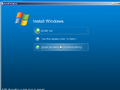
安装程序 - 自动运行
-
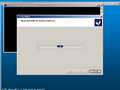
安装程序自动运行选项 - 启动修复
-
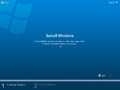
安装程序 - 收集信息
-
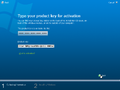
安装程序 - 产品密钥
-
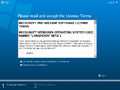
安装程序 - EULA
-
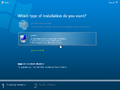
安装程序 - 升级页
-
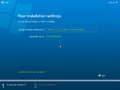
安装程序 - 安装设置
-
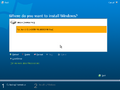
安装程序 - 磁盘分区
-
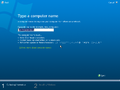
安装程序 - 计算机名称
-
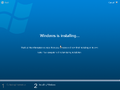
安装程序 - 复制文件
-
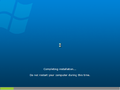
安装程序 - 硬件安装程序


界面
-

-
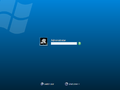
登录屏幕
-
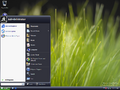
-
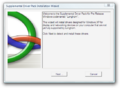
补充驱动程序
-
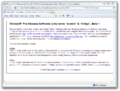
Avalon 和 Indigo 文档
-
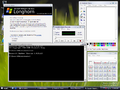
演示
-
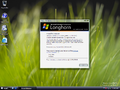
-
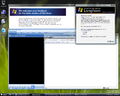
启用 Aero 情况下的演示
-
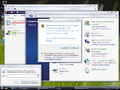
禁用玻璃效果下的 DWM
-
关机屏幕
-
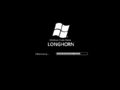
正在休眠
-
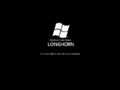
安全关机屏幕(仅限组策略)


其他
-
](/images/thumb/3/36/WindowsVista-6.0.5112-%28Professional%29-DVD1.jpg/120px-WindowsVista-6.0.5112-%28Professional%29-DVD1.jpg)
x86 英语 DVD [Professional](DVD Cube)
-
![x86 英语 DVD [Professional]](/images/thumb/c/c4/WindowsVista-6.0.5112-%28Professional%29-DVD2.jpg/120px-WindowsVista-6.0.5112-%28Professional%29-DVD2.jpg)
x86 英语 DVD [Professional]
-
![x86 英语 DVD(Checked/Debug)[Professional]](/images/thumb/f/f3/WindowsVista-6.0.5112.0-%28x86%29-%28Checked%29-DVD.png/119px-WindowsVista-6.0.5112.0-%28x86%29-%28Checked%29-DVD.png)
x86 英语 DVD(Checked/Debug)[Professional]
-
![x64 英语 DVD [Professional]](/images/thumb/a/aa/WindowsVista-6.0.5112.0-%28x64%29-DVD.png/120px-WindowsVista-6.0.5112.0-%28x64%29-DVD.png)
x64 英语 DVD [Professional]
-
![x64 英语 DVD(Checked/Debug)[Professional]](/images/thumb/f/f8/WindowsVista-6.0.5112.0-%28x64%29-%28Checked%29-DVD.png/120px-WindowsVista-6.0.5112.0-%28x64%29-%28Checked%29-DVD.png)
x64 英语 DVD(Checked/Debug)[Professional]
-
![x86 英语 DVD [MSDN]](/images/thumb/e/e8/MSDN_-_No_3015_September_2005_-_CD.jpg/120px-MSDN_-_No_3015_September_2005_-_CD.jpg)
x86 英语 DVD [MSDN]
-
![x64 英语 DVD [MSDN]](/images/thumb/e/e6/MSDN_-_No_3016_September_2005_-_CD.jpg/120px-MSDN_-_No_3016_September_2005_-_CD.jpg)
x64 英语 DVD [MSDN]
-
![x86 英语 DVD [TechNet]](/images/thumb/9/97/TechNet_No0344_September2005_i386-LB1PFRE_EN.png/120px-TechNet_No0344_September2005_i386-LB1PFRE_EN.png)
x86 英语 DVD [TechNet]
-
![x64 英语 DVD [TechNet]](/images/thumb/1/15/TechNet_No0345_September2005_i386-LB1PXFRE_EN.png/120px-TechNet_No0345_September2005_i386-LB1PXFRE_EN.png)
x64 英语 DVD [TechNet]
](/wiki/%E6%96%87%E4%BB%B6:WindowsVista-6.0.5112-(Professional)-DVD1.jpg)
![x86 英语 DVD [Professional]](/wiki/%E6%96%87%E4%BB%B6:WindowsVista-6.0.5112-(Professional)-DVD2.jpg)
![x86 英语 DVD(Checked/Debug)[Professional]](/wiki/%E6%96%87%E4%BB%B6:WindowsVista-6.0.5112.0-(x86)-(Checked)-DVD.png)
![x64 英语 DVD [Professional]](/wiki/%E6%96%87%E4%BB%B6:WindowsVista-6.0.5112.0-(x64)-DVD.png)
![x64 英语 DVD(Checked/Debug)[Professional]](/wiki/%E6%96%87%E4%BB%B6:WindowsVista-6.0.5112.0-(x64)-(Checked)-DVD.png)
![x86 英语 DVD [MSDN]](/wiki/%E6%96%87%E4%BB%B6:MSDN_-_No_3015_September_2005_-_CD.jpg)
![x64 英语 DVD [MSDN]](/wiki/%E6%96%87%E4%BB%B6:MSDN_-_No_3016_September_2005_-_CD.jpg)
![x86 英语 DVD [TechNet]](/wiki/%E6%96%87%E4%BB%B6:TechNet_No0344_September2005_i386-LB1PFRE_EN.png)
![x64 英语 DVD [TechNet]](/wiki/%E6%96%87%E4%BB%B6:TechNet_No0345_September2005_i386-LB1PXFRE_EN.png)
引用资料
- ↑ Paul Thurrott. Road to Gold: The Long Road to Windows Vista; Part 4: January - July 2005(淘金之路:通往 Windows Vista 的漫漫长路;第 4 部分:2005 年 1 月至 7 月), Paul Thurrott's SuperSite for Windows. 2006 年 11 月 1 日. 存档来自 2006 年 11 月 9 日的原始文件.