Windows Vista Build 5048.0.winmain_idx02.050401-0536
| Windows Vista 的版本 | |
 | |
| 发布名称 | Longhorn Developer Preview |
|---|---|
| 操作系统系列 | Windows NT 系列 |
| NT 版本 | Windows NT 6.0 |
| 内部版本号 | 5048 |
| 修订版本号 | 0 |
| 体系结构 | x86、x64、IA-64[a] |
| 内部版本实验室 | winmain_idx02 |
| 编译日期 | 2005 年 4 月 1 日 |
| 有效期 | |
| 时间炸弹 | +180 天 (自原始安装日期起) |
| 已知 SKU 版本 | |
| Ultimate、 Enterprise Server(Foundation)[b] | |
| 产品密钥 | |
| TCP8W-T8PQJ-WWRRH-QH76C-99FBW | |
| 关于对话框 | |
 | |
  | |
Windows Vista Build 5048 是 Windows Vista 的官方 Longhorn Developer Preview 版本,于 2005 年 4 月 25 日至 27 日在华盛顿州西雅图举行的 2005 年 Microsoft 的 Windows Hardware Engineering Conference(Windows 硬件工程会议)[1]上提供给与会者。此版本的 checked/debug 版本于 2021 年 12 月 26 日上传。
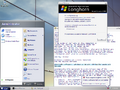
作为早期的重置后版本,它与 Windows XP 和 Windows Server 2003 明显更为相似,而不是与重置前版本更相似。它也是一个 idx02 版本,这表明它被重新编译了几次,因此落后于常规的主线版本。此版本的x64编译类似于 x86 变体,但使用不同的最终用户许可协议和替代的 64 位品牌资源。
与其他重置后的 Vista 版本不同,此版本是在评估模式下编译的,可以在当前日期安装。评估模式下的时间炸弹的行为与重置前版本相同;如果时间炸弹过期,用户将自动注销。
新增功能和更改
此版本中添加的大多数功能都是从开发重置前编译的版本向后移植功能的结果。
Windows 安装程序
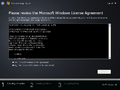
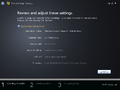
尽管重置后 Vista 的早期版本(如 5000 和 5001)使用了以前版本的 Windows 中使用的较旧安装程序过程,但此版本从重置前 Longhorn 版本中重新实现了较新的 WIM 基于 WIM 的映像部署过程,尽管有几项功能更改。
更改了安装程序初始化屏幕的设计,以包括 Windows 标志。最初在大多数重置前版本中看到的 ClearType 功能已在预安装环境中被禁用,并且初始进度指示器下显示的阶段不再显示发光效果。加载磁盘驱动程序的功能已移至磁盘分区阶段,现在,当 Windows 在安装程序的第二阶段组装映像并检测硬件时,会显示报告虚假百分比信息的进度条。
还规定了 256 MB RAM 的最低硬件限制,以减少安装失败的机会。除了这些细微的变化之外,安装程序与 Longhorn 后来的重置前版本中的安装程序基本相似。不再支持从 Windows NT 4.0、Windows 98(包括第二版重新发布)和 Windows Me 进行升级。
SKU 版本
这是 Windows Vista 引入了最终版本中的大部分现有 SKU 版本的最早版本。这些 SKU 版本包括:
- Starter:针对当时新兴市场(如俄罗斯或泰国)的 Windows 缩减功能版本,预装在低成本上网本上;
- Home Basic:面向中低端计算机的消费者版,面向新的计算机用户
- Home Premium:可在大多数家用计算机上找到——包含在早期版本的 Windows 中找到的所有多媒体和生产力应用程序。
- Pro Standard:面向“各种规模的企业”。在开发过程中放弃了独立的“Business”版本。
- Pro Small Business:适用于小型企业;包括完整的远程桌面协议(客户端/主机)功能、组策略管理、Active Directory 域加入支持和传真功能。系统中不存在特定于使用者的功能。
- Pro Premium:演变为最终版本的 Enterprise;与 Pro Small Business 的功能集类似。
- Ultimate:Home Premium 和 Pro Premium 的合并——包括所有消费者和企业功能。
此版本的安装介质仅包含最高端的 SKU 版本 Ultimate 作为预暂存的操作系统映像。
用户界面
用户界面对以前的版本进行了逐步推进的大修;尽管界面的某些部分与其前身基本相似,但在不同的表面上可以观察到许多变化。操作系统中添加了 Windows Aero 视觉风格,其设计采用闪亮的金属和玻璃表面;它是 Vista 开发其余部分的默认系统主题,将完全替代旧版 Luna 视觉样式,最初在最高到 5059.vbl_wcp_avalon 的版本中作为开发占位符出现。现在,默认情况下,ClearType 抗锯齿在所有表面上处于启用状态。
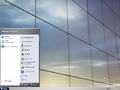
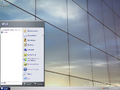
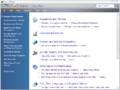
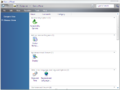
更新了 Windows 资源管理器应用程序设计,其设计与重置前版本 Build 4042.Lab06_n 中引入的设计基本相似(此外还与右上角前缀的搜索框相结合),并且引入了控制面板的接近最终布局的设计以及经典的类别视图。重新引入了早期重置前版本中的几个图标设计,但略有改动,同时还引入了几个新的图标设计,用于网络、画图、帮助和支持等功能,以及几个控制面板小程序,包括程序默认值和打印机和传真。Shell 文件夹(如文档(Documents)和计算机(Computer)文件夹)的名称中删除了“My”前缀。“开始”菜单在设计上进行了细微的更改,其中包括内置搜索实用程序和内联菜单,取代了原来的所有程序(All Programs)上下文菜单。
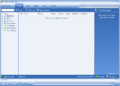
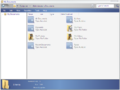
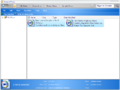
实现了搜索索引器的基本实现(默认处于禁用状态),同时对较旧的搜索用户界面进行了全面改造。根据现有元数据自动对文件进行分类的虚拟搜索文件夹(也称为“AutoLists(自动列表)”)也实施到现有的内置用户帐户文件夹集中。此外,还实现了通过使用复选框手动选择文件的功能,并通过鼠标滚轮滚动来缩放文件图标。包含基本图像查看器的胶片显示窗格文件夹视图被删除,以支持更大的基于图标的预览。
实现了 Sync Manager(同步管理器)功能,允许用户使用服务器设置一个或多个设备,从而允许通过网络进行基本文件管理。可以通过运行 mobsync.exe 应用程序、从 Windows 资源管理器的“工具”下拉菜单访问“同步”选项或打开其相应的控制面板小程序来手动调用它。
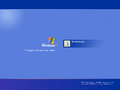
默认情况下,使用 Windows 2000 中的旧版登录对话框代替常规的 Windows XP 登录屏幕;较新的设计(与 Windows XP 中的设计相比,功能较少)可以通过用户帐户控制面板小程序启用。这两种设计都充当开发占位符,在 Beta 1 之前删除。删除了旧版本的 Windows Media Player 应用程序,以及内置的 MSN Internet Games、漫游 Windows XP 和 Windows NetMeeting(后来由 Windows 会议室继承)。
桌面窗口管理器
此版本的 Vista 重新引入了桌面窗口管理器,这是一种 3D 窗口合成器功能,自开发重置以来并不存在。如果未安装GPU驱动程序,窗口管理器将在启动时崩溃,如果没有兼容的显示驱动程序可用,则需要软件渲染。
现在默认包含兼容 LDDM 的驱动程序,支持 Radeon 9000 和 GeForce FX 系列显卡。但是,与 XDDM 驱动程序相比,这些驱动程序的性能非常差。
此版本的 DWM 子系统可以在用于 Windows XP 或 Windows Server 2003 的常规显示驱动程序(归类为 XPDM 模型)下运行,前提是安装了列入白名单的 GPU,或者通过特定于开发的覆盖绕过了白名单。
有两种不同的初始化 DWM 的方法:将硬件检查覆盖添加到注册表中,或者在 uDWM.dll 中调用函数 DwmClientStartup。第一种方法可以通过打开注册表编辑器,导航到 HKEY_LOCAL_MACHINE\Software\Microsoft,创建一个名为 DWM 的新注册表项并在该注册表项中创建以下 DWORD 值来实现:
| 键 | 值 |
|---|---|
| EnableMachineCheck | 1 - 启用图形硬件检查,这将 DWM 支持限制为 ATI Radeon 9800 和 NVIDIA GeForce FX 5900 系列[c] 0 - 禁用图形硬件检查 |
| ForceSoftwareD3D | 1 - 强制软件渲染 0 - 硬件渲染 |
| Metal (可选) |
1 - 使窗框设计产生不透明的类 Jade 样式,类似于在重置前版本中观察到的样式 0 - 在重置前版本 Build 4050 中观察到的玻璃窗框 |
| UseAlternateButtons (可选) |
1 - 方形按钮 任何其他值 - Build 4050 的玻璃按钮 |
| ScaleXPercent (可选) (警告:使用风险自负!) |
0 或 100(十进制) - 正常水平缩放 1 到 99 范围内的任何十进制值 - 窗口的水平缩小百分比 任何大于 100 的十进制值 - 窗口的水平放大百分比 |
| ScaleYPercent (可选) (警告:使用风险自负!) |
0 或 100(十进制) - 正常垂直缩放 1 到 99 范围内的任何十进制值 - 窗口的垂直缩小百分比 任何大于 100 的十进制值 - 窗口的垂直放大百分比 |
应用上述更改后,通过将用户体验会话管理服务(User Experience Session Management Service,uxsms)的启动类型设置为 Automatic(自动)来启用此服务,然后注销(反之亦然)以初始化桌面窗口管理器。可以使用 Ctrl+⇧ Shift+F9 热键在开/关状态之间切换合成,这与大多数包括 DWM 的版本非常相似,尽管它仅在服务运行时起作用。
Windows 启动管理器
这是最早包含 Windows 启动管理器(BOOTMGR)的可用版本,自 NTLDR 在 Windows NT 3.1 1991 年 10 月版本中引入以来,它取代了 NTLDR 成为默认启动加载程序。但是,NTLDR 仍作为替代引导方式包含在内,如果使用早期版本的 Windows 进行双重引导,则可以观察到 NTLDR。较旧的 BOOT.INI 条目格式仍在使用,因为 Beta 1 尚未实现注册表基于 hive 的引导配置数据格式。
现在需要高级配置和电源接口(ACPI)支持才能启动到操作系统。尝试在不符合 ACPI 的系统下启动 Windows 将生成一条消息,建议用户升级其计算机或联系其硬件制造商以获取支持。
用户帐户控制(User Account Control)
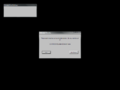
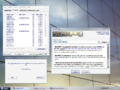
这是开发重置后包括用户帐户控制初步版本的首个版本。可以通过在注册表中设置以下值来启用它:
[HKEY_LOCAL_MACHINE\SYSTEM\CurrentControlSet\Control\Lsa]
"LUAEnabled"=dword:00000001
"InstallerDetectionEnabled"=dword:00000001
在此之后,为管理员帐户提供密码,创建一个受限用户帐户,然后登录此帐户。
WinSAT
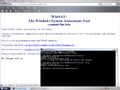
添加了 Windows 系统评估工具(Windows System Assessment Tool,WinSAT),但它只包括磁盘评估和内存评估。
其他
- Microsoft Anna 语音合成器首次出现在重置前版本 Build 4093 中,现已重新引入。
- 更新了详细启动模式下的品牌标识(通过
/SOS引导开关启用)。
发现
被注释掉的驱动程序
此版本中包含的 ATI LDDM 驱动程序包含用于 Radeon X300、X600、X800 以及 Mobility Radeon 9600 和 9700 的注释掉的行,表明正在开发对其他 ATI 卡的支持。虽然这些驱动程序可以正常工作,但在使用它们时可能会遇到随机卡顿、故障和冻结。
服务器版本
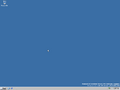
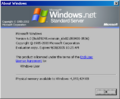
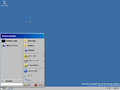
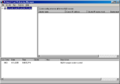
尽管此版本仅在 Ultimate SKU 中正式发布,但此版本的服务器版本的组件存在于组件存储中,并且可以手动暂存它们。通过 BetaWiki Discord 服务器成员最近的工作也使服务器版本得以成功发布。
Bug
界面
- Windows 资源管理器有时可能只显示目录中的前 50 个文件和文件夹。
- 修改文件夹选项时,资源管理器窗口中的用户界面元素无法正确更新自身。
- 屏幕键盘应用程序无法正确读取本地用户的配置,并将拒绝启动。
- 在启用新的登录屏幕时为默认用户帐户启用自动登录可能会导致引发错误;可以放心地忽略这一点。
- 即使启用了快速用户切换,也不会显示切换用户的能力。仍然可以使用 ⊞ Win+L 热键切换到其他用户。
- 帮助和支持(Help and Support)“开始”菜单项指向缺少的
helpctr.exe二进制文件,因为它已被删除,以支持内部命名为HelpPane.exe的更新设计,位于 Windows 文件夹的根目录。 - 与重置前版本 Build 4067 类似,控制面板以及打印机和传真图标来自 Windows 95。
- 用户帐户控制(启用时)可能会在首次登录时多次提示管理员权限以执行初始设置操作。
安装程序
- 从安装媒体引导时,
NTLDR用于引导至预安装环境。在下一个版本之前,不会在安装介质上使用BOOTMGR。 - 在启动时短暂使用 24 位 640×480 后,预安装环境将切换到 16 位彩色 800×600 视频模式。
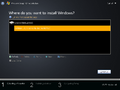
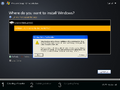
- 尽管此版本可以在安装过程中正确分区,但需要重新启动才能安装到任何新创建的分区上,因为磁盘列表不会正确更新自身。
- 位于安装程序右下角的计时器是一个占位符,不会动态更新。
- 将操作系统映像解压缩到硬盘驱动器后,安装程序可能无法正确生成正确的启动配置数据。
升级问题
要执行系统升级,必须满足以下条件:
noupgrade.txt占位符文本文档不得出现在安装媒介的sources目录中。- 注册表 DWORD 值
HKEY_LOCAL_MACHINE\SOFTWARE\Microsoft\Windows\CurrentVersion!Upgradeable不能为0。 - 如果升级的操作系统映像是组件化版本 (此版本的安装媒体),注册表 DWORD 值
HKEY_LOCAL_MACHINE\SYSTEM\CurrentControlSet\Windows!ComponentizedBuild必须设置为 1。否则,此值不得存在于注册表中或设置为0。 - 主机必须运行 Build 5019 到 5048;系统中也不得存在 Service Pack。
- 系统分区上必须只有一个操作系统安装
- 属于系统中存在等效的客户端 SKU 之一:
- Starter
- Home Basic(
HomBas) - Home Premium(
HomPrem) - Pro Standard(
ProStd) - Pro Small Business(
ProBiz) - Pro Premium(
ProPrem) - Ultimate(
Pro)- 如果主机系统产品套件中存在标志
VER_SUITE_SINGLEUSERTS(Single-User Remote Desktop Host,单用户远程桌面主机),则另外确定为 Ultimate。
- 如果主机系统产品套件中存在标志
- 必须在
sources/product.ini的变量skuid中定义上述列表中的有效 SKU。 - 支持以下 SKU 升级路径:
- 所有 SKU 版本的 Starter
- Home Basic 到除 Starter 之外的所有 SKU 版本
- Home Premium 本身、Pro Premium 和 Ultimate
- Pro Standard 本身、Pro Small Business、Pro Premium 和 Ultimate
- Pro Small Business 本身、Pro Premium 和 Ultimate
- Pro Premium 本身和 Ultimate
- Ultimate 对自身
可以通过将环境变量 UPGRADE_ALLOWED 设置为 1 来绕过检查。sources 目录中的文件 preupgradenotice.txt 在升级开始时显示,并列出了升级时将遇到的各种错误。
preupgradenotice.txt
Longhorn ReadMe File for Internal Upgrades

Quality Statement

Build to build CBB upgrades complete OS migration successfully without data loss or a reinstallation of the OS, and a functional migration of the following items:

1.  Applications
·  Office 2003
·  Product Studio

2.  Developers’ Environment
·  Razzle Environment
·  Visual Studio 2005 Beta 1
·  Visual Studio 2003

3.  System Settings
·  Domain Membership, Security accounts with password, Computer Name

Measurement is based on a minimum of 100 systems installs (50 Lab and 50 Self Host system upgrade completions) and meeting the Longhorn Quality Gates.  For more detail on the release criteria, see http://winweb/warteam/_content.asp?id=46&r=905


** Restricted upgrade scenarios **

Upgrade is *NOT* supported in the following scenarios for this RI:

1.  OS being upgraded is a build lower than 5019 *
2.  OS being upgraded is an INF build (only CBB -> CBB upgrades are supported) *
3.  OS being upgraded is newer than the one being installed
4.  OS being upgraded is 64-bit, setup being run is x86
5.  OS being upgraded is a server build
6.  OS being upgraded is LH Home, setup being run is LH Pro
7.  OS being upgraded has multiple OS’s installed on the target partition

* Upgrade support is planned for these scenarios in future milestones.


** Known Migration Issues **

Some system settings don’t migrate

For this RI, system settings are not expected to migrate correctly yet – this is by design.  Known issues include the failure to migrate:
·  Mapped network drives
·  IE pop-up blocker – allowed sites
·  IE toolbars
·  Proxy server info
·  Printers & faxes
·  Folder attributes (sharing, compression, redirection, etc.)
·  Some desktop shortcuts

System setting migration will be supported by Beta 1.


**  Drivers do not migrate **

Some drivers (e.g. out-of-box video drivers) do not migrate.  You’ll need to reinstall drivers for now.  Going forward, more robust driver migration will be supported.  (Bug 1061700)


**  Upgrading a laptop results in loss of network connectivity. **

Temporary workaround is to use a wired connection and rejoin the domain.  (Bug 1062094)


**  Product Activation (WPA) timer is not reset on migration **

If Windows is not activated prior to migration, the 15-day activation timer continues to count down post-migration from the date of the last clean install.  The simple workaround is to activate Windows.  (Bug 1062178)


**  Fonts installed by applications are not installed to the system.  **

Temporary workaround is to retrieve the font from the Quarantine folder.  (Bug 1060342)


**  Outlook shortcut icon is not displayed in Start menu after migration; icon used doesn’t launch Outlook. **

Shell settings are slated to be migrated properly in the last RI prior to Beta 1.  (Bug 1059072)


**  The home page of the .Net framework documentation becomes www.msn.com. **

This is an IE setting, also slated for migration in the last RI prior to Beta 1.  Workaround is to repair the .Net framework install.  (Bug 1056495)


**  Visual Studio .NET 2003 Command Prompt -- one of the .NET tools is not migrated on the target machine. **

Command prompt still works fine – just the shortcut is missing.  Workaround = Start -> Run -> “cmd”.  (Bug 10565056)
其他
- 存储在内核中的 Windows 徽标位图在通过启动视频驱动程序函数
InbvBitBlt()绘制时可能无法正确显示。 - 需要 Microsoft Agent 2.0 的程序将无法运行,因为它无法安装。
文件差异
与 Build 5001 相比,新增、重命名或移除了以下文件:
| 名称 | 描述 | 版本 |
|---|---|---|
| Bliss.jpg | ||
| bootmgr | ||
| Longhorn.jpg | ||
| wmstream.dll | Windows Media Streamer DLL | 8.0.0.4487 |
| wmv8ds32.ax | ||
| wmvadvd.dll | Windows Media Video 9 Decoder | 10.0.0.3646 |
| wmvadve.dll | Windows Media Video 9 Decoder | 10.0.0.3646 |
| WMVDECOD.DLL | Windows Media Video Decoder | 10.0.0.961 |
| WMVENCOD.DLL | Windows Media Video 9 Encoder | 10.0.0.961 |
| WMVSDECD.DLL | Windows Media Screen Decoder | 10.0.0.961 |
| WMVSENCD.DLL | Windows Media Screen Encoder | 10.0.0.260 |
| WMVXENCD.DLL | Windows Media Video Encoder | 10.0.0.961 |
| wpdconns.dll | WPD Connection Objects | 5.2.3790.3658 |
| wpdmtp.dll | 5.2.3790.3658 | |
| wpdmtpdr.dll | 5.2.3790.3658 | |
| wpdmtpus.dll | Usbscan transport layer for MTP driver | 5.2.3790.3658 |
| wpdtrace.dll | WPD Tracing | 5.2.3790.3658 |
| wscmisetup.dll | Installers for Winsock Transport and Name Space Providers | 6.0.5048.0 |
| wscntfy.dll | ||
| wscsvc.dll | ||
| wscui.cpl | ||
| WSDApi.dll | Web Services for Devices API DLL | 6.0.5048.0 |
| wshBth.dll | Windows Sockets Helper DLL | |
| wshirda.dll | Windows Sockets Helper DLL | 6.0.5048.0 |
| WUDFCoinstaller.dll | Windows Driver Foundation - User-mode Platform Device Co-Installer | 6.0.5048.0 |
| WUDFHost.exe | Windows Driver Foundation - User-mode Driver Framework Host Process | 6.0.5048.0 |
| WUDFPlatform.dll | Windows Driver Foundation - User-mode Platform Library | 6.0.5048.0 |
| WUDFSvc.dll | Windows Driver Foundation - User-mode Driver Framework Services | 6.0.5048.0 |
| WUDFx.dll | ||
| wups2.dll | Windows Update client proxy stub 2 | |
| wvc.dll | ||
| xmlrw.dll | Microsoft XML Slim Library | 2.00.3526.0 |
| 旧文件名称 | 新文件名称 | 旧描述 | 新描述 | 版本 |
|---|---|---|---|---|
| Moon flower.jpg | Moon.jpg | |||
| Purple flower.jpg | PurpleF.jpg | |||
| Red moon desert.jpg | RedMoon.jpg | |||
| Stonehenge.jpg | StoneH.jpg | |||
| Vortec space.jpg | Vortec.jpg | |||
| Windows XP.jpg | winxp.jpg |
| 名称 | 描述 | 版本 |
|---|---|---|
| wmvdmod.dll | Windows Media Video Decoder | 10.0.0.3646 |
| wmvdmoe2.dll | Windows Media Video Encoder | 10.0.0.3646 |
| wmvds32.ax | ||
| wowfax.dll | Windows 3.1 Compatible Fax Driver DLL | 0.2.0.0 |
| wowfaxui.dll | ||
| wshatm.dll | Windows Sockets Helper DLL | 6.0.5001.0 |
| wshisn.dll | NWLINK2 Socket Helper DLL | 6.0.5001.0 |
| wstdecod.dll | ||
| wuauclt1.exe | ||
| wuaueng1.dll |
NFO 文件
NFO 内容
  ________________________________________________________________________________
 |                                                                                |
 |________________________________________________________________________________|
 |                                                                                |
 |                 -%%.                                                           |
 |                 .:.  ::.                                                       |
 |                     #@@=                                                       |
 |                -:   ... ....                                                   |
 |                :.      =@@@#                                                   |
 |                   .+=  :---.#%%@%.                                             |
 |                   .-:      =@@@@++####*:-=+++:=+++=--:.                        |
 |             .+.       -==.  ....-@@@@@+%@@@@#-@@@@@@@@@%#+-.                   |
 |                  ..   ++= .---. *%%%%*#@@@@@-%@@@@@@@@@@@@@@%+:                |
 |                 -*-       *@@@.      :@@@@%++@@***##@@@@@@@@@@@%+.             |
 |           *@*       ...   :::. =@@@# *####*:@@=      :=%@@@@@@@@@@*:           |
 |           ::       .%%*        #%%%.*@@@@@-%@#        :@@=+#@@@@@@@@*.         |
 |              :%@%       +%%%.      -@@@@@*+@@:        %@+   .=%@@@@@@@=        |
 |         .-   .--.       +++- -###* +#****:@@*        =@%       =%@@@@@%.       |
 |         :-       #@@@-       %@@@:+@@@@@-#@%.       .%@:        #@@@@@-        |
 |             -=. .+++-:####=  ....-@@@@@#=@@-        *@*        =@@@@@*         |
 |             ++.      %@@@@:*****-+###**-@@@=-:.    -@%.       .%@@@@%.         |
 |       ++       .==-  ----:#@@@@%+@@@@@=#@@@@@@@@#+=%@-        *@@@@@-          |
 |                =#*- .::: :%%%@@+@@@@@#=@@@@@@@@@@@@@@+-      -@@@@@*           |
 |          .%%.      :@@@*       +#####:@@*++##%@@@@@@@@@@*-  .%@@@@@.           |
 |    .**.       ...  :---..#%%%--%%%@%=#@#      .-#@@@@@@@@@%-*@@@@@=            |
 |    :=-       +@@=       +@@@#.@@@@@#=@@:        #@+ -+%@@@@@@@@@@#             |
 |        =##-      .%%%*       *@@@@@:%@+        +@%.    -*@@@@@@@@:             |
 |        ++=.      -***. +***::*#**#-*@%.       .@@-       :#@@@@@+              |
 |           :%@@#       +@@@%.%@@@@#-@@=        *@*         %@@@@%               |
 |           -+++:=###*. :---.*@@@@@-%@*        -@%.        +@@@@@:               |
 |               -@@@@*-****+.*###*-*@@*--:.   .%@-        :@@@@@+                |
 |               .----:@@@@@+%@@@@%-@@@@@@@@%*=+@*         %@@@@%                 |
 |                    *@@@@#*@@@@@-%@@@@@@@@@@@@@#-.      +@@@@@-                 |
 |                         :@@@@@*+@@@@@@@@@@@@@@@@@#=.  :@@@@@*                  |
 |                                 .::-=+*#%@@@@@@@@@@@*-#@@@@%.                  |
 |                                          .:=#@@@@@@@@@@@@@@-                   |
 |                                               -*@@@@@@@@@@*                    |
 |                                                  -#@@@@@@@.                    |
 |                                                    :*@@@@=                     |
 |                                                      :%@#                      |
 |                                                        +:                      |
 |   -=      -+.     ;+,xx;xxx,=xx+ +++.-xx+;++=-              .;-.               |
 |   =#-     ##+     xX ==,===.-==- ===.;==--#####-            X##;               |
 |   .#x    -#x#.   .#= ,,  ,  .--;   -+++    .X###   .;;;.  ,,###=,.   ,;;;,     |
 |    +#,   X+,#+   =#. ## .#=++==X#, =###    .X##x -X#####x;#######X.x#######=   |
 |    .#+  ,#, x#.  X+  ## .##,    xX =#########X- =##x. .x##+=###=;;+XX=  ;###;  |
 |     x#. xx  ;#= ,#,  ## .#x     +# =###x++xX##X-###x+++x##x.###;    .;-=+###-  |
 |     -#=.#-   X# +X   ## .#+     +# =###     +######x=======.###;  -X##x==###-  |
 |      ##+#    -#+#=   ## .#+     +# =###.   .x######=   ,==-.###; .###-  ,###-  |
 |      =##=     X##.   ## .#+     +# =###########x,X##x=+##X. ###Xxx###x-=X###-  |
 |      .++      -+=    ++ .+=     -+ -+++++++++=,   -+XXX+-   .+XXXx,+XXx= +++;  |
 |  ____________________________________________________________________________  |
 | |   Proudly Presents: Microsoft Windows Longhorn b5048 32bit WinHec DVD      | |
 | |____________________________________________________________________________| |
 | |                                                                            | |
 | |  ________________________________________________________________________  | |
 | | |  Release Information                                          [-][▒][╫]| | |
 | | |_______________________________________________________________________ | | |
 | | | Release Date.....: April 25th, 2005                                  |^| | |
 | | | Directory Name...: Microsoft.Windows.Longhorn.b5048.32bit.WinHec.    |»| | |
 | | | Supplier.........: Microsoft                           DVD-WinBeta   | | | |
 | | | Type.............: OS                                                | | | |
 | | | Format.......... : DVD - ISO (as supplied by MS)                     |-| | |
 | | | Number of Discs..: 1                                                 ||| | |
 | | | Archives.........: 18 x 50 MB (2% rar recovery record)               ||| | |
 | | | Files............: wb-lh5048wh32bit.rxx                              |-| | |
 | | | Protection.......: WPA / timbomb                                     | | | |
 | | | Requirements.....: CPU: 1.5GHz+ / RAM: 512MB+ / HDD: 6gb+            | | | |
 | | | Link.............: http://www.microsoft.com/whdc/winhec/default.mspx |_| | |
 | | |______________________________________________________________________|v| | |
 | | |                                                                    WB  | | |
 | | |________________________________________________________________________| | |
 | | |                                                                          | |
 | | |________________________________________________________________________  | |
 | | |  Release Notes                                                [-][▒][╫]| | |
 | | |_______________________________________________________________________ | | |
 | | |                                                                      |^| | |
 | | |Windows Longhorn, the next, next generation OS from Microsoft         |»| | |
 | | |This is a PRE-BETA Preview release. It was made available to attendees| | | |
 | | |at the 2005 WinHec Convention in Seattle                              | | | |
 | | |Its rough, and not ready for widespread public consumption. But a nice| | | |
 | | |Piece of curiosity for the collection - this is build 5048            |-| | |
 | | |                                                                      ||| | |
 | | | Nukers-This must remain an iso or it will not extract or boot.       |_| | |
 | | |______________________________________________________________________|v| | |
 | | |                                                                    WB  | | |
 | | |________________________________________________________________________| | |
 | | |                                                                          | |
 | | |________________________________________________________________________  | |
 | | |  Install Notes                                                [-][▒][╫]| | |
 | | |_______________________________________________________________________ | | |
 | | |   .Unpack.                                                           |^| | |
 | | |   .Burn to dvd or mount with an emulator                             |»| | |
 | | |   .Install, Key is TCP8W-T8PQJ-WWRRH-QH76C-99FBW                     |_| | |
 | | |______________________________________________________________________|v| | |
 | | |                                                                    WB  | | |
 | | |________________________________________________________________________| | |
 | |                                                                            | |
 | |____________________________________________________________________________| |
 |                  WinBeta - Always Here From The Beginning.                     |
 |________________________________________________________________________________|
图库
Windows 安装程序
-
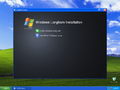
自动运行
-
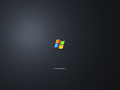
安装程序正在启动
-
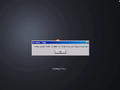
内存限制
-
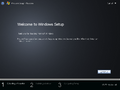
安装程序
-
最终用户许可协议
-
查看和调整更改
-
驱动器分区
-
以前的安装警告
-
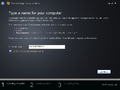
计算机名称条目
-
安装程序正在复制文件
-
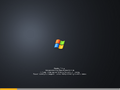
组件组装和硬件检测(安装程序的第二阶段)


界面
-

-

显示
autochk输出的详细启动模式 -
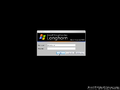
默认登录屏幕
-
Windows XP 登录屏幕
-
-
“开始”菜单搜索功能
-
Windows 系统评估工具
-
-
x64 版本中的最终用户许可协议
-
-
同上一个,已启用复选框
-
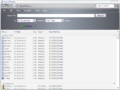
基本搜索
-
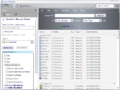
高级搜索
-
-
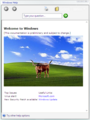
更新的帮助应用程序(
HelpPane.exe) -

休眠


Checked/debug 编译
-
桌面
-
关于对话
Windows 启动管理器
-
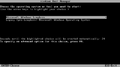
Windows 启动管理器
-
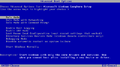
高级启动选项
-
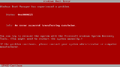
启动错误
-
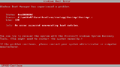
同上一个,checked/debug 变体
-
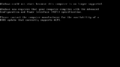
不受支持的计算机消息


用户帐户控制
-
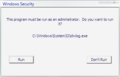
用户帐户控制
-
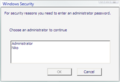
用户选择
-
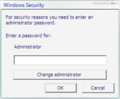
密码提示
-
首次登录时
-
演示


控制面板
-
类别视图
-
经典视图
-
同步管理器
-
网络连接
-
添加/删除程序
-
操作系统和应用程序更新
-
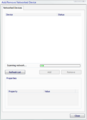
添加/删除联网设备
-
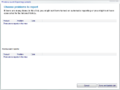
Windows 事件报告控制台
-
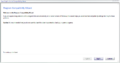
程序兼容性向导


主题
-
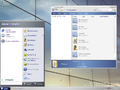
Aero 主题(DWM 禁用后)
-
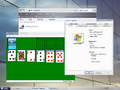
同上一个,启用了桌面合成
-
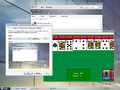
同上一个,启用变体按钮
-
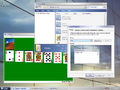
同上一个,禁用了玻璃效果
-
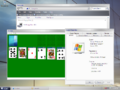
同上一个,使用常规按钮,禁用了玻璃效果
-
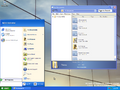
蓝色 Luna 主题
-
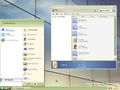
橄榄绿 Luna 主题
-
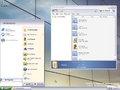
银色 Luna 主题
-
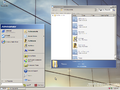
Windows 经典主题


服务器版本
-
桌面
-
关于 Windows
-
“开始”菜单
-
网络负载平衡管理器
-
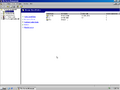
文件服务器管理
-
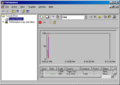
性能
-
远程桌面
-
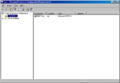
终端服务配置 \ 连接
-
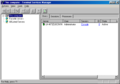
终端服务管理器


媒介
-
![x86 英语 DVD [Microsoft MVP]](/images/thumb/8/8d/WindowsVista-6.0.5048-DVD-%28HQ%29.png/120px-WindowsVista-6.0.5048-DVD-%28HQ%29.png)
x86 英语 DVD [Microsoft MVP]
![x86 英语 DVD [Microsoft MVP]](/wiki/%E6%96%87%E4%BB%B6:WindowsVista-6.0.5048-DVD-(HQ).png)


注
引用资料
- ↑ Paul Thurrott. WinHEC 2005 Longhorn Developer Preview, Windows IT Pro. 2005 年 4 月 25 日. 存档来自 2005 年 4 月 27 日的原始文件.