Windows Server 2012 Build 7700.0.winmain.100122-1900
| Windows Server 2012 的版本 | |
 Default desktop | |
 Desktop with Aero theme enabled | |
| 操作系统系列 | Windows NT 系列 |
|---|---|
| NT 版本 | Windows NT 6.1 |
| 内部版本号 | 7700 |
| 修订版本号 | 0 |
| 体系结构 | x64 |
| 内部版本实验室 | winmain |
| 编译日期 | 2010 年 1 月 22 日 |
| 有效期 | |
| 时间炸弹 | 2010 年 3 月 1 日 (+38 天) |
| 已知 SKU 版本 | |
| Standard Server (Core) Enterprise Server (Core) Datacenter Server (Core) Web Server (Core) | |
| 产品密钥 | |
| Use a Windows Server 2008 R2 retail key | |
| 关于对话框 | |
 | |
Windows Server 2012 build 7700 is the earliest known and available build of Windows Server 2012, which was shared in the AMD64 architecture on 25 December 2019 alongside its client counterpart. Prior to public availability, screenshots of this build were released by Russian Windows news website WZor on 29 January 2010.
It has been determined to be a Windows Server 2012 build due to varying factors such as its relatively high build number, the presence of an early in-development version of Internet Explorer 9 and several non-user-facing changes to the operating system, such as group policy management changes, internal refactors to existing Windows functionalities and changes to the way code generation is handled throughout the build process.
Due to its earliness, this build identifies itself as its predecessor in various areas and still bears the 6.1 kernel version.
New features and changes
Hardware compatibility
The Streaming SIMD Extensions (SSE) CPU instruction set is now required in order to run this build, dropping support for CPUs such as the Pentium II; although this is moot, as there are no AMD64 CPUs that lack support for the instruction set.
Boot Manager
This build's Boot Manager has received the following internal changes:
- A new serial boot debugging driver has been added for the Maxim MAX311 series (MAX3110E/MAX3111E/MAX3100/MAX3222E) SPI UART;
- Attempting to load an ARM Thumb executable under the wrong architecture will now cause the operating system to return the error code
STATUS_INVALID_IMAGE_WIN_32; - An
LdrProcessRelocationBlockLongLonginstruction has been added that handles architecture-specific relocations for the IA-64, ARMv7, Thumb, Thumb-2, and MIPS architectures.
General
This build reverts the default Desktop Experience branding wallpaper seen in the Windows Server 2008 R2 RTM release to the older Windows Server 2008 variant. The older Windows Server 2008 R2 Release Candidate EULA is also retained from the Release Candidate builds of R2. This may suggest that Server 2012 was forked from a Release Candidate build of Windows Server 2008 R2.
A Windows 8 family search filtering option (along with a filtering option for the Windows 8 operating system) has been added to the Local Group Policy Editor utility, referencing the project codename of its client counterpart (an option referencing Server 2012 has not yet been added at this point of development). Some executables are now additionally signed by the Windows Main Build Lab Account (in short: wmbla) like later Windows Server 2012 builds, rather than the standard "Microsoft Corporation" signer during the development and release of Windows Server 2008 R2. Server builds belonging to the fbl_srv branch would be compiled by the Windows Server Builds account (srvbld) in subsequent builds instead as well.
-
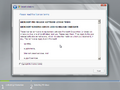
Release candidate end-user license agreement
-
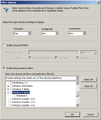
Client counterpart codename reference in Group Policy Manager


Debugging
The kd.dll and kdnet.dll libraries have been added to the system, which allow for the operating system to support local and network debugging. The network implementation in this build includes drivers for the Realtek RTL8139 and Intel PRO/1000 network cards, although as a result of it being early in development, it does not implement the encryption key system used in the final iteration of KDNET and hence the default WinDbg network debugging settings (which assume a key to be present) will not be able to connect to this build's debugger.
Subsequently, typing in bcdedit /dbgsettings /? into the Command Prompt will now show instructions on how to set up network or local debugging.
Internet Explorer 9
This build includes an extremely early version of Internet Explorer 9, which can be enabled via the application's Developer Tools. Because of its sheer earliness, the browser still identifies itself as Internet Explorer 8, and often fails to load images, regular HTML content, the code for pressing items on websites, and will even crash when loading pages utilizing HTML5.
-
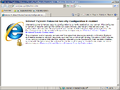
Internet Explorer (while in IE8 mode)
-
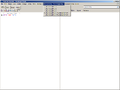
Internet Explorer 9 browser option
-
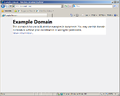
Sample non-HTML5 page while in IE9 mode
-
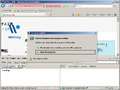
Crash after switching to IE9 mode on HTML5 page
-
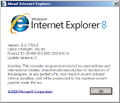
About Internet Explorer


On-Screen Keyboard
Various internal changes have been made to the On-Screen Keyboard application, like the introduction of a new "Microsoft On-Screen Keyboard Support Utilities" (osksupport.dll) library, and the removal of the "About the On-Screen Keyboard" link from the keyboard's Options menu.
-
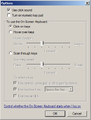
Removed "About the On-Screen Keyboard" link
-
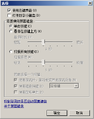
Ditto, present in Windows Server 2008 R2 build 7600


Storage Manager for SANs removal
The Storage Manager for Storage Area Networks (SANs) feature has been removed from the operating system. It is therefore no longer possible to manage logical unit numbers on substorage systems that make use of either a fiber channel or an iSCSI configuration.
-
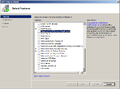
Removed "Storage Manager for SANs" option
-
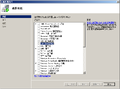
Ditto, present in Windows Server 2008 R2 build 7600


Miscellaneous
- Certain functions of the power service have been moved into a new dedicated User-Mode Power Services Extensions library (
umpoext.dll). - Assertion strings have been changed to hide the full object path.
- Additional APIs have been added to the Audio and Bluetooth services.
- A huge amount of exports have been added and removed from some libraries:
The following exports have been added or removed from the libraries:
Bugs and quirks
Installation
It is not possible to upgrade to this build without modification due to a ERROR_INVALID_IMAGE_HASH signature validation error. To upgrade to this build, the user must modify the 0x4EFF19F3 offset of the installation .iso file from 0x59 to 0x58 using a Hex Editor, or replace imageres.dll in each index of the install.wim with a copy from build 7788.
Internet Explorer
The early version of Internet Explorer 9 (still branded as Internet Explorer 8) found in this build is known to be highly unstable because of its earliness, and will often crash when switching to IE9 mode or while loading a page containing HTML5 content.
Miscellaneous
- Certain help content present in this build (such as the Windows Firewall with Advanced Security documentation) may be erroneously blocked by Internet Explorer's Enhanced Security Configuration protocols.
- Most of the description strings used in the "System Drivers" section of the System Information app (like the
kbdhid,processor, andusbtorstrings) are psuedolocalized.
图库
Windows 安装程序
-
安装启动屏幕
-
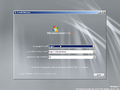
安装程序
-
同上一个
-
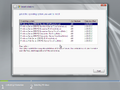
SKU Selection
-
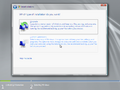
Installation Type
-
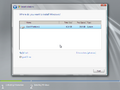
Disk Partitioning
-
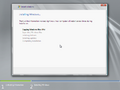
正在安装 Windows


界面
-

-
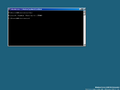
Core variant

