Windows Server 2012 Build 7963.0.winmain.110310-1721
Windows Server 2012 build 7963 is a build of Windows Server 2012, which was uploaded to BetaArchive on 2 July 2015 along with its client counterpart.
| Windows Server 2012 的版本 | |
 | |
| 操作系统系列 | Windows NT 系列 |
|---|---|
| NT 版本 | Windows NT 6.2 |
| 内部版本号 | 7963 |
| 修订版本号 | 0 |
| 体系结构 | x64 |
| 内部版本实验室 | winmain |
| 编译日期 | 2011 年 3 月 10 日 |
| 有效期 | |
| 时间炸弹 | 2011 年 7 月 1 日 (+113 天) |
| 关于对话框 | |
 | |
SKU 版本和密钥
| 版本 / SKU 名称 | 密钥 |
|---|---|
| Standard + StandardCore | YMFM8-J2RV2-66G78-XPQ7C-4RY3B |
| Enterprise + EnterpriseCore | 7P8GH-FV2FF-8FDCR-YK49D-D7P97 |
| Datacenter + DatacenterCore | 7X29B-RDCR7-J6R29-K27FF-H9CR9 |
| ServerWeb + ServerWebCore | YGTGP-9XH8D-8BVGY-BVK4V-3CPRF |
New features and changes
- The Preinstallation Environment now uses the color scheme from Windows 98 instead of the one used in Windows 2000.
- DWM now uses the software rendering fallback, which was first added in build 7880 of the client counterpart.
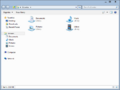
- The Aero Lite visual style dropped the window control button design from the Windows Basic theme in favor of a more simplified look, where the buttons will only show a background when they are hovered by the mouse cursor.
Bugs and quicks
- In Shutdown Event Tracker, when the computer shuts down unexpectedly, the user can choose "Stop error" and the description of it is "The computer displayed a blue screen event", though this build doesn't use a blue screen of death, but rather black.
- When disabling DWM, there are two possible outcomes:
- The Search charm without the Applications, Settings, and Files options may appear. To fix this, press ⊞ Win+C until the Search charm with the options or the Charms bar appears. After the Search charm appears, click on an empty area, or if the Charms bar appears, click on Search, and click on an empty area.
- If there's a Metro application open (like Settings), the user won't be able to go to the desktop even if DWM is disabled while on the desktop.
- The Start screen may not show or show for a bit while clicking Start. To fix this, restart the computer.
Gallery
-
启动屏幕
-
System crash
-

Early boot error
-
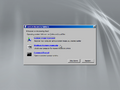
Windows Recovery Environment


Setup
-
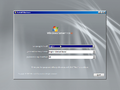
Setup
-
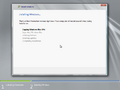
Installation
-


Interface
-
Ctrl+Alt+Del prompt
-
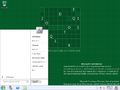
-
-
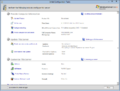
Initial Configuration Tasks
-
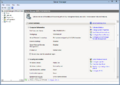
Server Manager
-
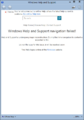
Windows Help and Support
-
-
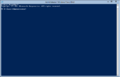
Windows PowerShell
-
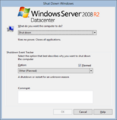
Shutdown Event Tracker
-
Safe mode
-
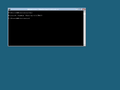
Server Core SKU


Redpill-specific
-

Lock screen
-
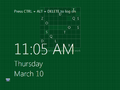
Ditto, with desktop wallpaper as the background.
-
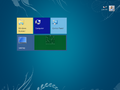
Start screen
-
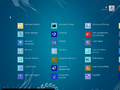
Other Programs
-
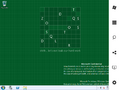
Charms bar
-
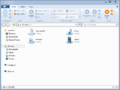
Windows Explorer (Redpilled)
-
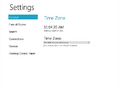
Immersive Control Panel
-
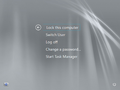
Ctrl+Alt+Del prompt (Redpilled)


