Windows 8 Build 8250.0.winmain_win8beta.120217-1520
| Windows 8 的版本 | |
 | |
| 发布名称 | Consumer Preview Beta |
|---|---|
| 操作系统系列 | Windows NT 系列 |
| NT 版本 | Windows NT 6.2 |
| 内部版本号 | 8250 |
| 修订版本号 | 0 |
| 体系结构 | x86, AMD64, ARM32 |
| 内部版本实验室 | winmain_win8beta |
| 编译日期 | 2012 年 2 月 17 日 |
| 有效期 | |
| 时间炸弹 | 2013 年 1 月 15 日 (+333 天) |
| 已知 SKU 版本 | |
Consumer Preview (Prerelease)Repair Content-specific:[a] Starter (N) Home Basic (N) Home Premium (N) Professional (N, Plus) Enterprise (N, (N) Evaluation) Ultimate (N) Consumer Preview ARM ( PrereleaseARM)Consumer Preview N ( PrereleaseN) | |
| 产品密钥 | |
| DNJXJ-7XBW8-2378T-X22TX-BKG7J | |
| 关于对话框 | |
 | |
Windows 8 build 8250 is the official Consumer Preview and Beta build of Windows 8, which was officially released to the public on 29 February 2012.[1][2] Binaries from the ARM32 compile of this build were discovered on the Microsoft Symbol Server on 25 May 2022. It is the last currently available build with Windows 7's SKU's available, as build 8302 removes them from the source tree.
It is the last currently available build with Windows 7 SKUs available, as build 8302 removes them from the source tree.
New features and changes
Branding
This is the earliest known build to drop the 2001 flag logo and replace it with the new tilted window logo,[b] and most user interface elements like the Charms bar, Windows Setup and iconography such as the disk drive icon used to indicate the currently-running Windows installation in the Computer system folder were all updated to reflect the newly-introduced branding. Certain resources (such as the Windows Anytime Upgrade application) still make use of the older logo design.
A new set of wallpapers and Start screen patterns exclusive to this build which feature an aquatic theme (itself an internal developer joke on the operating system having just reached the Beta milestone, previously done in the preceding operating system with build 7000) was added; although the latter patterns were already introduced by the time build 8220 was compiled. The default desktop wallpaper was changed to a dark teal-colored wallpaper containing a Metro-style betta fish along with a large number 8 on the left-hand side, and the default lock screen background was changed to a stock photograph of a coral reef taken by photographer Reinhard Dirscherl, licensed from Getty Images and altered to omit the background fish. Similarly, the boot screen logo bitmap was changed to depict a betta fish to reflect the current state of development.
Boot Graphics Library (BGFX)
System crashes no longer display a sad emoticon by default if a Japanese language pack is present and is being actively used. This change is also present in server builds irrespective of whether a Japanese language pack is active.
Other changes
The ⊞ Win+X context menu (which contains a list of quick shortcuts intended for power users) has been added.
Bugs and quirks
Compatibility
To install or run this build in VMware Workstation, the hardware compatibility must be set to version 9.x or lower; otherwise, a KMODE_EXCEPTION_NOT_HANDLED bugcheck will occur.
Windows Recovery Environment
In the checked/debug compile, the Windows Recovery Environment is broken.
Transparency effects in the Windows Basic theme
When using the Windows Basic (Aero Lite) visual style, transparency effects can be enabled by means of a bug in the Personalization Control Panel. To do so:
- 1. Right-click the desktop and open up Personalization. Now click on the "Window Color" link given at the bottom of the window. Keep the window open.
- 2. Open a separate personalization window and apply the Windows Basic theme.
- 3. Go back to the other personalization window from the start, uncheck the "Enable transparency" option and then re-check it. Click on "Save changes". This will cause glass effects to be enabled.
Internet Explorer
This build may sometimes fail to set the correct protocol associations for the Internet Explorer web browser midway through the installation process, preventing its Metro counterpart from being "installed" in the operating system. These associations need to be reset from the Set Default Programs Control Panel applet to allow Metro IE to function.
图片
Chinese (Simplified) language version
安装程序
-
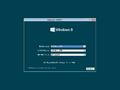
安装程序
-
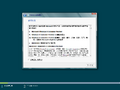
最终用户许可协议
-
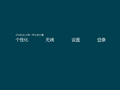
OOBE
-
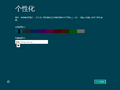
个性化
-
完成设置


用户界面
-
启动屏幕 (BIOS引导)
-
启动屏幕 (UEFI 引导)
-

锁屏界面
-
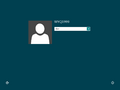
登录界面
-
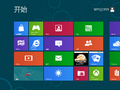
“开始”屏幕
-
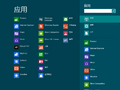
搜索边栏
-
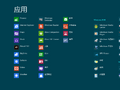
内置应用
-
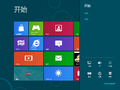
Settings Charm
-
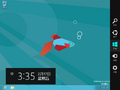
Charms Bar
-
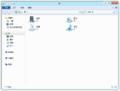
文件资源管理器
-
任务管理器
-
任务管理器(详细信息)
-
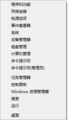
⊞ Win+X 菜单
-
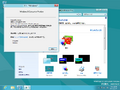
Aero 主题
-
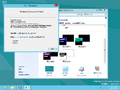
Aero Lite 主题
-
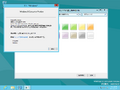
Ditto, with transparency effects
-
System Crash (Legacy BIOS)
-
System Crash (UEFI Widescreen)

.png)


English (United States) language version
-
winverof the debug compile

German language version
-
Out-of-box experience
-
Lock screen
-
Start screen
-
Desktop
-
Charms bar
-
Xbox Live Games
-
winver


French language version
-
Out-of-box experience
-
Lock screen
-
Start screen
-
Desktop
-
Charms bar
-
winver


Japanese language version
-
Out-of-box experience
-
Lock screen
-
Start screen
-
Desktop
-
Charms bar
-
winver


注
- ↑ These SKUs are only available in this build's Repair Content Package sources; they must be manually staged through component-based servicing in order to install and use them. If attempting to stage a Windows 7 edition, files pertaining to the older inbox games and Windows Media Center resources (specifically
Chess.dll,PurblePlace.dll,ShvlRes.dll, andehres.dll) must be decompressed first, otherwise the staging operation will fail as their compressed variants' SHA-256 hashes will not match the ones expected by their packages' catalog files. - ↑ Release Preview build 8277 has a higher build number but uses the old logo as it was not yet upstreamed to mainline branches around 8 February 2012.