Windows 8 Build 8220.0.winmain_win8beta.120127-1925
| Windows 8 的版本 | |
 | |
| 操作系统系列 | Windows NT 系列 |
|---|---|
| NT 版本 | Windows NT 6.2 |
| 内部版本号 | 8220 |
| 修订版本号 | 0 |
| 体系结构 | x86, x64, ARM32 (ARMv7) |
| 内部版本实验室 | winmain_win8beta |
| 编译日期 | 2012 年 1 月 27 日 |
| 有效期 | |
| 时间炸弹 | 2013 年 1 月 15 日 (+354 天) |
| 已知 SKU 版本 | |
Consumer Preview (Prerelease)Consumer Preview ARM ( PrereleaseARM) | |
| 产品密钥 | |
| H9VCT-63NFW-FWHDR-F4J43-972K8 DNJXJ-7XBW8-2378T-X22TX-BKG7J (alt) | |
| 关于对话框 | |
 | |
Windows 8 build 8220 is a Consumer Preview/Beta escrow build of Windows 8, which was distributed to partners enrolled into the Microsoft Technology Adoption Program (TAP) on 2 February 2012, and then later shared online on 6 July 2024. This is one of the last builds to introduced incorporate the older Windows flag logo introduced in 2001 with Windows XP, as the final Consumer Preview build would already include the new 2012 logo design.
The build includes a subset of minor fit-and-finish changes that continue to reflect the intended vision for the Metro design language introduced as part of the operating system. Alongside builds 8195 and 8277, it is notably one of the last few builds to incorporate the older Windows flag logo introduced in 2001 with Windows XP, as the final Consumer Preview build would already include the new 2012 logo design.
As the build comes from a public release branch intended for the official Consumer Preview/Beta release (win8beta), several anti-leak mechanisms have been relaxed.
A set of screenshots showing off the English (United States) and Simplified Chinese localizations were first posted by members of Chinese forum PCBeta on 4 February 2012,[1] followed by another set of images uploaded two days later by Canouna, author of Windows beta website Winunleaked.tk.[2] A video of the ARM compile's boot process was subsequently recorded and uploaded to video sharing site Youku on or around 8 February 2012.[3] Additional references to the build's ISO image filenames from an employee of an unspecified company participating in the TAP program were later referenced in a question about distinguishing both the official Consumer Preview and this build on the StackExchange Superuser forums on 5 March 2012.[4]
New features and changes
User interface
Metro shell
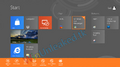
The PC settings pinned application tile has been removed from the Start screen and the apps list; the only way to access the application at the time of compilation is through the Settings charm.
Boot Graphics Library (BGFX)
The Boot Graphics Library has been updated to accommodate for legacy BIOS machines utilizing a widescreen monitor configuration; the boot screen, system crash screen and the second stage of setup therefore utilize 16:9 aspect ratio variants of the logo bitmap and Segoe Boot font face, with resources designated under the N moniker.
Secure Boot Policy
This build uses a preliminary version of the Secure Boot Policy, although the on-disk structure is identical to later builds:
- Signature validation is different: the policy must have a hash in or be signed by a certificate in the UEFI Key Exchange Key signature database.
- The
CanUpdateelement is used here; the code using it was removed later but the element remained in the file format. A path to an updated policy can either be set in a UEFI variable; alternatively, for BitLocker where the VMK is sealed by the TPM, an updated policy is read fromosdevice:\LatestPolicy.p7b. This policy must have a valid signature.- The updated policy must have a
PolicyPublisherequal to one of theCanUpdateGUIDs in the loaded policy; also, the policy version must be greater than the loaded policy's version. If all conditions pass, the updated policy is installed to UEFI non-volatile storage and used as the active policy.
- The updated policy must have a
- BCD rules are identical to later builds; that is, BCD elements can be overridden by the policy to either be forcibly ignored, or for deletion to be disallowed from the running OS, or for the element value to be locked to a value or one of several values listed in the policy.
- Registry rules are not used for low-level cryptographic settings as in later builds but instead are used to override registry values anywhere in
HKLM\SYSTEM. The operating system loaderwinload.e*and NT kernel both have code implementing this functionality; the former uses the policy to override the registry values it reads from that hive. - Option flag bits are completely different from later builds; only 3 bits are used, all by the operating system loader; bit 0 disables the Edit Options menu, bit 1 disables the Advanced Options menu, bit 2 is unknown but related to the Advanced Options menu.
Miscellaneous
- The shutdown sound no longer plays when the operating system is being shutdown by the user.
Bugs and quirks
As this build was compiled relatively late into preparations for the upcoming Consumer Preview release, some stability, performance and usability issues are also present in this build.
Filesystem mounting support
- The shell may attempt to invoke a Windows Explorer window that navigates to an unoccupied drive letter before an ISO image is able to finish mounting, in turn displaying an invalid path error. The ISO image will still have mounted normally, and can be accessed through ordinary means. Virtual hard disk (VHD) images are confirmed to not be impacted by this bug.
Desktop Window Manager
- Attempting to use the Magnifier accessibility tool will create graphical artifacts across windows composited by the Desktop Window Manager.
Recovery
- The System Reset tool does not function as the respective modal prompt for removing user data does not display properly.
User interface
Internet Explorer
- Elements of the new Internet Explorer user interface may fail to adequately respond to user inputs, appearing to "hang" at times.
Control Panel
- Adding a new language (such as Japanese) will cause the Control Panel to hang. The only way to fix this is by restarting the Windows Explorer shell.
- Devices are not correctly detected in the PC settings application - as a result, its respective tab will constantly redraw itself when populating devices. Attempting to manually add a device through the Devices tab will consequentially crash the application.
Compatibility
To install or run this build in VMware Workstation, the hardware compatibility must be set to version 9.x or 8.x; otherwise, a bugcheck will occur.
Aero Lite transparency effects
When using the Windows Basic (Aero Lite) visual style, transparency effects can be enabled through the use of a bug in the Personalization Control Panel. To do so:
- Right click and click Personalize, then select "Window Color". Keep the Window Color and Appearance Window open.
- Open another separate personalization window and select Windows Basic there.
- Switch to the other personalize window that was opened before, untick and check the "Enable transparency" option and then click "Save changes". This will cause the transparency effects to take effect.
Gallery
-

Boot Screen (Legacy BIOS)
-
Boot Screen (UEFI)


English version
Windows Setup
-
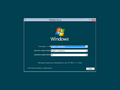
Autorun
-
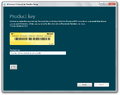
Modernized Setup UI
-
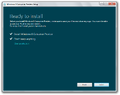
Ditto, Upgrade Setup Confirmation
-
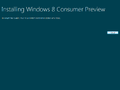
Ditto, Image Deployment


Interface
-
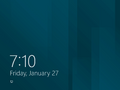
Lock Screen
-
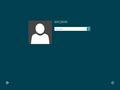
Login Screen
-
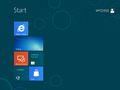
Start Screen
-
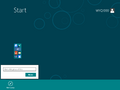
Ditto, Minimized View
-
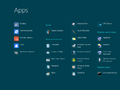
Ditto, Applications List
-
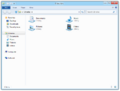
Windows Explorer
-
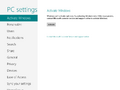
PC Settings
-
Application Snapping
-
Ditto.
-
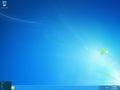
Start Button Hot Corner
-
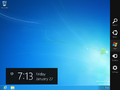
Charms Bar
-
Windows Basic (Aero Lite) visual style with transparency effects


Simplified Chinese version (unleaked)
-

Unfocused Charms Bar
-

Charms Bar
-
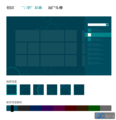
PC settings; start screen patterns subpage


Images uploaded prior to publication
English version
PCBeta images
-

Desktop and charms bar
-
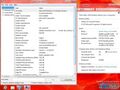
System Information and System Properties
-
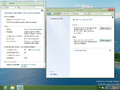
Recovery options
-
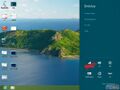
Settings charm
-
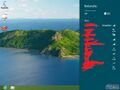
Wireless
-
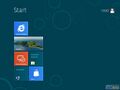
Start screen
-
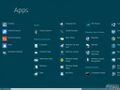
Start screen - All apps view
-
Settings search
-
Windows Store
-
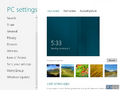
PC settings
-

Internet Explorer with Alipay opened
-

Internet Explorer with PCBeta BBS opened
-

Ditto
-
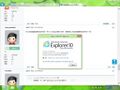
About Internet Explorer
-
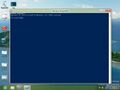
Windows PowerShell
-
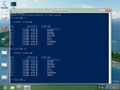
lsanddircmdlets -
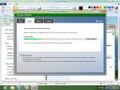
Windows Defender
-
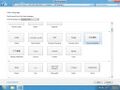
Add Languages
-
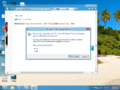
Windows To Go Startup Options


WinUnleaked.tk images
-

Desktop and Settings side by side
-

Desktop and Immersive Internet Explorer side by side
-

Charms bar
-
-

-
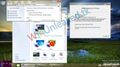
Demo


引用资料
- ↑ aiby et al. [分享]8220 新的开始~~有图 (in Chinese), PCBeta Forums. 4 February 2012.
- ↑ Canouna. Windows 8 Beta Candidate Build 8220, Winunleaked.tk. 6 February 2012.
- ↑ Windows8 build 8220开机视频 (in Chinese), Youku.
- ↑ Landy. The client and server editions of Windows 8, StackExchange Superuser. 5 March 2012.