Windows 8 Build 8140.0.winmain.111020-1857
| Windows 8 的版本 | |
 Default desktop | |
 Desktop with Aero Lite | |
| 操作系统系列 | Windows NT 系列 |
|---|---|
| NT 版本 | Windows NT 6.2 |
| 内部版本号 | 8140 |
| 修订版本号 | 0 |
| 体系结构 | x64 |
| 内部版本实验室 | winmain |
| 编译日期 | 2011 年 10 月 20 日 |
| 有效期 | |
| 时间炸弹 | 2012 年 10 月 1 日 (+347 天) |
| 已知 SKU 版本 | |
Beta (Prerelease) | |
| 产品密钥 | |
| H9VCT-63NFW-FWHDR-F4J43-972K8 | |
| 关于对话框 | |
 | |
  | |
Windows 8 build 8140 is a post-Developer Preview build of Windows 8, which was uploaded to BetaArchive on 24 February 2020, along with its server counterpart.
New features and changes
- Metro IE settings have been added.
- The “Restore Windows 7 Backups” Control Panel applet, that was renamed to “Recover files backed up in Windows 7”, has been backported from build 8133 (fbl_core2_sid_data).
Bugs and quirks
High Contrast Window Color page
By entering the High Contrast Window Color page, then in another window switching to Windows Basic followed by applying a change in the Window Color page, Windows will temporarily apply a nearly empty visual style, causing Windows Classic elements to be seen in all applications, while allowing Desktop Window Manager to function and still be toggled, and completely breaking new Explorer and Control Panel windows, some Charms Bar functionality, and the Start Screen if enough time passes. This can be fixed by simply logging out. Trying this with Aero will result in the visual style being switched to Aero Lite instead.
Miscellaneous
- The Windows Experience Index rating is missing from System Properties in this build.
- Disk Cleanup crashes while calculating the amount of space that could be freed.
Gallery
-
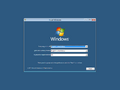
Setup
-
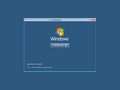
Install
-
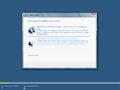
Choose the install type
-
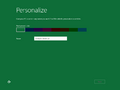
Personalization during OOBE
-
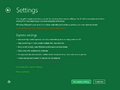
Ditto.


Interface
-
Boot Screen
-
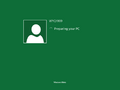
Preparing your PC
-
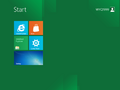
-
-
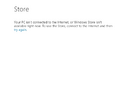
Windows Store
-
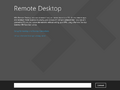
Remote Desktop
-
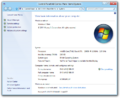
System Properties with winver


Miscellaneous
-
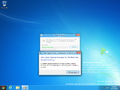
Disk Cleanup bug
