Windows 8 Build 8039.0.fbl_eeap.110705-1710
跳转到导航
跳转到搜索
| Windows 8 的版本 | |
 | |
| 操作系统系列 | Windows NT 系列 |
|---|---|
| NT 版本 | Windows NT 6.2 |
| 内部版本号 | 8039 |
| 修订版本号 | 0 |
| 体系结构 | x86、x64 |
| 内部版本实验室 | fbl_eeap |
| 编译日期 | 2011 年 7 月 5 日 |
| 有效期 | |
| 时间炸弹 | 2012 年 3 月 15 日 (+254 天) |
| 已知 SKU 版本 | |
| 默认不可用:[a] Starter、 Enterprise(Evaluation)、 Developer Preview ARM( PrereleaseARM) | |
| 关于对话框 | |
 | |
Windows 8 Build 8039 是 Windows 8 的版本,通过生态系统工程访问计划(Ecosystem Engineering Access Program,EEAP)在 2011 年 7 月左右发布给 Microsoft 合作伙伴。此版本的 x86 编译版本的发布说明在 2011 年 8 月 16 日通过 BetaArchive 共享,在被发现于 pastebin 之后,[1]其 x64 编译版本则在 2024 年 11 月 6 日共享。在发布之前,此版本的截图在四天前就被共享。
与所有后来的 fbl_eeap 版本不同,此版本在编译时并没有将整个 Metro 用户界面剥离,因此可以被 Redpill。
SKU 版本和密钥
| 版本 / SKU 名称 | 密钥 |
|---|---|
| Home Basic | YGFVB-QTFXQ-3H233-PTWTJ-YRYRV |
| Home Premium | RHPQ2-RMFJH-74XYM-BH4JX-XM76F |
| Professional | HYF8J-CVRMY-CM74G-RPHKF-PW487 |
| Ultimate | D4F6K-QK3RD-TMVMJ-BBMRX-3MBMV |
| Developer Preview(Prerelease) | H9VCT-63NFW-FWHDR-F4J43-972K8 |
发行说明
发行说明
IntelDistrib would like to announce the immediate availability of Windows 8 x86 Client Build 8039 for testing at Intel.

NOTE: There are two changes to the EEAP builds starting with this EEAP that you should be aware of:

    1: All OS installations using these builds will now require the unique key for the Windows Developer Preview
        · Installation with previous generic keys will no longer be supported
        · PRODKEY.TXT files containing generic keys will no longer be included in the build package
        · You will have to get the New Product Key provided on the product site. This is a special key as part of the partnership Intel has with Microsoft.
    2: The name of the EEAP builds in this package contain "FBL_EEAP" instead of "WINMAIN"
        · This change is a name change only, and will not affect your ability to download or use these builds in your testing
根据这些记录,所有在此版本之前不久编译的 x86 winmain 版本在编译时都完全剥离了 Metro 外壳。这一点可以从 Build 8020.110602-1840 的 x86 和 x64 编译版本中没有包含任何与 Redpill 相关的内容看出。
新增功能和更改
恢复
- 在启动到一个选项时,加载图标下方会显示文本,以指示系统正在启动到恢复选项。
- 此版本引入了“恢复(Recovery)”屏幕的早期版本。
Bug
升级
在升级的准备阶段之后,Windows 可能会遇到由 winhv.sys 引起的错误代码 SYSTEM_THREAD_EXCEPTION_NOT_HANDLED 的错误检查。若要绕过此问题,请进入安全模式,然后删除或重命名位于 C:\Windows\System32\Drivers 的此文件。
图库
-
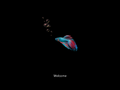
启动屏幕
-
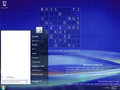
“开始”菜单
-
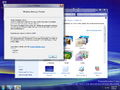
Aero 主题
-
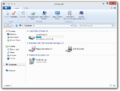
Windows 资源管理器
-
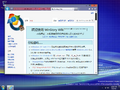
-
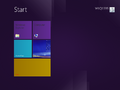
“开始”屏幕
-
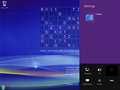
设置 Charm
-
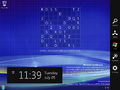
右 Charm 栏
-
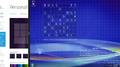
捕捉功能
-
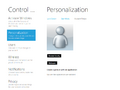
Metro 控制面板


公开前上传的截图
-

桌面

注
- ↑ 这些 SKU 版本的程序包位于版本的组件存储中,然而用户必须手动将它们暂存才能使用。