Windows 8 Build 8031.0.fbl_grfx_dev1.110622-2010
| Windows 8 的版本 | |
 | |
| 操作系统系列 | Windows NT 系列 |
|---|---|
| NT 版本 | Windows NT 6.2 |
| 内部版本号 | 8031 |
| 修订版本号 | 0 |
| 体系结构 | x64 |
| 内部版本实验室 | fbl_grfx_dev1 |
| 编译日期 | 2011 年 6 月 22 日 |
| 有效期 | |
| 时间炸弹 | 2012 年 3 月 15 日 (+267 天) |
| 关于对话框 | |
 | |
Windows 8 Build 8031 是 Windows 8 的 Developer Preview/Milestone 3 前版本,此版本于 2024 年 10 月 22 日共享。在泄露之前,此版本的全新安装体验截图曾于 2021 年 3 月 18 日上传到 BetaWiki Discord。
SKU 版本和密钥
| 版本 / SKU 名称 | 密钥 |
|---|---|
| Home Basic | YGFVB-QTFXQ-3H233-PTWTJ-YRYRV |
| Home Premium | RHPQ2-RMFJH-74XYM-BH4JX-XM76F |
| Professional | HYF8J-CVRMY-CM74G-RPHKF-PW487 |
| Ultimate | D4F6K-QK3RD-TMVMJ-BBMRX-3MBMV |
| Developer Preview(Prerelease) | H9VCT-63NFW-FWHDR-F4J43-972K8 |
Redpill
Redlock 工具可以用来解锁此版本中包括“开始”屏幕在内的所有 Redpill 级别。
自 Build 8014 以来,Metro 已经发生了一些变化。Metro 控制面板现在有一个个性化部分,用户可以在其中更改强调色和图案,以及锁屏背景。虽然此时的整体设计更接近 Build 8056,但一些元素,如较大的实时磁贴、“开始”屏幕上的渐变效果以及一些图标,仍类似于 Build 8014。
在 Build 8008 中引入的文件资源管理器功能区中的大多数占位符图标最终被 RTM 版本中的图标替换。然而,一些选项仍然保留占位符图标。
文件资源管理器地址栏的背景颜色更改为浅蓝色,不再使用通常为浅灰色的 ButtonFace 颜色。
“选择默认程序”和“打开文件”对话框获得了改进,去掉了两个对话框周围的白色边框,并将前者的“总是执行此操作”复选框重新设计为 Metro 风格,取代了同一位置的 Win32 对应控件。
移除了显示切换工具条的引导文本。
Charms 栏辅助功能
若要在非触摸屏设备上启用右侧的 Charms 栏,请打开注册表编辑器并导航到 HKEY_CURRENT_USER\Software\Microsoft\Windows\CurrentVersion\ImmersiveShell。在此键下必须创建一个名为 CharmBarMode 的 DWORD 值,并将其值设置为 1。
Bug
Windows Media Center
在某些显示驱动程序上,包括默认的基本显示适配器和较新版本的 VMware SVGA 3D,Windows Media Center 可能会出现图形问题。使用与系统版本匹配的 VMware Tools 可以解决此问题。
winver 中的 Microsoft 机密
winver 中的 Microsoft 机密免责声明文本是黑色的,而非在其他版本中看到的红色。
升级
在升级的准备阶段之后,Windows 可能会遇到由 winhv.sys 引起的错误代码 SYSTEM_THREAD_EXCEPTION_NOT_HANDLED 的错误检查。若要绕过此问题,请进入安全模式,然后删除或重命名位于 C:\Windows\System32\Drivers 的此文件。
图库
-
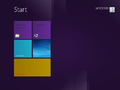
“开始”屏幕
-
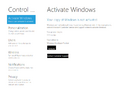
设置
-
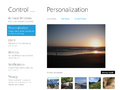
同上一个,个性化
-
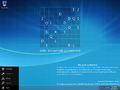
Charms 栏
-
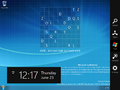
同上一个,右侧
-
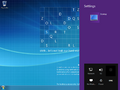
设置 Charm
-
Windows Media Center 中的部分图形问题


公开前上传的截图
-
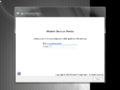
全新安装体验

