Windows 8 Build 8014.0.fbl_grfx_dev1.110525-1700
Windows 8 Build 8014 是 Windows 8 的 Developer Preview/Milestone 3 前版本,此版本于 2020 年 1 月 29 日上传到 BetaArchive FTP 服务器。
| Windows 8 的版本 | |
 默认桌面 | |
 启用 Redpill 的桌面 | |
| 操作系统系列 | Windows NT 系列 |
|---|---|
| NT 版本 | Windows NT 6.2 |
| 内部版本号 | 8014 |
| 修订版本号 | 0 |
| 体系结构 | x64 |
| 内部版本实验室 | fbl_grfx_dev1 |
| 编译日期 | 2011 年 5 月 25 日 |
| 有效期 | |
| 时间炸弹 | 2012 年 3 月 15 日 (+295 天) |
| 关于对话框 | |
 | |
SKU 版本和密钥
| 版本 / SKU 名称 | 密钥 |
|---|---|
| Home Basic | YGFVB-QTFXQ-3H233-PTWTJ-YRYRV |
| Home Premium | RHPQ2-RMFJH-74XYM-BH4JX-XM76F |
| Professional | HYF8J-CVRMY-CM74G-RPHKF-PW487 |
| Ultimate | D4F6K-QK3RD-TMVMJ-BBMRX-3MBMV |
| Developer Preview(Prerelease) | VKKC6-NQQQH-JW3QX-XRVKX-KJJK9 |
Bug
应用磁贴
一些应用名称(例如控制面板、Chess Titans、优化驱动器和碎片整理等)可能会被普通大小的磁贴截断。
资源管理器
注销并关闭可能会导致文件资源管理器崩溃。
兼容性
- 若要在 VMware Workstation 中安装或运行此版本,硬件兼容性版本必须设置为 8.x/9.x;否则,会发生错误检查。
- 此版本无法在某些版本的 VirtualBox 上安装或运行。要解决此问题,请将准虚拟化接口更改为 Legacy 或 Minimal。
Metro 登录密码 bug
在 Metro 登录屏幕上使用密码显示功能时,文本会显示为混乱的状态,由来自阿拉伯语、日语、韩语和中文等多种语言的字母和符号混合组成。
使用 USB 驱动器安装
USB 驱动器应使用 NTFS 文件系统格式化,否则无法正确启动。
升级
在升级的准备阶段之后,Windows 可能会遇到由 winhv.sys 引起的错误代码 SYSTEM_THREAD_EXCEPTION_NOT_HANDLED 的错误检查。若要绕过此问题,请进入安全模式,然后删除或重命名位于 C:\Windows\System32\Drivers 的此文件。
XPS 查看器
XPS 查看器在显示文档内容时存在图形问题。
图库
安装程序
-
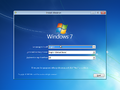
安装程序
-
“安装程序正在应用系统设置”
-
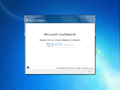
OOBE
-
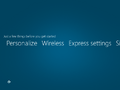
Metro OOBE
-
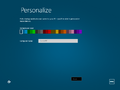
个性化
-

正在完成你的设置


界面


Redpill 限定
-

锁定屏幕
-
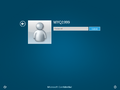
Metro 登录屏幕
-
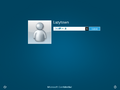
Metro 登录 Bug
-

“开始”屏幕
-
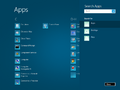
搜索 Charm
-
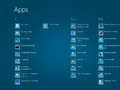
应用
-
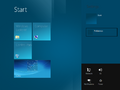
设置 Charm
-
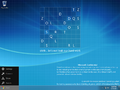
左 Charm 菜单
-
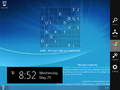
右 Charms 栏
-
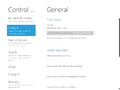
沉浸式控制面板
-
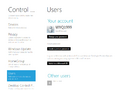
沉浸式控制面板中提及 Developer Preview
-
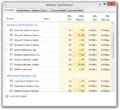
现代任务管理器
-
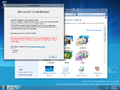
Aero 主题(已 Redpill)
-
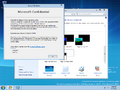
Aero Lite 主题(已 Redpill)


其他
-
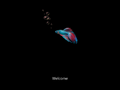
启动屏幕
-
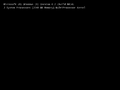
详细启动屏幕

