Windows 8 Build 7989.0.winmain.110421-1825
Windows 8 build 7989 is a Milestone 3 build of Windows 8, which was originally shared on 18 June 2011 in the AMD64 architecture as a capture from an installation on a HP Probook 6555b,[1] then on 8 February 2020, an x86 checked (debug) version of it was uploaded to BetaArchive. The original ISO of the AMD64 free (retail) ISO image was later found on 18 June 2022 along with the Windows XP build 2531 Professional SKU. The AMD64 checked version was shared on 31 October 2024 alongside its server counterpart and public Symbol MSIs for both the AMD64 free and checked compiles of this build. Prior to its publication, various pictures of this build were posted to the My Digital Life forums on or before 17 June 2011.[2]
| Windows 8 的版本 | |
 Default desktop | |
 Redpilled desktop | |
| 操作系统系列 | Windows NT 系列 |
|---|---|
| NT 版本 | Windows NT 6.2 |
| 内部版本号 | 7989 |
| 修订版本号 | 0 |
| 体系结构 | x86, x64 |
| 内部版本实验室 | winmain |
| 编译日期 | 2011 年 4 月 21 日 |
| 有效期 | |
| 时间炸弹 | 2012 年 3 月 15 日 (+329 天) |
| 关于对话框 | |
 | |
This build was released to Ecosystem Engineering Access Program (EEAP) members around May 2011, due to the nature of said release, the TWINUI.DLL is deliberately malformed on the Ultimate SKU of this build.
Unlike the earlier compile of build 7985, the "Welcome" text on the boot screen is still as small as in the fbl_core1_kernel_npc compile of build 7973.
SKU 版本和密钥
| Key | 密钥 |
|---|---|
| Starter | 7Q28W-FT9PC-CMMYT-WHMY2-89M6G |
| Home Basic | YGFVB-QTFXQ-3H233-PTWTJ-YRYRV |
| Home Premium | RHPQ2-RMFJH-74XYM-BH4JX-XM76F |
| Professional | HYF8J-CVRMY-CM74G-RPHKF-PW487 |
| Ultimate | D4F6K-QK3RD-TMVMJ-BBMRX-3MBMV |
New features and changes
Redpill
When the "Share" button from the charms bar is clicked, a cat image called shrscr.png is created in the %temp% folder, with text saying "U can haz no pix. GIMME FISH" along with a bug ID at the bottom. The text is most likely a reference to the strict Non-Disclosure Agreement (NDA) that existed during Windows 8's development, implying that no images of the operating system can be shared.
Setup
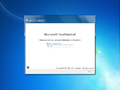
The metro-styled setup now has a dedicated page asking the user if they want to download updates before installation, along with a checkbox asking the user if they want to help Microsoft by sending feedback about the installation process.
Bugs and quirks
Initial leak
EFI support
The initial leak of this build was bundled with a boot.wim image from the x86 version of the Windows 7 RTM build; as a result, it cannot be booted on EFI hardware. To resolve this,
- Copy the
install.wiminto the AMD64 installation disc of build 7600 or 7601, deploy the image through DISM, or - Copy the installation files from the x86 version of the Windows 7 RTM build using the x86 version of Windows 8, Windows 8.1, or Windows 10 installation disc.
Redpill
The AMD64 version has a malformed twinui.dll binary that is installed by default, which will result in the user interface failing to initialize properly if redpilled. To fix this, run the following command under a command prompt and reboot before running Redlock:
sfc /SCANFILE=C:\Windows\System32\TWINUI.DLL
Unmodified leak
Compatibility
To install or run this build in VMware Workstation, the hardware compatibility version must be set to versions 8.x/9.x; otherwise, a bugcheck will occur.
Start screen
- When enabling Redpill, the start screen may appear to be empty.
- Like build 7985, an option to "uninstall" the desktop from the Start screen is present but does not function.
App tiles
Some app names (such as Control Panel, Chess Titans, Defragment and Optimize Drives, etc.) may be truncated by normal sized tiles.
General
Shutting down or restarting will cause a softlock when this build is run in VMware Workstation 15 or newer. This can be worked around by using the host's Power menu.
Aero Glass in Starter and Home Basic
This build automatically enables Aero Glass transparency after installing the Starter and Home Basic SKUs, despite product policies limiting usage of such effects. Changing the current visual style over to a different one (e.g.: Windows Basic) will disable glass effects.
Keyboard layout switcher
ClearType font aliasing for the keyboard layout switcher notification area button does not function correctly.
Integrated Intel graphics issues
On some physical machines that utilize Intel HD graphic units, a system crash caused by a faulty igdkmd64.sys driver may occur, making this build impossible to boot in normal conditions after initial stages of setup are finished. Despite this, it is possible to boot into safe mode. To fix the issue, the faulty driver must be replaced with a usable one.[a]
winhv.sys upgrade bug
During the upgrade to this build, Windows may encounter a bugcheck with the error code SYSTEM_THREAD_EXCEPTION_NOT_HANDLED. This is caused by winhv.sys after the preparation phase. To bypass this, boot into Safe Mode and delete or rename the file located at C:\Windows\System32\Drivers.
图库
全新安装体验
-
-

Metro OOBE


Interface
-

登录界面
-

“开始”菜单
-
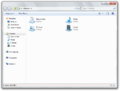
-

系统属性
-
系统属性 (x86)
-

任务管理器
-

Aero 主题
-
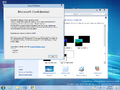
Aero Lite 主题
-
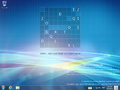
Keyboard layout switcher
-
系统死机
-

Create a Homegroup wizard
-

Ditto


Redpill-specific
-
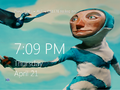
锁屏屏幕
-

Lock screen with the desktop wallpaper as the background
-

Metro 登录界面
-

Start screen shown empty after enabling Redpill
-

Start Screen
-
Second color on the Start screen
-

Start screen with
EnableAccentset to 0 -
Second color on the Start screen with
EnableAccentset to 0 -

Uninstall desktop option on the Start screen
-

Search charm
-
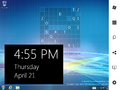
Charms Bar
-
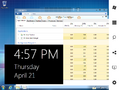
Charms Bar with Explorer and Task Manager open
-

Settings Charm
-
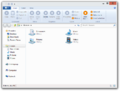
Windows 资源管理器 (Redpilled)
-

Modern Task Manager
-
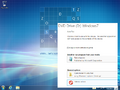
AutoPlay Flyout
-

Aero 主题 (Redpilled)
-

Aero Lite 主题 (Redpilled)
-
MS Help
-

Ctrl+Alt+Del Screen
-

twinui.dllbug


Miscellaneous
-
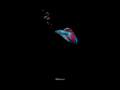
启动屏幕
-
Cat image produced from Share button


注
- ↑ A modified driver known as "Extreme Plus" is usable on this build. However, it is not digitally signed and may not be the safest choice.