Windows Server 2012 Build 7989.0.winmain.110421-1825
| Windows Server 2012 的版本 | |
 | |
| 操作系统系列 | Windows NT 系列 |
|---|---|
| NT 版本 | Windows NT 6.2 |
| 内部版本号 | 7989 |
| 修订版本号 | 0 |
| 体系结构 | x64 |
| 内部版本实验室 | winmain |
| 编译日期 | 2011 年 4 月 21 日 |
| 有效期 | |
| 时间炸弹 | 2012 年 4 月 15 日 (+360 天) |
| 关于对话框 | |
 | |
Windows Server 2012 build 7989 is a build of Windows Server 2012. It was shared on the BetaWiki Discord Server on 31 October 2024, along with its client counterpart's AMD64 checked (debug) compile, and the public Symbol MSIs for both the AMD64 free (retail) and checked compiles of this build.
SKU 版本和密钥
| Key | 密钥 |
|---|---|
| Standard + StandardCore | YMFM8-J2RV2-66G78-XPQ7C-4RY3B |
| Enterprise + EnterpriseCore | 7P8GH-FV2FF-8FDCR-YK49D-D7P97 |
| Datacenter + DatacenterCore | 7X29B-RDCR7-J6R29-K27FF-H9CR9 |
| ServerWeb + ServerWebCore | YGTGP-9XH8D-8BVGY-BVK4V-3CPRF |
Bugs and quirks
Compatibility
Virtualization
To install or run this build in VMware Workstation, the hardware compatibility version must be set to versions 8.x/9.x; otherwise, a bugcheck will occur.
EFI boot support
As the EFI boot binaries required to boot this build's installation media are not present (as is common for server builds compiled during this time), the operating system must instead be manually imaged and made bootable, or the media should be rebuilt to include the missing boot files.
Server Manager
- Servers are not properly accounted for in the Server Manager in most runtime sessions (including the host machine). This bug causes the Add/Remove Roles and Features Wizard and the Server Manager Dashboard to not work properly, as both roles and features will not be detected.
- Selecting the Windows Deployment Services role in the Add Roles and Features wizard causes Server Manager to crash, meaning that it is not installable this way.
Feature installation
Some features such as Active Directory Domain Services and DNS Server will not properly install certain components such as MMC applets, making it virtually impossible to manage them in GUI mode. It is generally advised to use Windows PowerShell commandlets to work around this issue.
Gallery
-

启动屏幕
-
Ditto (Server Core)
-
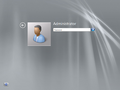
Login screen
-
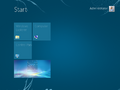
Start screen
-

Server Manager Splash Screen
-
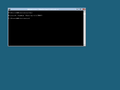
Server Core


