Windows 8 Build 7899.0.fbl_core2_sfs.101209-1900
| Windows 8 的版本 | |
 | |
| 操作系统系列 | Windows NT 系列 |
|---|---|
| NT 版本 | Windows NT 6.2 |
| 内部版本号 | 7899 |
| 体系结构 | x64 |
| 内部版本实验室 | fbl_core2_sfs |
| 编译日期 | 2010 年 12 月 9 日 |
| 有效期 | |
| 时间炸弹 | 2011 年 7 月 1 日 (+204 天) |
| 关于对话框 | |
 | |
  | |
Windows 8 Build 7899 是 Windows 8 的版本。这个版本的两张截图随最初在 2020 年 5 月 3 日上传的 Build 7746 一起发布,此版本本身最终于 2020 年 7 月 19 日联机共享。
SKU 版本和密钥
| 版本 / SKU 名称 | 密钥 |
|---|---|
| Home Basic | YGFVB-QTFXQ-3H233-PTWTJ-YRYRV |
| Home Premium | RHPQ2-RMFJH-74XYM-BH4JX-XM76F |
| Professional | HYF8J-CVRMY-CM74G-RPHKF-PW487 |
| Ultimate | D4F6K-QK3RD-TMVMJ-BBMRX-3MBMV |
新增功能和更改
安装程序
- 现代安装客户端进行了重大改进。顶部的进度条移至更居中的位置,安装步骤也已重写。
- 用户现在必须在使用现代安装客户端升级到此版本之前拥有至少 2 GB 的内存。可以通过使用位于
\sources\setup.exe的旧版安装客户端来绕过此限制。
启动环境
添加了对 UEFI 安全启动初步版本的支持;如果存在 SetupMode 变量、此变量为非易失性变量且值为零,则认为启用了安全启动。如果启用了安全启动,nointegritychecks/testsigning BCD 元素始终被认为是禁用的。
Redpill
- 性能仪表板添加到 Modern 任务管理器中。
其他
默认用户帐户图片更新为 Windows Live Messenger 中使用的图片。此更改以前在 Build 7815 中出现过。
Bug
一般
- 在 VMware Workstation 15 或更高版本中运行此版本时,关机或重启会导致软锁。可以通过使用主机的电源菜单来解决此问题。
- 登录时登录声音会播放三次。
- 拔出 USB 闪存驱动器可能会导致错误检查。
- 在设置图案登录的图案时,有时不会真正检查重新输入的确认图案是否与原始图案相同。如果输入不同,则将应用第二个图案。
EFI 支持
此版本的预安装环境在 UEFI 硬件上会在黑屏上出现经典鼠标光标时锁定,这意味着在此类硬件上无法使用安装程序和恢复环境。在 Build 7904.winmain 中也可以观察到这种情况。
安装程序
- 在启动安装程序且计算机重新启动进入 OOBE 之前显示的状态消息的最后一个单词被截断。
- 必须通过
sources文件夹中的setup.exe可执行文件启动升级,否则安装程序将以错误失败。
外壳
- 启用
EnableAccent会导致渲染问题。 - 登录后“开始”屏幕可能会在一分钟内无响应。
- 首次登录后,Desktop(桌面)磁贴将显示 Windows 7 的默认壁纸。
- 登录安全模式后,资源管理器可能会崩溃。
- 点击 Charms 栏上的共享时会导致资源管理器崩溃。
- 显示切换对话框(Win+P)不再在系统未 redpiled 和 redpiled 状态下启动,因为处理该对话框的应用程序在启动时会发生卡死。
主题
- 标题栏和水印使用的是 Arial 字体,这是由于
aero.msstyles和aerolite.msstyles文件中的拼写错误造成的。 - 使用 Windows Aero 主题时,仅窗口框架的顶部部分会被模糊处理,而侧边框仍保持透明。
- 由于强制使用 DWM Aero 主题,Windows 基本和高对比度主题无法正确显示。
图库
Windows 安装程序
-
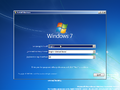
自动运行
-

“Setup is”bug
-
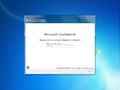
OOBE
-
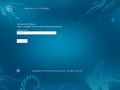
Metro OOBE


界面
-
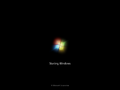
启动屏幕
-
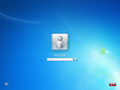
登录屏幕
-
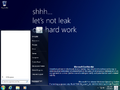
“开始”菜单
-
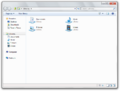
-
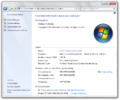
系统属性
-
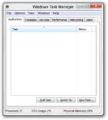
任务管理器
-
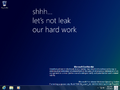
不显示“开始”按钮的桌面
-
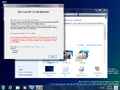
Aero 主题
-
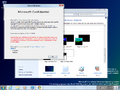
Aero Lite 主题
-
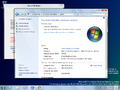
家庭普通版中的 Aero Glass
-
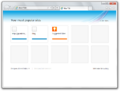
Internet Explorer 9
-
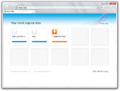
Internet Explorer 9,标签页显示在地址栏下方
-
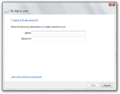
用户创建向导
-
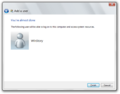
同上一个,完成页


Redpill 限定
-
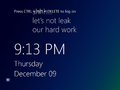
Metro 锁屏界面
-
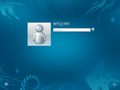
Metro 登陆屏幕
-
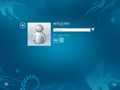
登录屏幕
-
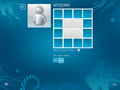
图案登录
-
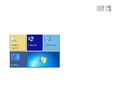
“开始”屏幕
-
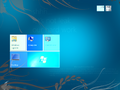
“开始”屏幕,
EnableAccent设置为1 -
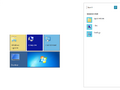
搜索 Charm
-
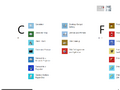
其他程序
-
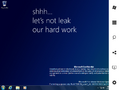
Charms 栏
-
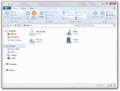
Windows 资源管理器
-
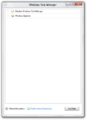
Modern 任务管理器
-
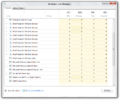
同上一个
-
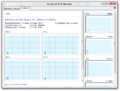
高级任务管理器
-
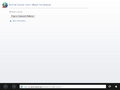
沉浸式 IE
-
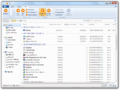
应用程序文件夹
-
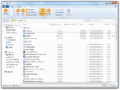
应用程序文件夹(按视图 ID 分组)


公开共享前的图片
-
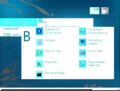
“开始”屏幕的强调色渲染问题
-
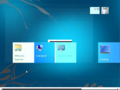
同上一个
-
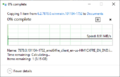
7878 正在解压


