Windows 8 Build 7822.0.fbl_core1_kernel_ee_fwproto_lpia.100926-1200
| Windows 8 的版本 | |
 | |
| 操作系统系列 | Windows NT 系列 |
|---|---|
| NT 版本 | Windows NT 6.1 |
| 内部版本号 | 7822 |
| 修订版本号 | 0 |
| 体系结构 | x86 |
| 内部版本实验室 | fbl_core1_kernel_ee_fwproto_lpia |
| 编译日期 | 2010 年 9 月 26 日 |
| 有效期 | |
| 时间炸弹 | 2011 年 2 月 5 日 (+132 天) |
| 关于对话框 | |
 | |
Windows 8 Build 7822.fbl_core1_kernel_ee_fwproto_lpia 是 Windows 8 最早可用的 Milestone 2 版本。针对低功耗英特尔体系结构(LPIA)的 x86 Checked/Debug 编译的未分阶段安装媒介于 2024 年 10 月 19 日共享。尽管它的内部版本号比 Build 7850 低,但其编译时间却晚了四天。
值得注意的是,它是少数几个以未分阶段安装媒介形式提供的 Windows 版本之一;在编译时,Windows 8 源代码树中所有可用的客户端版本(尽管被标记为 Longhorn,这个沿用的标签在内部从未被更正)都可以供用户在安装过程中选择并安装,从而通过使用 Windows 组件化服务(CBS)堆栈从一组组件中从零构建完整的 Windows 镜像。
在上传之前,启动屏幕的图像曾于 2021 年在 Discord 服务器上发布。
由于它的早期性,系统范围内许多地方仍然将自身标识为“Windows 7”,内核版本仍然是 6.1。(就像早于 Build 7865 的版本一样)。
SKU 版本和密钥
| 版本 / SKU 名称 | 密钥 |
|---|---|
| Starter[a] | 7Q28W-FT9PC-CMMYT-WHMY2-89M6G |
| Starter E[a] | BRQCV-K7HGQ-CKXP6-2XP7K-F233B |
| Starter N[a] | D4C3G-38HGY-HGQCV-QCWR8-97FFR |
| Home Basic | YGFVB-QTFXQ-3H233-PTWTJ-YRYRV |
| Home Basic E | VTKM9-74GQY-K3W94-47DHV-FTXJY |
| Home Basic N | MD83G-H98CG-DXPYQ-Q8GCR-HM8X2 |
| Home Premium | RHPQ2-RMFJH-74XYM-BH4JX-XM76F |
| Home Premium E | 76BRM-9Q4K3-QDJ48-FH4F3-9WT2R |
| Home Premium N | D3PVQ-V7M4J-9Q9K3-GG4K3-F99JM |
| Professional | HYF8J-CVRMY-CM74G-RPHKF-PW487 |
| Professional E | 3YHKG-DVQ27-RYRBX-JMPVM-WG38T |
| Professional N | BKFRB-RTCT3-9HW44-FX3X8-M48M6 |
| Enterprise | H7X92-3VPBB-Q799D-Y6JJ3-86WC6 |
| Enterprise E | H3V6Q-JKQJG-GKVK3-FDDRF-TCKVR |
| Enterprise N | BQ4TH-BWRRY-424Y9-7PQX2-B4WBD |
| Ultimate | D4F6K-QK3RD-TMVMJ-BBMRX-3MBMV |
| Ultimate E | TWMF7-M387V-XKW4Y-PVQQD-RK7C8 |
| Ultimate N | HTJK6-DXX8T-TVCR6-KDG67-97J8Q |
新增功能和更改
Internet Explorer
新的 Internet Explorer 9 用户界面现在默认启用;不再需要修补应用来启用新的用户界面。
Redpill
此版本的 Metro 与前一个版本几乎相同。在此版本的 debug 编译中,“开始”屏幕的背景是黄橙色,而在 free 编译中则是白色背景。截至目前为止,其背后的原因尚不清楚,但可能是为了测试主题色。
Bug
安装
- 在此版本中看不到 Windows 预安装环境中的背景。
- 启动安装程序时以及计算机重新启动进入 OOBE 之前显示的状态消息的最后一个单词被截断。
OOBE
单击“Connect to a hidden wireless network(连接到隐藏的无线网络)”按钮后,一旦其弹出的窗口关闭,OOBE 将会崩溃。
DWM 和 Aero
- 使用 Windows Aero 主题时,只有窗口框架的顶部部分会模糊,侧边框仍保持透明。
- 即使安装了兼容的显卡驱动程序,Aero 也可能无法立即使用。可以通过运行 WinSAT 检查来解决此问题。
休眠
尝试从休眠状态恢复可能会导致 0xD1 错误检查。
图库
安装程序
-
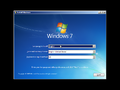
-
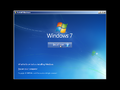
同上一个
-

“Setup is”bug
-
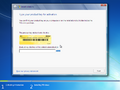
产品密钥
-
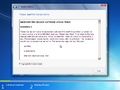
最终用户许可协议
-
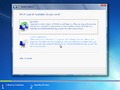
安装类型
-
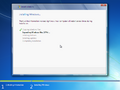
安装


OOBE
-
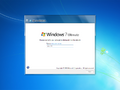
OOBE
-
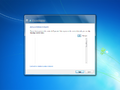
加入无线网络
-
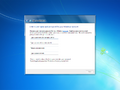
Windows 帐户
-
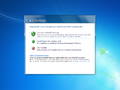
Windows Update 选项
-
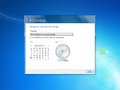
时间和日期
-
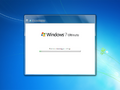
正在完成你的设置


界面
-
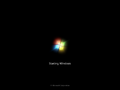
启动屏幕
-
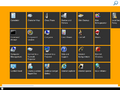
“开始”屏幕


公开前上传的屏幕截图
-
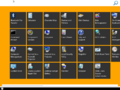
“开始”屏幕

注
- ↑ 1.0 1.1 1.2 简易版(及其 N 和 E 对应方版本)最后出现在 Windows 7 中,随后在 Windows 8 开发期间被内部重新配置,用作新旧 Windows 客户端 SKU 版本的基础。Web Server SKU 版本在开发其服务器对应方版本的桌面体验版本和核心版本时,也会以相同方式被重新配置,尽管 Standard Server SKU 版本后来在 Windows Server 2016 的后期开发阶段,特别是 Redstone 1 开发期间,取代了它成为 Server Core 版本的基础。