Windows 8 Build 7814.0.fbl_core1_kernel_ee.100907-1700
跳转到导航
跳转到搜索
| Windows 8 的版本 | |
 | |
| 操作系统系列 | Windows NT 系列 |
|---|---|
| NT 版本 | Windows NT 6.1 |
| 内部版本号 | 7814 |
| 修订版本号 | 0 |
| 体系结构 | x64 |
| 内部版本实验室 | fbl_core1_kernel_ee |
| 编译日期 | 2010 年 9 月 7 日 |
| 有效期 | |
| 时间炸弹 | 2011 年 2 月 5 日 (+151 天) |
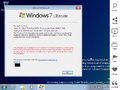
| 关于对话框 | |
 | |
   | |
Windows 8 Build 7814 是 Windows 8 的版本,于 2021 年 9 月 30 日上传。在共享之前,屏幕截图已随 Build 7746 的原始上传于 2020 年 5 月 3 日一起提供。
由于它的早期性,系统范围内许多地方仍然将自身标识为“Windows 7”,内核版本仍然是 6.1。(就像早于 Build 7865 的版本一样)。
SKU 版本和密钥
| 版本 / SKU 名称 | 密钥 |
|---|---|
| Home Basic | YGFVB-QTFXQ-3H233-PTWTJ-YRYRV |
| Home Premium | RHPQ2-RMFJH-74XYM-BH4JX-XM76F |
| Professional | HYF8J-CVRMY-CM74G-RPHKF-PW487 |
| Ultimate | D4F6K-QK3RD-TMVMJ-BBMRX-3MBMV |
新增功能和更改
一般
- 添加了支持 SHA-256 的证书和数字签名。
- 控制面板中添加了 Genuine Center(正版中心)小程序,现在可以通过操作中心访问。
Aero
- 即使禁用 DWM,最大化窗口的标题栏文本现在也会居中显示。
- DWM 现在会在进入 OOBE 时启动,使 Windows Aero 可以在 OOBE 屏幕上工作(Windows Aero 仍需要兼容的 WDDM 驱动才能运行)。
Bug
安装
- 此版本在使用 SATA DVD 驱动器启动安装程序时存在问题。建议使用 IDE 或 SCSI DVD 驱动器从安装介质启动。
- 在 Windows 预安装环境中看到的背景在此版本中缺失。
- 升级到此版本将导致安装后屏幕没有进度条。
DWM 和 Aero
- 由于启用了 DWM Aero 主题,Windows 基本和高对比度主题无法正确呈现。
- 在现代版本的 VMware Workstation 及更高版本中,Aero 功能无法使用,原因是这些版本与图形堆栈不兼容。建议使用 VirtualBox 或 VMware 9.x 硬件兼容性或更早版本,并使用 9.x 或更早的驱动程序。
- 使用 Windows Aero 主题时,只有窗口框架的顶部部分会模糊,侧边框仍保持透明。
Internet Explorer
像早期版本一样,Internet Explorer 引擎不稳定,访问 HTML5 网站时可能会崩溃。
图库
Windows 安装程序
-
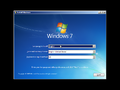
自动运行
-
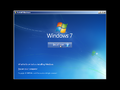
同上一个
-
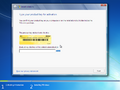
产品密钥
-
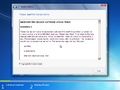
最终用户许可协议
-
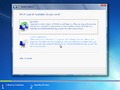
安装类型
-
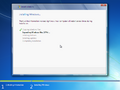
正在安装
-
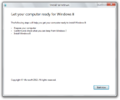
现代安装程序客户端
-

准备修复程序(仅升级安装)


界面
-
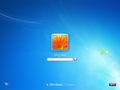
登录屏幕
-
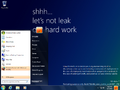
“开始”菜单
-
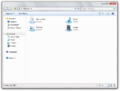
Windows 资源管理器
-
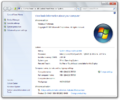
系统属性
-
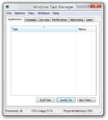
任务管理器
-
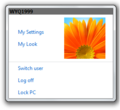
用户磁贴菜单
-

Your Look(你的外表)
-
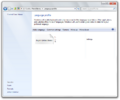
控制面板中的语言设置
-
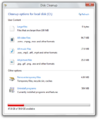
磁盘清理
-
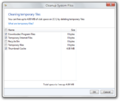
磁盘清理 - 清理系统文件
-
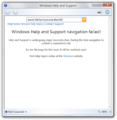
帮助和支持
-
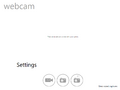
WebCam
-
PDF 阅读器
-

Internet Explorer 9
-
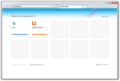
同上一个,使用新的用户界面
-
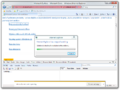
IE9 引擎 bug
-
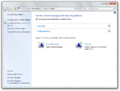
操作中心
-
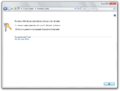
正版中心
-
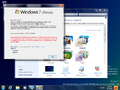
Aero 主题
-
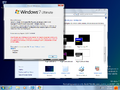
Aero Lite 视觉风格


Redpill 限定
-

登录界面以桌面壁纸作为背景
-
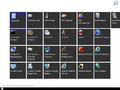
“开始”菜单
-
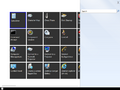
“开始”菜单搜索
-
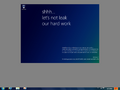
Snap 用户界面
-
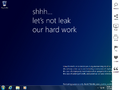
Charm 栏
-
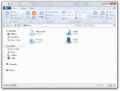
Windows 资源管理器(已 Redpill)
-
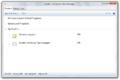
现代任务管理器


其他
-
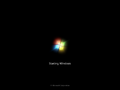
启动屏幕
-
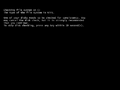
Chkdsk
-
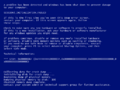
启动时系统崩溃
-
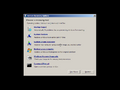
Windows 恢复环境
-
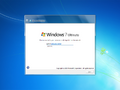
显示 Aero 的 OOBE


公开前共享的屏幕截图
-
Metro Charms
