Windows XP Build 2465.0.idx01.010412-2007
| Windows XP 的版本 | |
 | |
| 操作系统系列 | Windows NT 系列 |
|---|---|
| 内核版本 | Windows NT 5.1 |
| 内部版本号 | 2465 |
| 修订版本号 | 0 |
| 体系结构 | x86 |
| 内部版本实验室 | idx01 |
| 编译日期 | 2001 年 4 月 12 日 |
| 有效期 | |
| 时间炸弹 | +180 天 (自原始安装日期起) |
| 已知 SKU 版本 | |
| Home Edition、 Professional | |
| 产品密钥 | |
| DTWB2-VX8WY-FG8R3-X696T-66Y46(Home Edition)、 DW3CF-D7KYR-KMR6C-3X7FX-T8CVM(Professional) | |
| 关于对话框 | |
 | |
  | |
Windows XP Build 2465.idx01 是 Windows XP 的 beta 2 后版本,于 2001 年 4 月 26 日发布给测试人员[1],随后于 2001 年 6 月 22 日泄露。
发行日志[2]
发行日志内容
Interim Build 2465 is available for download

We are pleased to announce availability of Microsoft(R) Windows(R) XP interim build 2465 for electronic download.

This is an interim build following Beta 2. You are not required to download or install this build as a part of the Whistler beta test. Interim builds are provided on an as-is basis for hardware and software developers, and for those beta testers that are interested in interim build updates.

Microsoft has recently announced that the official product name for Whistler will be Windows XP. However the code name "Whistler" is still present in many places in the product. Please do not file bugs on these issues yet.

This build will NOT be made generally available on CD.

FEEDBACK ON INTERIM BUILDS
We are not looking for detailed feedback on this build (e.g. bug reports). Although there are some improvements, there are not a lot of significant Beta 2 changes. You should report regressions from Beta 2, and you are welcome to see if bugs in some areas have been addressed. Other than that, please report only critical issues at this time, as we are still focused primarily on beta 2 feedback.

PRODUCT KEYS
Microsoft Windows Whistler requires a product key to complete installation. Each Technical Beta ID will be issued a unique product key for their use in testing Windows Whistler. If you have not yet gotten your assigned product key, log on to
http://windowsbeta.microsoft.com/support/key.asp.

The product key previously issued to you should be used to install this build. Your product key can be used to install all editions of Whistler (e.g. Personal,
Professional, Server, and Advanced Server).

This product key is assigned to you and should be used by you only (or only your designated representatives if you are a corporate site). Your product key is a representation of your Technical Beta privileges. You may lose your Technical Beta privileges if your product key is published on an Internet site or otherwise becomes publicly available.

WINDOWS PRODUCT ACTIVATION
You have up to 14 days from installation to activate Windows. The prior registry key to disable activation no longer works.
Activation can be accomplished via two different connection methods: Internet and telephone. Customer service centers supporting telephone activations for other countries are now available.
You may install Whistler on as many PCs as your End User License Agreement (EULA) allows. Please see your EULA and the supplemental EULA posted here and on the web site for exact details.
For beta, the grace period by which you must activate is set to 14 days. For RTM, it will be 30 days as previously stated.
Please use the ".beta.whistler.product-activation" newsgroup to post any problems or technical questions pertaining to product activation.

INTERIM BUILD
This is an interim build we are releasing for ongoing development efforts. Microsoft does not recommend that you install this build. This is an "external test release interim build" provided primarily for hardware and software developers to use in lab test environments to verify recent code fixes and application and device compatibility. If your connection to the Internet is such that you can download a build of this size, you are welcome to download, install and report any critical problems to us as soon as possible. However, this release is interim developmental code between standard release milestones. As such, much work is in-progress and many features may not be fully functional. In addition, this release has not been fully tested to the same level as a full external beta release

This build may not be as stable or reliable as a beta milestone release. It may contain fixes and improvements in some areas while it may have new problems in other areas. You are welcome to install and try this build at your own risk, recognizing these limitations. This build may in fact work better in some cases for a limited set of beta users.

We are only releasing the client SKUs at this time (personal, professional and professional checked versions). Server SKUs may be available in future interim releases but will not be made available for 2465.

If you install this build, please complete an install survey. (http://windowsbeta.microsoft.com/Survey/Install_Survey.asp)

WHAT IS NEW IN THIS BUILD?
To avoid going too deeply into the details of the build process, very few areas of build have changed since Beta 2. Most of the changes that have been made were prepared and cued up before Beta 2 even shipped. As a result the changes do not contain many changes based on specific feedback from Beta 2. The areas that have changed are:

- User Interface
- Audio drivers
- Print drivers
- COM +
- Help and Support
- Some server components
- IE, OE and Windows Media Player
NFO 文件
以下 NFO 在此重新发布,仅用于存档目的。
NFO 内容
       =-=-=-=-=-=-   Windows XP Build 2465a Full -=-=-=-=-=--=-=

CracKer-Supplier: ReaL|sTy


Get The Files from Here:

ftp://216.167.77.228/I386/WINNTUPG/OEM/NOVELL/NLS/PORTUGUE/.temp/.tagged/.by%20vamp/.for%20pcav/

once there select the folder OS Stuff and there you will see all the Windows Xp Files in the windows xp folder..... after downloading all files extract all files by running the .rar one, after that you will have a .bin archive extract the installation files from the .bin archive by getting Winimage if you already don't have it.. if no.. then get it here: http://www.winimage.com  to crack Windows Xp get the crack and serial from the same ftp and read the .doc information for the instructions.!! enjoy!!

to enter in this ftp all you have to do is have a good ftp client like Cute Ftp or any other and copy the link i'm giving you. that's all! ;)


My Contact Information:

Email: ricardof01@hotmail.com
ICQ # : 66453452

My Profile:

http://mx.profile.yahoo.com/ricardof01

Note: i do this for fun and to help poor people, that can't buy expensive softwares. as you see i like to contribute and help to keep the sharing style alive....i'll hope you'll be able to contribute to help us each other too...any contribution from you will be welcome. thanks!
  ;-))
新增功能和更改
全新安装体验
更新了 OOBE 之前的显示设置弹出窗口,将其选项简化为仅“确定(OK)”确认对话框,“不再询问(never ask again)”复选框也随之删除。
用户界面
外观
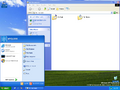
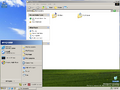
Luna 主题更新为使用接近最终的设计。这种设计消除了开始按钮上的光泽,使标题栏的颜色在最大化时更浅,并将选项卡标题样式更改为后来在最终版本中看到的样式。主题本身也从“Whistler”重命名为“Windows XP”。
Bliss 现在被设置为默认壁纸,取代了之前的 Red moon desert 壁纸。
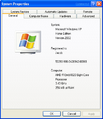
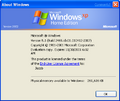
引入了 Windows XP 品牌。可以在 winver、水印和其他一些区域看到它,删除了对 Windows 2000 和 Whistler 的大部分引用。Home Edition SKU 现在也开始引用“Home Edition”品牌,取代作为先前占位符的“Personal”品牌。
更改了 ShellAboutW 对话框(用于 winver 和各种内置应用程序)版权声明,以使用版权符号字符(©)而非 (C)。
图标集
大多数图标(如 Internet Explorer、控制面板或回收站图标)更新为对应的 RTM 图标。 Most notably, the Recycle Bin icon is no longer having a handle.
墙纸和用户帐户图片
添加了新的墙纸和用户帐户图片,之后也会包含在最终版本中。壁纸包括:Autumn、Ascent、Crystal、Friend、Home、Peace、[1]、flower、Radiance、Ripple、Stone henge、Tulips、Wind 和 Windows XP,而用户帐户图片包括 beach、car、chess、dirt bike、dog、drip、duck、frog、guest、horses、kick、lift off、palm tree、red flower 和 skater。所有这些用户帐户图片(car 和 frog 除外)最初是在 MSN Explorer 6.0 中使用的。
登录屏幕
登录屏幕上的云被聚焦取代,Windows 徽标从右上角移动到用户帐户选择的左侧,徽标本身现在仅在注销时可见。此外,“欢迎使用(Welcome)”文本现在仅在登录 Windows 时显示,下面的文本将被删除。
启用大写锁定键时,系统现将再次显示气泡提示,提醒用户若大写锁定键处于激活状态,可能导致密码输入错误。该功能此前在早期版本(直至 build 2419 )中已启用,但在引入现已替换的登录界面设计(见 build 2428 )后曾被暂时移除。
“开始”菜单和快速启动
“More Programs(更多程序)”重命名为“所有程序(All Programs)”。“注销(Log off)”和“关闭计算机(Turn off computer)”选项的首字母也大写。
Outlook Express 和 MSN Explorer 从“快速启动”工具栏中删除。
通知和桌面
现在,气球提示的右上角包含一个关闭按钮。“Run in compatibility mode(在兼容模式下运行)”和“Release notes”(发行说明)图标也已从桌面中删除。
关闭或注销对话框
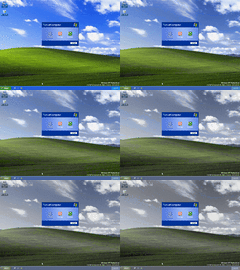
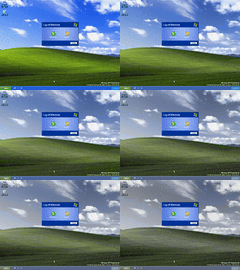
关闭或注销对话框现在会淡化背景,而不是具有块状效果。
控制面板
添加了新的 Internet 选项,现在允许使用第三方浏览器扩展,不允许在网页上使用视觉样式。Gaming Options(游戏选项)小程序也重命名为 Game Controllers(游戏控制程序)。
音乐和电影
Windows Media Player 更新为包含新的现代外观,默认样本音乐已更改为 David Byrne 的“Like Humans Do”。位于 %windir%\Media 目录中的旧版 MIDI 文件也被删除,并替换为 flourish.mid、onestop.mid 和 town.mid。
Windows Movie Maker 的内置教程被删除。
帮助和支持
帮助和支持中心的背景现在是浅蓝色,顶部栏现在是深蓝色。主页还将辅助标题分成两个单独的标题。
漫游 Windows XP
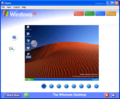
漫游 Windows XP 已经过大规模的更改,现在的行为与最终版本中的类似。
其他
- 更新 Outlook Express 6 初始屏幕以匹配 Luna 主题。
- Windows Installer 更新到版本 2.0。
- DirectX 更新到版本 8.1。
- "Mem Usage" in the bottom bar of Task Manager is now referred to as "Commit Charge" and now lists memory in MB instead of KB.
Bug
损坏的 OOBE
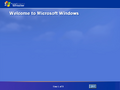
OOBE 在全新安装的此版本中不工作。因此,要绕过它,用户必须终止 msoobe.exe 进程或事先在显示分辨率对话框中选择“Cancel”。OOBE 在升级后可能会工作,但通常前提是前面的版本缺少 OOBE 组件。
文件差异
与 Build 2463 Professional 相比,新增或移除了以下文件:
| 名称 | 描述 | 版本 |
|---|---|---|
| acluis.chm | ||
| acverfyr.dll | Windows 2000 Shim Accessory DLL | 5.1.2465.0 (idx01.010412-2007) |
| atomic.wmz | ||
| audiosrv.dll | Windows Audio Service | 5.1.2465.0 (idx01.010412-2007) |
| bckgnd.swf | ||
| bktr.gif | ||
| bktrh.gif | ||
| bluesky.wmz | ||
| brmfcmdm.inf | ||
| brmfcmf.inf | ||
| brmfcumd.inf | ||
| brmfcwia.dll | Brother MFC series WIA minidriver | 5.1.2460.0 (Lab06_N.010129-0357) |
| brmfcwia.inf | ||
| brmfport.inf | ||
| brmsl01.bin | ||
| browsewm.dll | BrowseWM Player | 6.00.2465.0000 (idx01.010412-2007) |
| brusbmdm.sys | Brother USB MDM Driver | 1 |
| brusbscn.sys | Brother USB SCN Driver | 1 |
| camdsh20.inf | ||
| camvid20.inf | ||
| charctxt.xml | ||
| cloapp.gif | ||
| cloapph.gif | ||
| cnt.gif | ||
| cntd.gif | ||
| cnth.gif | ||
| compact.wmz | ||
| contents.htm | ||
| controls.css | ||
| controls.js | ||
| copycd.wmv | ||
| copymar.exe | copymar | 6.10.0015.2700 |
| csapi3t1.dll | Microsoft CSAPI Converter (v3 to v1) | 1.0.2415 |
| c_g18030.dll | GB18030 DBCS-Unicode Conversion DLL | 5.1.2465.0 (idx01.010412-2007) |
| dpnathlp.dll | Microsoft DirectPlay NAT Helper | 5.1.2465.0 (idx01.010412-2007) |
| drvmain.sdb | ||
| dskquoui.chm | ||
| ep2lc80.gpd | ||
| epagcres.dll | ESC/Page-Color Laser Printer Driver | 5.1.2465.0 (idx01.010412-2007) |
| epagcres.ini | ||
| ersvc.dll | Windows Error Reporting Service | 5.1.2465.0 (idx01.010412-2007) |
| events.js | ||
| filefold.hlp | ||
| flourish.mid | ||
| fxsst.dll | Fax Service | 5.0 |
| gr3001_g.ini | ||
| gr4001_g.ini | ||
| gr4001_g.png | ||
| guitrn.dll | Transports for GUI | 5.1.2465.0 (idx01.010412-2007) |
| guitrn_a.dll | Transports for GUI | 5.1.2465.0 (idx01.010412-2007) |
| howtow.chm | ||
| hp4100_6.ppd | ||
| hp8150_7.ppd | ||
| hpv85kal.dll | Windows Unidrv Plugin | 5.1.2462.0 |
| hpwm525p.gpd | ||
| ident.hlp | ||
| idwlog.exe | Idwlog 2000 System Client. | 2 |
| ieeula.chm | ||
| ieiui.chm | ||
| intro.swf | ||
| lcldate.xml | ||
| lclsize.xml | ||
| market.ini | ||
| market.mar | ||
| mdlib.wmv | ||
| mdmssys.in4 | ||
| migism_a.dll | Cobra Migration Engine | 5.1.2465.0 (idx01.010412-2007) |
| migwiz_a.exe | Files and Settings Transfer Wizard | 5.1.2465.0 (idx01.010412-2007) |
| mplogo.gif | ||
| mplogoh.gif | ||
| ms6.ini | ||
| ms6.png | ||
| ms6_1.png | ||
| ms6_10.png | ||
| ms6_2.png | ||
| ms6_3.png | ||
| ms6_4.png | ||
| ms6_5.png | ||
| ms6_6.png | ||
| ms6_7.png | ||
| ms6_8.png | ||
| ms6_9.png | ||
| ms7.ini | ||
| ms7.png | ||
| ms7_1.png | ||
| ms7_2.png | ||
| ms7_3.png | ||
| ms7_4.png | ||
| ms7_5.png | ||
| ms7_6.png | ||
| ms7_7.png | ||
| ms7_8.png | ||
| ms7_9.png | ||
| ms7_g.ini | ||
| ms8_g.ini | ||
| mse_g.ini | ||
| msf1f.ini | ||
| msf1f.png | ||
| msf1f_1.png | ||
| msf1f_10.png | ||
| msf1f_2.png | ||
| msf1f_3.png | ||
| msf1f_4.png | ||
| msf1f_5.png | ||
| msf1f_6.png | ||
| msf1f_7.png | ||
| msf1f_8.png | ||
| msf1f_9.png | ||
| msimain.sdb | ||
| mslogo.swf | ||
| msmscsi.inf | ||
| msn100.ini | ||
| msn100.mar | ||
| msn14.ini | ||
| msn14.mar | ||
| msn150.ini | ||
| msn150.mar | ||
| msn163.ini | ||
| msn163.mar | ||
| msn188.ini | ||
| msn188.mar | ||
| msn220.ini | ||
| msn220.mar | ||
| msn222.ini | ||
| msn222.mar | ||
| msn238.ini | ||
| msn238.mar | ||
| msn36.ini | ||
| msn36.mar | ||
| msncsapi.dll | Microsoft CSAPI Converter (v3 to v1) | 1.0.2415 |
| msnike.inf | ||
| msnspell.dll | Microsoft (R) HTML Spell Checker | 6.10.0015.2700 |
| msntags.dic | ||
| msrio.inf | ||
| msrio8.inf | ||
| music.bmp | ||
| mvboli.ttf | ||
| nav.swf | ||
| nuskin.wmv | ||
| oce4900.ppd | ||
| oce9030.ppd | ||
| oce9050.ppd | ||
| oce9500.ppd | ||
| onestop.mid | ||
| passwrdw.chm | ||
| pro.wmz | ||
| radio.wmz | ||
| rasadmin.cnt | ||
| rtuner.wmv | ||
| script_a.dll | v1 Script Module | 5.1.2465.0 (idx01.010412-2007) |
| segment1.swf | ||
| segment2.swf | ||
| segment3.swf | ||
| segment4.swf | ||
| segment5.swf | ||
| signup.mar | ||
| slayerxp.dll | SlayerXP Module | 1 |
| snd.htm | ||
| srusbusd.inf | ||
| sysmod_a.dll | System Migration Module | 5.1.2465.0 (idx01.010412-2007) |
| t5000.gpd | ||
| taoff.gif | ||
| taoffh.gif | ||
| taon.gif | ||
| taonh.gif | ||
| taskmgrw.chm | ||
| tlyp6res.dll | Tally pcl6 extra Resource | 5.1.2465.0 (idx01.010412-2007) |
| tour.js | ||
| tourbg.gif | ||
| town.mid | ||
| tpause.gif | ||
| tpauseh.gif | ||
| tplay.gif | ||
| tplayh.gif | ||
| videobg.gif | ||
| vidsamp.gif | ||
| viz.wmv | ||
| wbemtest.chm | ||
| whatneww.chm | ||
| wm1.gif | ||
| wm2.gif | ||
| wm3.gif | ||
| wm4.gif | ||
| wm5.gif | ||
| wm6.gif | ||
| wm7.gif | ||
| wm8.gif | ||
| wm9.gif | ||
| wmic.chm | ||
| wmifltr.chm | ||
| wmpaud1.wav | ||
| wmpaud2.wav | ||
| wmpaud3.wav | ||
| wmpaud4.wav | ||
| wmpaud5.wav | ||
| wmpaud6.wav | ||
| wmpaud7.wav | ||
| wmpaud8.wav | ||
| wmpaud9.wav | ||
| wmploc.js | ||
| wmptour.css | ||
| wmptour.hta | ||
| wmtour.inf | ||
| xscan_xp.inf |
| 名称 | 描述 | 版本 |
|---|---|---|
| aclui.chm | ||
| appcomp.url | ||
| asf.htm | ||
| attag.gpd | ||
| attenum.gpd | ||
| audio.gif | ||
| audio1.htm | ||
| audio1.wav | ||
| audio2.htm | ||
| audio2.wav | ||
| audio3.htm | ||
| audio3.wav | ||
| audio4.htm | ||
| audio4.wav | ||
| avshell.dll | Analog Video Extension for Windows Control Panel | 0.3.1999.105 |
| bachsb~1.rmi | ||
| basenote.cov | ||
| beetho~2.rmi | ||
| blugrad.bmp | ||
| blugrad.gif | ||
| branddef.mar | ||
| camcord.gif | ||
| canyon.mid | ||
| cjime.cat | ||
| claire~1.rmi | ||
| clr.gif | ||
| clrblk01.gif | ||
| clrblk02.gif | ||
| clrblk03.gif | ||
| clrblk04.gif | ||
| command.gpd | ||
| crlntmpl.mof | ||
| cwc3d.osp | ||
| cwc4610.osp | ||
| cwc4612.osp | ||
| cwc4630.osp | ||
| cwcasync.osp | ||
| cwcdatac.osp | ||
| cwceq.osp | ||
| cwchrtf.22 | ||
| cwchrtf.44 | ||
| cwchrtf.v22 | ||
| cwchrtf.v44 | ||
| cwcosnt5.sys | Crystal WDM OS Driver | 5.1.2415.1 built by: WinDDK |
| cwcspat.osp | ||
| cwcspud.dat | ||
| cwcspud.sys | Crystal PCI WDM Audio Driver | 5.1.2415.1 built by: WinDDK |
| cwcwt.osp | ||
| d3dref.dll | Microsoft Direct3D | 5.1.2463.0 (main.010328-1824) |
| d3dref8.dll | Microsoft Direct3D | 5.1.2463.0 (main.010328-1824) |
| danceo~2.rmi | ||
| datatag.gpd | ||
| discover.exe | Welcome to Windows NT | 5.1.2463.0 (main.010328-1824) |
| dskquow.chm | ||
| edit.gif | ||
| editsoon.gif | ||
| eeltmpl.mof | ||
| eelviewr.chm | ||
| essiscnb.dll | Epson WIA Driver | 5.1.2463.0 (main.010328-1824) |
| file_srv.hlp | ||
| folder.gif | ||
| frabk.ttf | ||
| frabkit.ttf | ||
| ftpinfo.dat | ||
| ftpinfo.shp | ||
| fureli~1.rmi | ||
| fxsadmin.chm | ||
| fxsadmin.hlp | ||
| fxsfsput.dll | Fax Service FSP UTIL DLL | 5.0 |
| fxsmapi.dll | Microsoft Fax MAPI DLL | 5.0 |
| fxs_art.chm | ||
| gryline.gif | ||
| guitrans.dll | Transports for GUI | 5.1.2463.0 (main.010328-1824) |
| hallof~2.rmi | ||
| howto.chm | ||
| hplj2100.gpd | ||
| hplj4000.gpd | ||
| hplj4050.gpd | ||
| hplj5000.gpd | ||
| hplj8100.gpd | ||
| imaging.dll | Windows Imaging Library | 5.1.2463.0 (main.010328-1824) |
| lhacm.acm | Lernout & Hauspie Codecs | 4.4.3385 |
| links.gif | ||
| loc.js | ||
| lyrasp.dll | RCA Lyra WMDM Service Provider | 8.00.00.4228 |
| mail.gif | ||
| mdmssys.inf | ||
| mic.gif | ||
| mmlogo.gif | ||
| mmrecord.gif | ||
| mmtour.css | ||
| mozart~2.rmi | ||
| msinfo32.dll | System Information | 5.1.2463.0 (main.010328-1824) |
| msinfo32.msc | ||
| msndb.dll | MSNDB | 1.0.2.0 |
| msnfac.dll | MSN Smart Tag Recognizer and Action List | 1.0.2.0 |
| msnsu.ini | ||
| mvcmptr.gif | ||
| mvfldr.gif | ||
| mvmail.gif | ||
| mvweb.gif | ||
| nikedrv.inf | ||
| noaudio.gif | ||
| old_edit.gif | ||
| optag.gpd | ||
| orgnz.gif | ||
| p6cmn.gpd | ||
| passport.mid | ||
| password.chm | ||
| pause.gif | ||
| play.gif | ||
| profes~1.wmz | ||
| readme.doc | ||
| rio8drv.inf | ||
| riodrv.inf | ||
| rt.sys | WINDOWS REALTIME EXECUTIVE | 5.1.2463.0 (main.010328-1824) |
| rtcclnt.chm | ||
| rtcclnt.hlp | ||
| rtcdll.hlp | ||
| script.js | ||
| sfmcon.chm | ||
| share.gif | ||
| shimengv.dll | Shim Engine DLL | 5.1.2463.0 (main.010328-1824) |
| signup.dbx | ||
| silence.htm | ||
| sys_srv.hlp | ||
| taskmgr.chm | ||
| tour.hta | ||
| tour.ico | ||
| tscn1601.w16 | MS-Setup Setup Exe | 3.01 |
| tscn1602.w16 | ||
| tscn1603.w16 | Microsoft Setup Tool | 1.1 |
| tscn1604.w16 | ||
| tscn1605.w16 | Custom Controls Librar | 4.0.2016 |
| tscn1606.w16 | OLE 2.0 Library | 2.02 |
| tscn1607.w16 | Client Connection Manage | 5.00.2195.272 |
| tscn1608.w16 | ||
| tscn1609.w16 | ||
| tscn1610.w16 | ||
| tscn1611.w16 | ||
| tscn1612.w16 | Setup Copy Disincentive Library | 2.6 |
| tscn1613.w16 | Setup DLL | 2.6 |
| tscn1614.w16 | Terminal Services Client (US/Canada Only | Not for Export |
| tscn1615.w16 | ||
| tscn1616.w16 | ||
| tscn1617.w16 | ||
| tscn1618.w16 | ||
| tscn1619.w16 | ||
| tscn1620.w16 | ||
| tscn1621.w16 | OLE 2.0 Library | 2.02 |
| tscn1622.w16 | OLE Automation Library | 2.02 |
| tscn1623.w16 | OLE NLS Library | 2.02 |
| tscn1624.w16 | Terminal Services Client Device Redirection Dl | 5.00.2195.272 |
| tscn1625.w16 | ||
| tscn1626.w16 | ||
| tscn1627.w16 | ||
| tscn1628.w16 | ||
| tscn1629.w16 | ||
| tscn1630.w16 | ||
| tscn1631.w16 | OLE 2.0 Library | 2.02 |
| tscn1632.w16 | MSTSC Trace DL | 5.00.2195.272 |
| tscn1633.w16 | ||
| tscn1634.w16 | Win16 Extentio | 4.0.2016 |
| tscn1635.w16 | ||
| webfoldr.chm | ||
| welcome.exe | Welcome to Windows NT | 5.1.2463.0 (main.010328-1824) |
| welcome.ini | ||
| whatsnew.chm | ||
| wmipdfs.dll | WMI DFS Provider | 5.1.2463.0 (main.010328-1818) |
| wmipdfs.mfl | ||
| wmipdfs.mof | ||
| wmitest.chm | ||
| wmplenc.dll | wmplenc | 0 |
| wvfrm.gif |
图库
Home Edition SKU
-

桌面
-
系统属性
-


Professional SKU
-
Luna 主题
-
Windows 经典主题
-
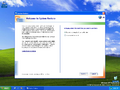
系统还原
-
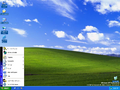
经典 “开始”菜单
-
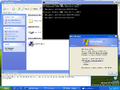
演示
-
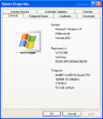
系统属性


其他
-
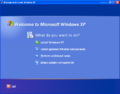
使用新的 XP 品牌的自动运行
-
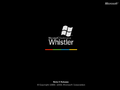
启动屏幕
-
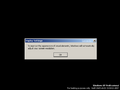
显示设置
-
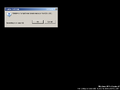
监视器设置
-
损坏的 OOBE
-

登录屏幕
-

登录屏幕保护程序
-

正在关机
-

安全关机屏幕
-
关闭计算机动画淡化
-
注销动画淡化


漫游
-

介绍
-
Start Here(从这里开始)
-
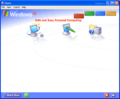
Safe and Easy Personal Computing(安全简便的个人计算)
-
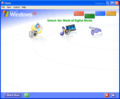
Unlock the World of Digital Media(解锁数字媒体的世界)
-
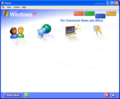
The Connected Home and Office(连接家居和办公室)
-
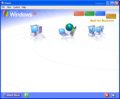
Best for Business(企业的最佳选择)


引用资料
- ↑ Paul Thurrott. Windows XP:淘金之路(第三部分), Paul Thurrott's SuperSite for Windows. 2001 年 8 月 24 日. 存档来自 2002 年 6 月 7 日的原始文件.
- ↑ https://groups.google.com/g/microsoft.public.es.windowsme/c/yiU38QvqF1Q/m/240a6VzSjrcJ