Windows 8 Build 8441.0.winmain.120623-1614
| Windows 8 的版本 | |
 | |
| 操作系统系列 | Windows NT 系列 |
|---|---|
| NT 版本 | Windows NT 6.2 |
| 内部版本号 | 8441 |
| 修订版本号 | 0 |
| 体系结构 | x64 |
| 内部版本实验室 | winmain |
| 编译日期 | 2012 年 6 月 23 日 |
| 有效期 | |
| 时间炸弹 | 2013 年 1 月 15 日 (+206 天) |
| 关于对话框 | |
 | |
  | |
Windows 8 build 8441 is a build of Windows 8, which was released to Microsoft partners through the Ecosystem Engineering Access Program (EEAP) around late June 2012.[1]
The build was originally first observed as a full compile in the Pro SKU[2] and as a Preinstallation Environment image; the latter of which is included as part of version 8.0 of the preinstalled One-Key Recovery software included on Lenovo devices manufactured during 2012, with the optional Simplified Chinese WinPE language pack additionally included alongside it.
The full x64 Dutch counterpart was later uploaded to BetaArchive on 11 June 2020. Six additional language variations of this build in the Pro SKU were shared publicly on 26 August 2025 in the form of a WIM image that also includes the Dutch language. Prior to its publication, screenshots of the Command Prompt from the full build's English language variant were found in a document about configuring the Unified Write Filter.[3] A screenshot of the German language variant's System Properties was posted to Baidu Tieba on 29 June 2012.[4]
SKU 版本和密钥
| Edition / SKU Name | 密钥 | Architecture | Language | Availability |
|---|---|---|---|---|
| Core | 2H7NK-3VJJY-HHY3Y-WM3T8-JFCRY | x64 | Dutch | 是 |
| Professional | GCNRF-BHBCM-W9YWM-VWQP6-TJBWR | English (U.S.), Spanish, French, Dutch, Simplified Chinese, Traditional Chinese (both Hong Kong and Taiwan variants) | ||
| ProfessionalWMC (edition upgrade only) | JGN88-JG6P9-XWD9R-3VX46-9KTF7 | |||
| Preinstallation Environment | — | English (U.S.), Dutch, Simplified Chinese | ||
| Ditto. | — | German | 否 | |
| — | — | x86 | — | 否 |
| — | — | ARM32 (ARMv7) | — | 否 |
Changes
- The setup background color has been updated to that found in the RTM.
- Color is enabled for window borders and can no longer be disabled.
- Introduced the Windows 8 sound scheme, which would be used up to Windows 10 build 10064 (except the hardware sounds which would be used up to Windows 11 build 21390 (co_release) and the earliest builds for Windows 11 prior to the build 21370 (fs_dev6_flt)).
Bugs and quirks
- In certain places, pseudo-localized strings are present.
预安装环境
Due to the WinPE being originally used for Lenovo's One-Key Recovery software, it tries to launch the software from a partition on the computer's hard drive, which will most likely fail unless the user runs it on a computer with the software present. It is possible to prevent the WinPE from launching the software by removing the winpeshl.ini file from the Windows\system32 directory.
It is also possible to remove the pre-installed Chinese language pack from the WinPE by removing the Microsoft-Windows-WinPE-LanguagePack-Package~31bf3856ad364e35~amd64~zh-CN~6.2.8441.0 package. Removing the package will cause the WinPE to return to English.
Gallery
Windows 安装程序
Dutch version
-
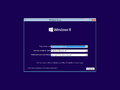
Windows Setup
-
Ditto.
-
Setup initialization
-
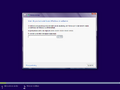
Product Key
-
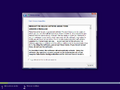
End-user license agreement
-
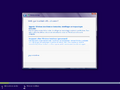
Installation type
-
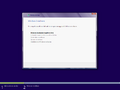
Expand Files


全新安装体验
Dutch version
-
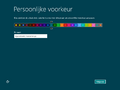
个性化
-
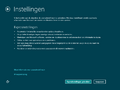
Settings
-
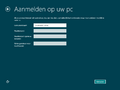
User account creation
-
Finalizing Settings


English version
-
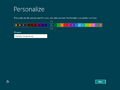
个性化
-
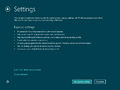
Settings
-
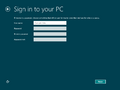
User account creation


User Interface
Dutch version
-
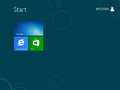
-
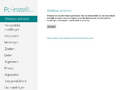
PC Settings
-
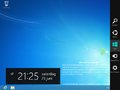
Charms Bar
-

Lock Screen
-
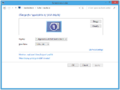
Screen Resolution
-
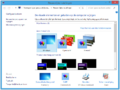
Personalization
-
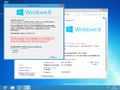
About &
winver


PCBeta images
-
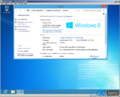
System Properties
-
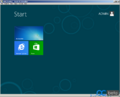
Start Screen
-
Store
-
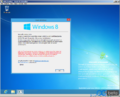
-
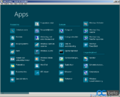
Programs
-
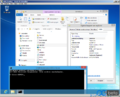
Demo


-
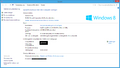
System Properties

English version
-
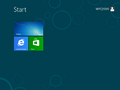
-
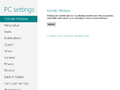
-
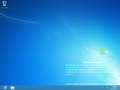
Desktop
-
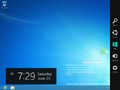
Charms bar
-
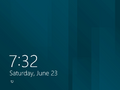
Lock screen
-
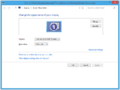
Screen resolution
-
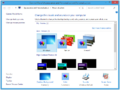
Personalization
-
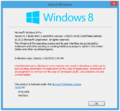


预安装环境
Simplified Chinese version
-
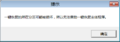
One-Key Recovery error
-
Starting WinPE
-
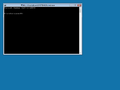
Command Prompt
-
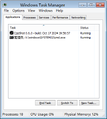
-
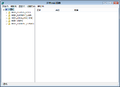
Registry Editor
-
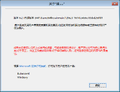
About Windows


English version
-
One-Key Recovery error
-
Starting WinPE
-
Command Prompt
-
Registry Editor
-
About Windows
Miscellaneous
-
启动屏幕


引用资料
- ↑ Syel, Kevin. Problems with Win8 8520?, AutoIt Forums. 27 July 2012.
- ↑ youarepwned. [分享] 8032和8441张截图, PCBeta. 1 April 2016. Archived from the original on 1 July 2017..
- ↑ https://www.10zig.com/wp-content/uploads/2024/04/Unified_Write_Filter_Configuration_Lab_LH.pdf
- ↑ https://www.betaworld.cn/Windows_8:6.2.8441.0.winmain.120623-1614