Windows 8 Build 9200.16384.win8_rtm.120725-1247
| Windows 8 的版本 | |
 Desktop (x86/x64 version) | |
| 屏幕截图 Desktop (ARM32 version) | |
| 操作系统系列 | Windows NT 系列 |
|---|---|
| NT 版本 | Windows NT 6.2 |
| 内部版本号 | 9200 |
| 修订版本号 | 16384 |
| 体系结构 | x86, x64, ARM32 (ARMv7) |
| 内部版本实验室 | win8_rtm |
| 编译日期 | 2012 年 7 月 25 日 |
| 有效期 | |
| 时间炸弹 | 2013 年 1 月 15 日 (+174 天) |
| 已知 SKU 版本 | |
| Core (N, China, Single Language) Pro (N, with Media Center) RT (CoreARM) Enterprise (Evaluation, N) Repair Content-specific:[a] Starter (N) Enterprise N Evaluation | |
| 关于对话框 | |
 | |
  | |
Windows 8 build 9200 (win8_rtm) is the official RTM build of Windows 8, which was released to manufacturing on 1 August 2012[1] and later made generally available to the public on 26 October 2012.
The pseudo-localized variant (qps-ploc) of this build, which is used for testing the internationalization system, was shared on 29 June 2022.
Leftovers
Timebomb
The Starter edition found within this build's Repair Content Packages (which are used by DISM /Cleanup-Image /RestoreHealth to repair an existing Windows installation) includes a timebomb within its product policies that is set to expire on 15 January 2013 despite being compiled under a retail/production configuration.
Games Explorer
One of the most well known leftovers in Windows 8 is the Games Explorer from Windows Vista and 7. It can be accessed by running shell:games (or explorer shell:games with the use of a shortcut) or through means of a third-party Start menu application. This feature and its respective class ID remained until Windows 10 April 2018 Update, after which it was completely removed in favor of the Xbox app.
Bugs and quirks
Internationalization
Language Control Panel
- Certain language packs may be displayed twice in the Language Control Panel applet's installed languages list.
Korean language pack
- The copyright year of the Korean version is displayed as 2007 instead of 2012 in many places including
winver.
Gallery

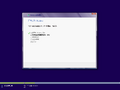
Chinese (Simplified) version
-
-
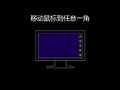
First logon animation
-

Lock Screen
-
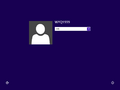
Login Screen
-
-
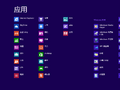
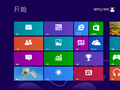
Ditto. Start screen Apps
-
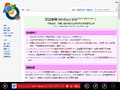
Internet Explorer (Metro UI)
-
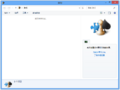
Games Explorer (by command)
-
Windows Store
-
Ditto, applications list
-
Ditto, application details
-
System Properties (Starter SKU)
-
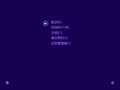
Security Options
-
System Crash
-
Recovery after system crash
-
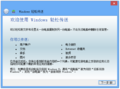
Windows Easy Transfer


-MetroInternetExplorer.png)


English version
Checked/Debug variant
-
Desktop
-
About dialog
Pseudo-localized version
-
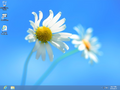
Desktop
-
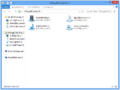
-
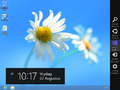
Charms Bar
-
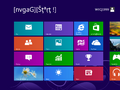
Start Screen
-
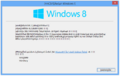


ARM version
-
System Properties
-
Winver
Miscellaneous
-
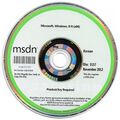
x86 Korean N DVD (Microsoft Developer Network)


注
- ↑ These SKUs are only available in this build's Repair Content Package sources; they must be manually staged through the DISM utility in order to install and use them.