Windows 8 Build 8186.0.fbl dnt3 wireless.120118-1800
| Windows 8 的版本 | |
 | |
| 操作系统系列 | Windows NT 系列 |
|---|---|
| NT 版本 | Windows NT 6.2 |
| 内部版本号 | 8186 |
| 修订版本号 | 0 |
| 体系结构 | x64 |
| 内部版本实验室 | fbl_dnt3_wireless |
| 编译日期 | 2012 年 1 月 18 日 |
| 有效期 | |
| 时间炸弹 | 2013 年 1 月 15 日 (+363 天) |
| 已知 SKU 版本 | |
Consumer Preview(Prerelease) | |
| 产品密钥 | |
| H9VCT-63NFW-FWHDR-F4J43-972K8 | |
| 关于对话框 | |
 | |
Windows 8 Build 8186.fbl_dnt3_wireless 是 Windows 8 的 Consumer Preview/Beta 前版本,此版本于 2024 年 9 月 29 日与 Build 8112 和 8187 一起共享。
新增功能和更改
用户界面
外壳
在 Metro 外壳中实现了诸如“开始”屏幕和 Charm 栏等元素的新动画。更新了功能栏中的图标,以使用在最终发布版本中观察到的设计,唯一的例外是 Windows 旗标(后来从 shell 分支逆向整合到 Build 8250 中)。此外,当功能栏未完全聚焦时,Windows 旗标现在使用单色配色方案。
“设置”应用中新增了删除所有最近应用历史记录的功能。
墙纸设置也得到更新。
任务栏
移除了任务栏上的“开始”按钮,此按钮自 Windows 95 起就存在,并被一个显示用户当前“开始”屏幕布局的热角所取代。这一设计决策在 Windows 8 发布前引发了围绕按钮移除的争议。考虑到前述变化,任务栏属性对话框的图标也进行了类似更新,以省略“开始”按钮。
右键菜单中的“打开任务管理器”选项重命名为简单的“任务管理器”。
开始
添加了新的“开始”屏幕模式,以水生主题为特色,这本身是一个内部开发者的玩笑,关于操作系统刚刚达到 Beta 里程碑,之前在版本号为 7000 的前一代操作系统版本中已经做过。
在“开始”屏幕的空白处右键单击现在会弹出一个允许用户查看所有应用的菜单,类似于最终发布版本。
品牌
为了准备当时即将发布的 Consumer Preview,所有对“Windows 8 Beta”一词的引用在各种品牌资源中替换为“Windows 8 Consumer Preview”。默认壁纸更改为官方 Consumer Preview 版本的一个初步版本,与此版本相比,鱼的方向进行了水平翻转。
Windows Aero
更新了 Windows Aero 视觉风格,以便为活动窗口使用更轻的投影效果。
用户帐户
默认“用户帐户”头像更新为使用最终 RTM 设计,此设计描绘了一个简化的个人形象,舍弃了以前复杂的轮廓设计,即从新墨西哥州阿尔伯克基警察局获取的比尔·盖茨头像。
Windows 安装程序
- Windows 安装程序自动运行对话框中的“现在安装”按钮现在使用了正确的字体。
声音
- 当用户登录或注销时,登录和注销声音不再播放。然而,在 Build 8195 之前,它们不会在媒体文件夹中播放。
Bug
文件系统挂载支持
在 ISO 镜像能够完成挂载之前,外壳可能会尝试调用一个 Windows 资源管理器窗口,导航到一个未被占用的驱动器字母,从而显示无效路径错误。ISO 镜像仍然会正常挂载,且可以通过常规方式访问。经确认,虚拟硬盘 (VHD) 映像不受此 bug 影响。
USB 3.0/xHCI
此版本似乎有一个损坏的 xHCI 驱动程序,因此如果启用 USB 3.0,在安装过程中会崩溃。为虚拟机禁用 USB 3.0(或在实际硬件的 BIOS/UEFI 中禁用)应该可以解决此问题。
兼容性
若要在 VMware Workstation 中安装或运行此版本,硬件兼容性必须设置为 9.x 或 8.x,否则会发生错误检查。
图库
安装程序
-
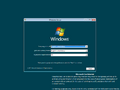
安装程序
-
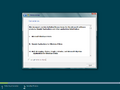
最终用户许可协议
-
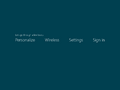
OOBE
-
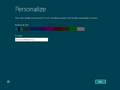
同上一个,颜色选取器


界面
-
启动屏幕
-
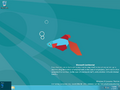
“开始”屏幕预览
-
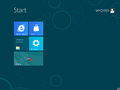
“开始”屏幕
-
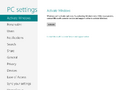
电脑设置
-
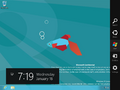
Charm 栏


