Windows 8 Build 8158.0.fbl_core2_sfs.111121-1900
| Windows 8 的版本 | |
 | |
| 操作系统系列 | Windows NT 系列 |
|---|---|
| NT 版本 | Windows NT 6.2 |
| 内部版本号 | 8158 |
| 修订版本号 | 0 |
| 体系结构 | x64 |
| 内部版本实验室 | fbl_core2_sfs |
| 编译日期 | 2011 年 11 月 21 日 |
| 有效期 | |
| 时间炸弹 | 2012 年 10 月 1 日 (+315 天) |
| 已知 SKU 版本 | |
Beta (Prerelease) | |
| 产品密钥 | |
| H9VCT-63NFW-FWHDR-F4J43-972K8 | |
| 关于对话框 | |
-About.png) | |
Windows 8 build 8158 (fbl_core2_sfs) is a pre-Consumer Preview/Beta build of Windows 8. Several screenshots of this build were uploaded to the BetaWiki Discord Server on 27 October 2024. The full build was shared soon after the screenshots' upload.
New features and changes
Metro shell
The left-side charms menu has been reduced to a singular start button that opens the start screen when clicked. The right-side charms bar can be brought out again by bringing the mouse to the top-right or bottom-right of the screen (present but is only accessible using a touchscreen by default in builds 8008 to 8032 or by pressing ⊞ Win+⇧ Shift+C in builds 8045 to 8157).
In the Settings menu, the option to open PC settings has been moved below the power options, and now reads "All PC settings".
A new default user account picture (similar to the Bill Gates mugshot) has been added.
Gallery
-
启动屏幕
-
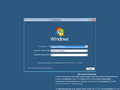
安装程序
-
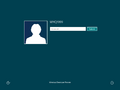
登录界面
-
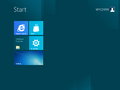
Start Screen
-
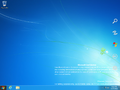
Charms Bar Preview
-
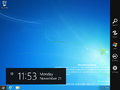
Charms Bar
-
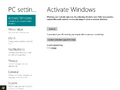
PC Settings With Start Button Popup


Screenshots uploaded prior to publication
-
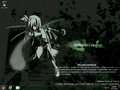
Desktop
-
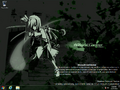
Start Button Popup
-
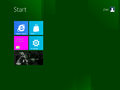
Start Screen
-
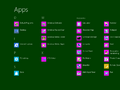
All Apps
-
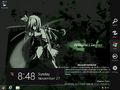
Charms Bar
-
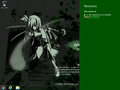
Network Flyout


