Windows 8 Build 8032.0.fbl_core2_sid_data.110623-2054
| Windows 8 的版本 | |
 默认桌面 | |
 启用 Redpill 的桌面 | |
| 操作系统系列 | Windows NT 系列 |
|---|---|
| NT 版本 | Windows NT 6.2 |
| 内部版本号 | 8032 |
| 修订版本号 | 0 |
| 体系结构 | x86、x64 |
| 内部版本实验室 | fbl_core2_sid_data |
| 编译日期 | 2011 年 6 月 23 日 |
| 有效期 | |
| 时间炸弹 | 2012 年 3 月 15 日 (+266 天) |
| 关于对话框 | |
 | |
  | |
Windows 8 Build 8032 是 Windows 8 的版本。2018 年 12 月 29 日,它由中文测试社区 BetaWorld 的成员共享,此前一天曾发现此版本。[1]这是已知的最后一个在安装过程中使用 Windows 7 品牌的版本。
在共享之前,BetaArchive 用户 Pwned 于 2016 年 4 月 1 日在中文论坛 PCBeta 发布了此版本的截图。[2]关于此版本的讨论帖于2016年4月5日在已关停的论坛 OSBetaArchive 上创建。[3]
SKU 版本和密钥
| 版本 / SKU 名称 | 密钥 |
|---|---|
| Starter | 7Q28W-FT9PC-CMMYT-WHMY2-89M6G |
| Home Basic | YGFVB-QTFXQ-3H233-PTWTJ-YRYRV |
| Home Premium | RHPQ2-RMFJH-74XYM-BH4JX-XM76F |
| Professional | HYF8J-CVRMY-CM74G-RPHKF-PW487 |
| Ultimate | D4F6K-QK3RD-TMVMJ-BBMRX-3MBMV |
| Developer Preview(Prerelease) | H9VCT-63NFW-FWHDR-F4J43-972K8 |
新增功能和更改
声音事件
- 这是最早包括新的通知声音事件,但作为占位符的版本,直到 Windows 8 Build 8106.fbl_grfx_dev1,分别为:
- 用于 Windows 7 传统登录声音
- Alarm Notification
- Incoming Call Notification 2
- 用于 Windows 7 风景系统通知声音
- Alarm Notification 2
- 用于 Windows 7 星号声音
- Cancelled Call Notification
- New SMS Notification(现在为 New Text Message Notification)
- 用于 Windows 7 新邮件通知声音
- Default Notification(不要与从 Windows XP 开始的系统通知声音事件混淆)
- 用于 Windows 7 传统登录声音
- 此外:
- 在 Windows 8 Build 8061.fbl_core2_sfs 之前,这些事件用于 Windows 7 新邮件通知声音,之后在 Windows 8 Build 8064 更改为 Windows 7 星号声音:
- New Email Notification(不要与桌面邮件通知事件混淆,自 Build 8318 起,从新邮件通知事件 {Mail Beep} 更改)
- New Instant Message Notification
- Reminder Notification(现在为日历提醒)
- Incoming Call Notification 1 事件,用于 Windows 7 传统登录声音,直到 Build 8061.fbl_core2_sfs,之后在 Build 8064 更改为 Windows 7 低电量声音。
- 在 Windows 8 Build 8061.fbl_core2_sfs 之前,这些事件用于 Windows 7 新邮件通知声音,之后在 Windows 8 Build 8064 更改为 Windows 7 星号声音:
Bug
安装
有两种可能的结果:
- 此版本似乎有一个损坏的 XHCI 驱动程序,因此在安装过程中,如果启用了 USB 3.0,将会发生由 USBXHCI.SYS 文件引起的错误检查,错误代码为
0x7E(SYSTEM_THREAD_EXCEPTION_NOT_HANDLED)。禁用虚拟机的 USB 3.0(或在真实硬件上从 BIOS 禁用)应该可以解决此问题。 - 安装的第二阶段可能需要很长时间才能完成,且可能会失败。
兼容性
若要在 VMware Workstation 15 或更高版本中安装或运行此版本,硬件兼容性版本必须设置为 8.x/9.x 版本;否则,将会出现部分乱码的早期启动错误。
简易版和家庭普通版 SKU 中的 Aero Glass
此版本在安装简易版和家庭普通版后会自动启用 Aero Glass 透明效果,尽管产品默认不支持此功能。将当前的视觉样式更改为其他样式(例如:Windows 基本)将导致玻璃效果被禁用。这是最后一个存在此 bug 的版本。
winver 中的 Microsoft 机密
winver 中的 Microsoft 机密免责声明文本是黑色的,而非在其他版本中看到的红色。
Metro 登录密码 bug
在 Metro 登录屏幕上使用显示密码功能时,文本显示为乱码,由多种语言的字母和符号混合组成,例如阿拉伯语、日语、韩语和中文。
OOBE
全新安装体验中的背景图片无法正确显示;它呈现纵向拉伸,有纵向条纹,且仅以单色显示。
主题
有几个与主题相关的漏洞,例如 Aero Lite 主题中的透明度漏洞以及高对比度主题中的漏洞。
应用商店
像 Build 8023 一样,应用商店被标记为 @{ms-resource:ShortItemName}。
高对比度(仅限 Redpill)
在此版本以及之后的一些 Developer Preview 版本中,当通过像 Redlock 这样的 Redpill 解锁工具启用 Metro UI 时,高对比度模式可能会非常不稳定,出现的 Bug 包括但不限于开始屏幕的背景完全透明,Aero Lite 在开启高对比度时无法切换到其高对比度对应版本,从而导致与在常规 Aero 上使用高对比度时完全相同的问题。
此外,如果高对比度的配色方案是由第三方程序设置的,Metro UI 的任何部分都不会识别任何高对比度自定义,当来回切换主题时,这些自定义也不会被保留,而是会恢复为标准高对比度版本。
升级
在升级的准备阶段之后,Windows 可能会遇到由 winhv.sys 引起的错误代码 SYSTEM_THREAD_EXCEPTION_NOT_HANDLED 的错误检查。若要绕过此问题,请进入安全模式,然后删除或重命名位于 C:\Windows\System32\Drivers 的此文件。
图库
安装程序
-
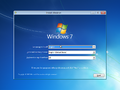
-
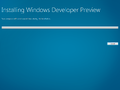
升级安装程序
-
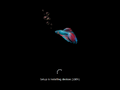
安装程序正在安装设备
-
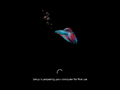
正在准备首次使用
-
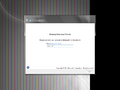
传统 OOBE
-

Metro OOBE
-
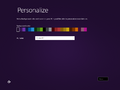
个性化
-

正在完成你的设置


界面
-
-
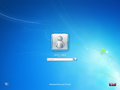
默认登录屏幕
-
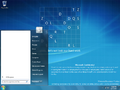
-
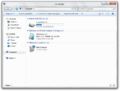
-
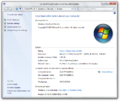
系统属性
-
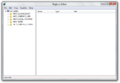
注册表编辑器
-
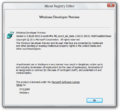
关于注册表编辑器
-
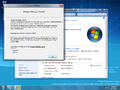
系统属性和 Winver
-
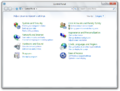
控制面板
-
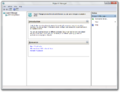
-
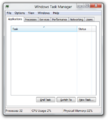
任务管理器
-
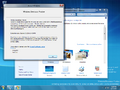
Aero 主题
-
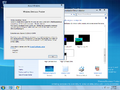
Aero Lite 主题
-
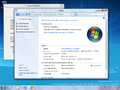
家庭普通版 SKU 中的 Aero Glass bug
-
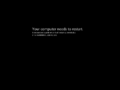
系统崩溃


Redpill 限定
-

Metro 锁定屏幕
-
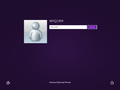
Metro 登录屏幕
-
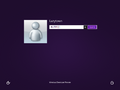
Metro 登录 bug
-
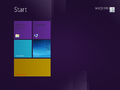
“开始”屏幕
-
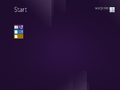
缩小视图
-
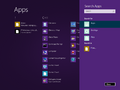
搜索 charm
-
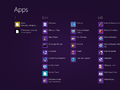
应用
-
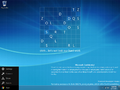
左 charms 菜单
-
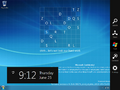
右 charms 栏
-
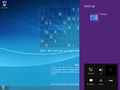
设置 charm
-
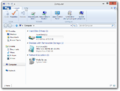
Windows 资源管理器(已 Redpill)
-
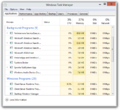
Modern 任务管理器
-
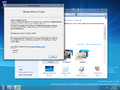
Aero 主题(已 Redpill)
-
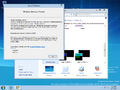
Aero Lite 主题(已 Redpill)
-
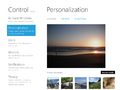
沉浸式控制面板
-
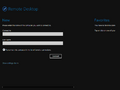
远程桌面应用
-
应用商店
-
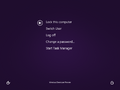
Ctrl+Alt+Del 屏幕


PCBeta 图像
-
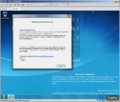
Winver
-
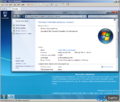
系统属性
-
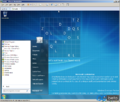
“开始”菜单
-
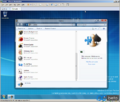
游戏
-
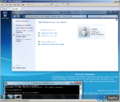
用户帐户和命令提示符
-
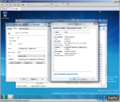
explorer.exe 和沉浸式控制面板属性


BetaWorld 屏幕截图
-
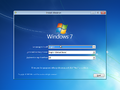
安装程序
-
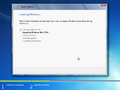
安装
-
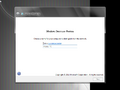
全新安装体验
-
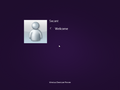
Metro 登录屏幕
-
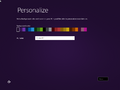
Metro OOBE 的个性化页面
-
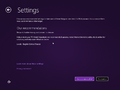
Metro OOBE 的设置页面
-
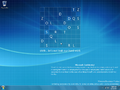
桌面
-
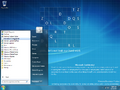
“开始”菜单
-
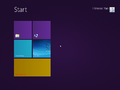
“开始”屏幕
-
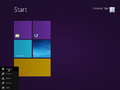
Metro 设置面板
-
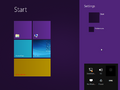
Metro 设置面板
-

创建组应用
-
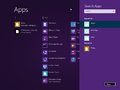
搜索应用
-
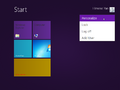
操作选择
-
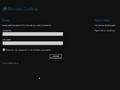
远程桌面应用
-
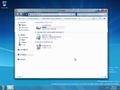
Windows 资源管理器
-
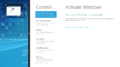
分屏桌面
-
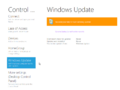
Metro 控制面板中的 Windows 更新页面
-
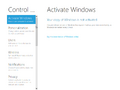
Metro 控制面板中激活 Windows 页面
-
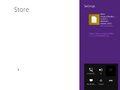
应用商店
-
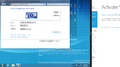
显示设置
-
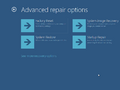
高级修复选项
-
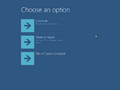
选择选项
-
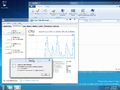
关于任务管理器
-
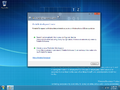
便携工作空间创建器
-
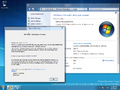
系统属性和 Winver


引用资料
- ↑ Windows 8:6.2.8032.0.fbl core2 sid data.110623-2054, BetaWorld Wiki.
- ↑ youarepwned. [分享] 8032 和 8441 张截图, PCBeta. 2016 年 4 月 1 日. 存档来自 2017 年 7 月 1 日的原件(仍可正常访问).
- ↑ https://web.archive.org/web/20160515175517/http://www.osbetaarchive.net/topic/544-unleaked-windows-8-build-8032/