Windows 8 Build 8023.0.fbl_core1_kernel_npc.110608-1700
跳转到导航
跳转到搜索
| Windows 8 的版本 | |
 | |
| 操作系统系列 | Windows NT 系列 |
|---|---|
| NT 版本 | Windows NT 6.2 |
| 内部版本号 | 8023 |
| 修订版本号 | 0 |
| 体系结构 | x86 |
| 内部版本实验室 | fbl_core1_kernel_npc |
| 编译日期 | 2011 年 6 月 8 日 |
| 有效期 | |
| 时间炸弹 | 2012 年 3 月 15 日 (+281 天) |
| 关于对话框 | |
 | |
Windows 8 Build 8023 是 Windows 8 的 Developer Preview/Milestone 3 前版本,于 2024 年 10 月 19 日共享。这是首个在预发布版本的水印和品牌中称自己为“Windows Developer Preview”的可用版本。
SKU 版本和密钥
| 版本 / SKU 名称 | 密钥 |
|---|---|
| Starter | 7Q28W-FT9PC-CMMYT-WHMY2-89M6G |
| Home Basic | YGFVB-QTFXQ-3H233-PTWTJ-YRYRV |
| Home Premium | RHPQ2-RMFJH-74XYM-BH4JX-XM76F |
| Professional | HYF8J-CVRMY-CM74G-RPHKF-PW487 |
| Ultimate | D4F6K-QK3RD-TMVMJ-BBMRX-3MBMV |
| Developer Preview(Prerelease) | H9VCT-63NFW-FWHDR-F4J43-972K8 |
Redpill
Metro 风格通知
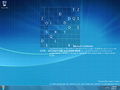
这是首个包含 Metro 风格通知的版本。当安装第三方应用时,Windows 会提示“New apps are available for your PC(有新应用可用于你的电脑)”,或者在插入可移动介质时,也可以轻松看到这一点。
Charm 栏
用户指定的主题色现在也会应用于 Charm 栏的弹出窗口。
Charm 栏辅助功能
若要在非触摸屏设备上启用右侧的 Charm 栏,请打开注册表编辑器并导航到 HKEY_CURRENT_USER\Software\Microsoft\Windows\CurrentVersion\ImmersiveShell。在此键下必须创建一个名为 CharmBarMode 的 DWORD 值,并将其值设置为 1。
“开始”屏幕
沉浸式控制面板现在被视为“开始”屏幕上的 Metro 风格应用,它的磁贴为青色,虽然在此开发阶段还没有图标。
Bug
升级
在升级的准备阶段之后,Windows 可能会遇到由 winhv.sys 引起的错误代码 SYSTEM_THREAD_EXCEPTION_NOT_HANDLED 的错误检查。若要绕过此问题,请进入安全模式,然后删除或重命名位于 C:\Windows\System32\Drivers 的此文件。
时间炸弹
- 产品策略在首次启动时不会正确应用,因此时间炸弹日期将缺失。
Metro
- 在 Metro 登录屏幕上使用密码显示功能时,显示的文本会变得混乱,由来自阿拉伯语、日语、韩语和中文等各种语言的字母和符号混合组成。
- Charm 栏悬停项目时没有背景,这尤其导致当左侧 Charm 栏的“开始”选项被悬停时,球体和扁平的 Windows 徽标会重叠。
其他
- 应用商店标记为
@{ms-resource:ShortItemName}。 - 从“开始”菜单添加新用户时,单击“Create a new Windows Live ID(创建新的 Windows Live ID)”会导致外壳程序挂起。
- 直接从“开始”菜单切换用户有时会导致界面异常,使用户停留在单色背景上。注销并重新登录可以解决此问题。
图库
-
-
首次启动
-
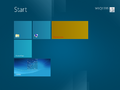
“开始”屏幕
-
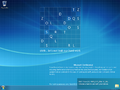
Metro 风格通知
-
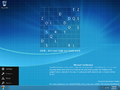
Charm 栏(左下角)
-
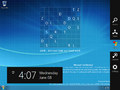
Charm 栏(屏幕右侧)


