Windows 8 Build 8123.0.fbl_grfx_dev1.110928-1700
Windows 8 build 8123 is a build of Windows 8 that was shared on 13 October 2024.
| Windows 8 的版本 | |
 | |
| 操作系统系列 | Windows NT 系列 |
|---|---|
| NT 版本 | Windows NT 6.2 |
| 内部版本号 | 8123 |
| 修订版本号 | 0 |
| 体系结构 | x64 |
| 内部版本实验室 | fbl_grfx_dev1 |
| 编译日期 | 2011 年 9 月 28 日 |
| 有效期 | |
| 时间炸弹 | 2012 年 3 月 11 日 (+165 天) |
| 产品密钥 | |
| H9VCT-63NFW-FWHDR-F4J43-972K8 | |
| 关于对话框 | |
 | |
It is the last available build that uses Redpill, despite being compiled after 8102, which came with it already applied. Thus, a tool like Redlock is still required to access the Metro features (such as the start screen, the Metro login screen, and Immersive app execution). It is also the last available build that features the Games Explorer in the Windows 7 start menu (hidden starting with build 8128 (fbl_grfx_dev1)). It is also the last build that can restore the traditional Start Menu officially, before Windows 10 build 9780.
New features and changes
Placeholder sound
This is the first build to introducing the Windows Proximity Connection.wav sound; However, it's a placeholder and obviously recorded by an amateur, most probably a Microsoft employee, by shouting the word "Proximity" gently close to the recorder, it would be used until the build 8150 before being changed to the one being reminiscent of the one found in the RTM.
Miscellaneous
- The Windows Explorer ribbon now has an option to connect to a media server, however it opens the regular Add devices and printers dialog.
- This build has reverted the change of the Recycle Bin icon, changing it back to what it was prior to build 8119.
Bugs and quirks
OOBE background
Like any previous build since 8027, this build's Windows 7 OOBE background is distorted in that the image got squished in monochrome on the left, with a black space being left on the right. This bug was never fixed, and it's also the last build to contain this quirk, as the legacy OOBE was removed with the integration of Redpill features to the main codebase of Windows in the next available build.
Gallery
-
-
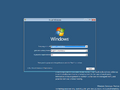
Setup
-
Lock screen
-
Legacy Login Screen
-
Metro Login Screen
-
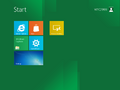
Start Screen
-
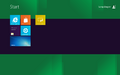
Start screen accent color bug
-
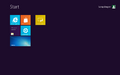
Start screen accent color, pattern disabled
-
Start screen application selection
-
Start screen user action selection
-
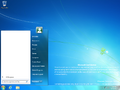
Start Menu
-
System Settings
-
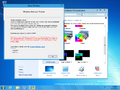
Aero Lite Theme


