Windows 8 Build 8066.0.fbl_dnt2_bus.110810-1700
| Windows 8 的版本 | |
 | |
| 操作系统系列 | Windows NT 系列 |
|---|---|
| NT 版本 | Windows NT 6.2 |
| 内部版本号 | 8066 |
| 修订版本号 | 0 |
| 体系结构 | x64 |
| 内部版本实验室 | fbl_dnt2_bus |
| 编译日期 | 2011 年 8 月 10 日 |
| 有效期 | |
| 时间炸弹 | 2012 年 3 月 11 日 (+214 天) |
| 已知 SKU 版本 | |
Developer Preview (Prerelease)Not available by default:[a] Starter Home Basic Home Premium Professional Enterprise (Evaluation) Ultimate Developer Preview ARM ( PrereleaseARM) | |
| 产品密钥 | |
| H9VCT-63NFW-FWHDR-F4J43-972K8 | |
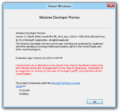
| 关于对话框 | |
 | |
Windows 8 build 8066 (fbl_dnt2_bus) is a build of Windows 8 that was shared on 13 October 2024. Prior to its leak, a single screenshot of this build was posted on the BetaWiki Discord server on 23 June 2024.
New features and changes
Windows Setup
Localization strings in the modernized Windows Setup user interface have been adjusted to remove most of the informality introduced within build 8040.
User interface
Background image set
A new set of desktop and lock screen wallpapers intended for the upcoming Milestone 3 release have been added.
User accounts
The background color of the default account image has been changed to a light green.
User Account Control
Invoking an application that requires User Account Control elevation will now hide the entire user interface as a privacy measure. The user's set wallpaper is instead displayed as the cloaked background.
Task Manager
Minor localization changes have been implemented. The Applications tab has been renamed to Processes, whereas the Processes tab has been renamed to Details.
Miscellaneous
The startup sound is now disabled if build is redpilled.
Bugs and quirks
Windows OS Loader
The boot loader may crash on itself before it jumps to the OS kernel entry point in rare occasions.
Windows Search Indexer
Attempting to change what file types the Search Indexer should parse will cause the Search Control Panel applet to crash.
OOBE background
This build's Windows 7 OOBE background is distorted in that the image got squished in monochrome on the left, with a black space being left on the right. This bug was never fixed until the removal of the legacy OOBE with the integration of Redpill features to the main codebase of Windows.
Gallery
-
启动屏幕
-
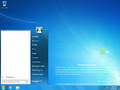
Start Menu


Redpill
Desktop UI
-
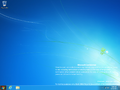
Desktop
-
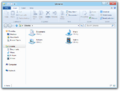
Windows Explorer
-


Metro UI
-
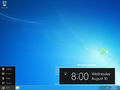
Charms menu
-
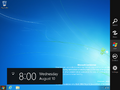
Charms bar
-
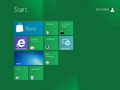
Start Screen
-
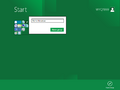
Ditto, semantic view
-
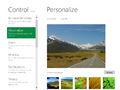
Control Panel


Screenshots uploaded prior to publication

注
- ↑ The packages for these SKUs are in the build's component store, however the user must manually stage them to be able to use them