Windows 8 Build 8040.0.fbl_grfx_dev1.110706-1700
跳转到导航
跳转到搜索
| Windows 8 的版本 | |
 | |
| 操作系统系列 | Windows NT 系列 |
|---|---|
| NT 版本 | Windows NT 6.2 |
| 内部版本号 | 8040 |
| 修订版本号 | 0 |
| 体系结构 | x64 |
| 内部版本实验室 | fbl_grfx_dev1 |
| 编译日期 | 2011 年 7 月 6 日 |
| 有效期 | |
| 时间炸弹 | 2012 年 3 月 15 日 (+253 天) |
| 已知 SKU 版本 | |
| 默认不可用:[a] Starter、 Enterprise(Evaluation)、 Developer Preview ARM ( PrereleaseARM) | |
| 关于对话框 | |
 | |
Windows 8 Build 8040.fbl_grfx_dev1 是 Windows 8 的版本,于 2024 年 10 月 16 日共享。在泄露之前,在 Build 7746 泄露的一天后,一个匿名用户提供了此版本的截图。这是已知的最后一个包括源自 Windows 7 的 SKU 版本的版本,这些在后续版本中被通用的 Prerelease SKU 版本所取代。
SKU 版本和密钥
| 版本 / SKU 名称 | 密钥 |
|---|---|
| Home Basic | YGFVB-QTFXQ-3H233-PTWTJ-YRYRV |
| Home Premium | RHPQ2-RMFJH-74XYM-BH4JX-XM76F |
| Professional | HYF8J-CVRMY-CM74G-RPHKF-PW487 |
| Ultimate | D4F6K-QK3RD-TMVMJ-BBMRX-3MBMV |
| Developer Preview(Prerelease) | H9VCT-63NFW-FWHDR-F4J43-972K8 |
新增功能和更改
安装程序
- 安装程序的背景从 Windows 7 使用的背景更改为纯灰蓝色。
- 启动画面现在显示彩色,而非白色的 Windows 徽标。此外,背景引入了渐变效果,不再是单一颜色,颜色也从青色改为蓝色。
- 描述现在更为随意。
- 移除了顶部的进度条,但仍然可以看到各个阶段。
恢复
- “Refresh your PC(刷新你的电脑)”选项被添加时使用了“Rejuvenate your PC(恢复你的电脑)”这个名称。
Bug
升级
在升级的准备阶段之后,Windows 可能会遇到由 winhv.sys 引起的错误代码 SYSTEM_THREAD_EXCEPTION_NOT_HANDLED 的错误检查。若要绕过此问题,请进入安全模式,然后删除或重命名位于 C:\Windows\System32\Drivers 的此文件。
其他
winver 中的泄露警告是黑色的,而非大多数版本中看到的红色。
沉浸式控制面板
在沉浸式控制面板中使用鼠标滚轮可能会导致用户正在滚动的区域变白,动画结束后才会恢复正常。在沉浸式控制面板中使用滚动条可以防止此 bug 发生。
图库
-
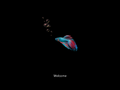
启动屏幕
-
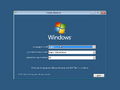
安装程序
-
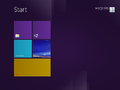
“开始”屏幕
-
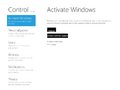
沉浸式控制面板
-
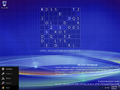
Charms 菜单


恢复环境
-
启动到 WinRE
-
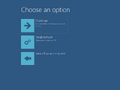
选择一个选项
-
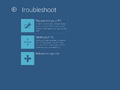
疑难解答
-
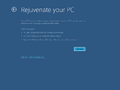
恢复你的电脑
-
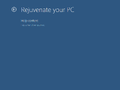
更多信息
-
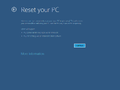
重启你的电脑
-
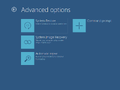
高级选项
-
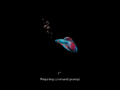
启动到恢复选项
-
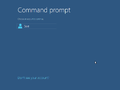
用于恢复选项的用户帐户选择
-
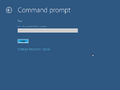
恢复选项的密码提示
-
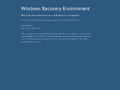
启动时出错


公开前共享的截图
-

个性化菜单

注
- ↑ 这些 SKU 版本的程序包位于版本的组件存储中,然而用户必须手动将它们暂存才能使用。