Windows 8.1 Build 9347.0.winmain_bluem1.130220-1504
| Windows 8.1 的版本 | |
 | |
| 操作系统系列 | Windows NT 系列 |
|---|---|
| NT 版本 | Windows NT 6.3 |
| 内部版本号 | 9347 |
| 修订版本号 | 0 |
| 体系结构 | x86, x64 |
| 内部版本实验室 | winmain_bluem1 |
| 编译日期 | 2013 年 2 月 20 日 |
| 有效期 | |
| 时间炸弹 | 2014 年 1 月 15 日 (+329 天) |
| 关于对话框 | |
 | |
Windows 8.1 build 9347 is the official Milestone 1 build of Windows 8.1, released to partners sometime between late February through early March 2013. Its x64 compile was uploaded in the form of a raw installation media folder dump from the internal \\winbuilds\ network share on 5 February 2024. Prior to its publication, a screenshot of this build's x86 compile was posted onto the Neowin forums on 3 March 2013.[1] This is the last available build of Windows to be able to run on Intel CPUs without the CMPXCHG16b, PrefetchW and LAHF/SAHF instructions under the AMD64 architecture.
SKU 版本和密钥
| Key | 密钥 |
|---|---|
| Core | 2H7NK-3VJJY-HHY3Y-WM3T8-JFCRY |
| Professional | GCNRF-BHBCM-W9YWM-VWQP6-TJBWR |
| ProfessionalWMC (edition upgrade only) | MBFBV-W3DP2-2MVKN-PJCQD-KKTF7 |
新的功能及改动
Applications
Modernized versions of the Calculator and Sound Recorder accessories have been introduced, and new applications for configuring alarms, timers, and stopwatches (Alarms) as well as a basic video editing tool (Movie Moments) were added.
Start screen application tiles can now be resized to a 4x4 grid, although functionality for this feature is largely limited - the only supported "application" that allows resizing to such a scale is the show desktop tile.
控制面板及电脑设置
PC settings application redesign
A primitive version of an XAML-based PC settings application redesign has been introduced. The overall layout is largely similar to the Windows 8 variant found in earlier builds, although most pages are largely incomplete and/or do not function, and the user's set accent color is not respected properly (instead presenting a red hue as the overall accent color). The new design can be enabled by merging the below registry value into the current user's registry hive:
[HKEY_CURRENT_USER\Control Panel]
XamlAppModel=dword:00000001
A check for the above value had previously been present in build 9299, but its enablement relied on a dynamic-link library that would have provided the necessary functions for the redesign. Attempts to load the library in that build would have failed, instead causing the application to fall back to the older design.
Bugs and quirks
- Desktop Window Manager window transition animations do not fade in/out correctly.
- Setting up a picture password is not possible in this build. When the user attempts to choose a photo to draw patterns, it'll immediately report "enrollment failure", thus making picture password unavailable.
图库
x64 variant
Windows 安装界面
-
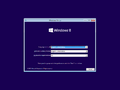
Setup
-
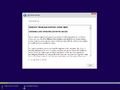
End-user license agreement
-
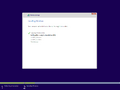
Image deployment


Windows 还原环境
-
Recovery Options
-
Ditto, advanced options page
-
System Restore
-

Command Prompt

Out-of-box experience
-
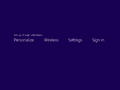
Onboarding animation
-
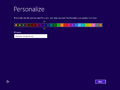
Personalization
-

Privacy settings
-
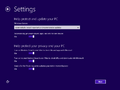
Ditto, advanced settings
-
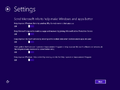
-
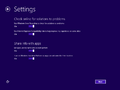
-

User account credentials
-

Finalization


Interface
Metro UI
-
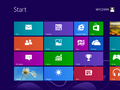
“开始”屏幕
-
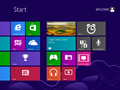
Ditto, with new applications


电脑设置
-
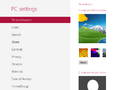
XAML-based PC settings design overhaul

Applications
计算器
-

基础模式
-

科学模式
-
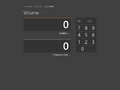
换算模式


Movie Moments
-
主页
-
编辑模式
-
Ditto, with labels
-
视频导出
-
Video preview

闹钟
-
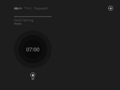
Alarms tab
-
New alarm
-
Timers tab
-
Stopwatch tab
-
Live tile

x86 variant (unleaked)
-
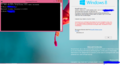
Demo

Miscellaneous
-

启动屏幕


