Windows 8.1 Build 9299.0.fbl_partner_out06.130117-1707
| Windows 8.1 的版本 | |
 | |
| 操作系统系列 | Windows NT 系列 |
|---|---|
| NT 版本 | Windows NT 6.2 |
| 内部版本号 | 9299 |
| 修订版本号 | 0 |
| 体系结构 | x64 |
| 内部版本实验室 | fbl_partner_out06 |
| 编译日期 | 2013 年 1 月 17 日 |
| 有效期 | |
| 时间炸弹 | 2014 年 1 月 15 日 (+363 天) |
| 关于对话框 | |
 | |
Windows 8.1 build 9299 (fbl_partner_out06.130117-1707) is the sixth partner release of Windows 8.1, which was originally uploaded to BetaArchive on 30 March 2019 as a checked/debug compile. The free/retail compile was later shared on 3 November 2024.
SKU 版本和密钥
| SKU 版本 | 密钥 |
|---|---|
| Core | 2H7NK-3VJJY-HHY3Y-WM3T8-JFCRY |
| Professional | GCNRF-BHBCM-W9YWM-VWQP6-TJBWR |
| ProfessionalWMC (edition upgrade only) | MBFBV-W3DP2-2MVKN-PJCQD-KKTF7 |
New features and changes
Hyper-V Generation 2 virtual machines
Preliminary support for Hyper-V Generation 2 virtual machines has been implemented. This machine type utilizes UEFI firmware in place of legacy BIOS and includes support for the Secure Boot protocol and virtual Trusted Platform Modules. The underlying work in this build is largely unstable, possibly because the implementation itself is rudimentary or likely due to the hypervisor hitting an assertion failure (if using the checked/debug compile).
In this build, generations are internally referred to as "types", and there is no graphical user interface present for creating such a virtual machine. A Generation 2 virtual machine can be created by utilizing the below sample PowerShell commandlet, which sets the virtual machine's memory to 2 gigabytes, creates and uses a 32-gigabyte VHDX disk image, and sets the generation to "Type 2":
New-VM -Name "Type 2 VM" -MemoryStartupBytes 2GB -NewVHDPath "X:\Path\To\VHDX\Image.vhdx" -NewVHDSizeBytes 32GB -Type Type2
Bugs
Blank screen on boot
This build often boots up to a blank screen after logging in, instead of loading the start screen directly. Pressing the ⊞ Win Key can load the start screen and allow the user to continue.
Windows Recovery Environment
The Windows Recovery Environment user interface will crash while attempting to load the initial boot options menu page, in turn causing unexpected restarts.
Miscellaneous
Desktop Window Manager window transition animations do not fade in/out correctly.
图库
Windows 安装程序
-
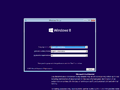
Windows 安装程序

界面
-

启动屏幕

Desktop UI
-
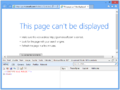
Internet Explorer 10

Metro UI
Start screen
-
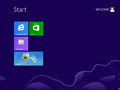
“开始”屏幕
-
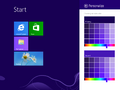
Start Personalize


其他
-

锁屏界面
-
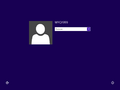
登录界面
-
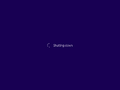
正在关机


