Windows Server 2012 Build 8400.0.winmain_win8rc.120518-1423
| Windows Server 2012 的版本 | |
 Default desktop | |
 Desktop with the Aero theme enabled | |
| 操作系统系列 | Windows NT 系列 |
|---|---|
| NT 版本 | Windows NT 6.2 |
| 内部版本号 | 8400 |
| 修订版本号 | 0 |
| 体系结构 | x86, x64, ARMv7 |
| 内部版本实验室 | winmain_win8rc |
| 编译日期 | 2012 年 5 月 18 日 |
| 有效期 | |
| 时间炸弹 | 2013 年 1 月 15 日 (+242 天) |
| 关于对话框 | |
 | |
  | |
Windows Server 2012 build 8400 is the official Release Candidate build of Windows Server 2012, which was released on 31 May 2012[1] along with its client counterpart. It was also additionally released in the form of a set of Repair Content Packages, which are used by DISM /Cleanup-Image /RestoreHealth to repair an existing Windows installation, making it one of the few remaining server builds to be released with a 32-bit counterpart after support for the x86 architecture was dropped with the release of Windows Server 2008 R2.
SKU 版本和密钥
| Key | 密钥 |
|---|---|
| Standard + StandardCore | HMG6P-C7VGP-47GJ9-TWBD4-2YYCD |
| Datacenter + DatacenterCore | 4JJNK-MPBT8-FW8FR-693WD-KKTDH |
| Hyper-V Server | Q8R8C-T2W6H-7MGPB-4CQ9R-KR36H |
| ServerFoundation | TYN7K-PXBJB-WKTYR-9KTBT-3VY8T |
| ServerStorageStandard | XM9N3-TV9DQ-HTXBR-M7M6B-X4MRP |
| ServerStorageWorkgroup | KJTGN-JD69D-FYQDK-WRD98-VQRFH |
| ServerMultiPointStandard | 83MRD-NQGP3-FJBJD-9X8TT-72V44 |
| ServerMultiPointPremium | N2MW6-VPYJ7-W9H3D-6GWJ2-6JBTC |
Changes
- This is the first build of Windows Server to drop support for processors without PAE, SSE2 and NX, as running on these processors will display a black screen with error code 0x5D.
- This build introduces the "Windows Server 2012" branding, replacing "Windows Server 8 Beta".
- The boot screen no longer uses a betta fish graphic.
- Setup now resembles that of the RTM.
- The default accent color has been changed.
- The lock screen now uses a solid gray background.
- Administrative Tools are now pinned to the Start screen by default.
- Taskbar text has been changed from white to black.
- The desktop background has been updated to the one used in the RTM.
- Icons which reference the old Windows logo (Windows Update for example) have been updated to remove it.
File Explorer
- The Ribbon has been updated with a flatter appearance.
- Window coloring no longer extends to the navigation bar when the Ribbon UI isn't being utilized.
- Navigation bar icons have been updated.
Bugs and quirks
The setup logo is misaligned. This is the only build known to contain this bug, as the next available build fixes it.
Gallery
Chinese (Simplified) language version
-
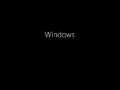
Boot Screen
-
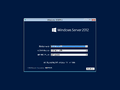
Setup
-
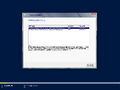
Setup - SKU Selection
-
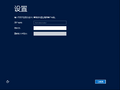
Out-of-box experience
-
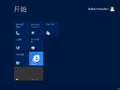
Start screen
-
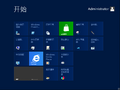
Ditto, with Desktop Experience feature installed.
-
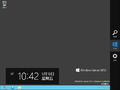
Charms bar
-
Server Core


French language version
-
Installation options in Setup
-
Out-of-box experience
-
Start screen
-
Desktop
-
Ditto, with Aero theme enabled.
-
Charms bar
-
winver


Japanese language version
-
Installation options in Setup
-
Out-of-box experience
-
Start screen
-
Desktop
-
Ditto, with Aero theme enabled.
-
Charms bar
-
winver


Russian language version
-
Installation options in Setup
-
Out-of-box experience
-
Start screen
-
Desktop
-
Ditto, with Aero theme enabled.
-
Charms bar
-
winver


Spanish language version
-
Installation options in Setup
-
Out-of-box experience
-
Start screen
-
Desktop
-
Ditto, with Aero theme enabled.
-
Charms bar
-
winver


Swedish language version
-
Installation options in Setup
-
Out-of-box experience
-
Start screen
-
Desktop
-
Ditto, with Aero theme enabled.
-
Charms bar
-
winver


