Windows Server 2012 Build 8250.0.winmain_win8beta.120217-1520
| Windows Server 2012 的版本 | |
Default desktop | |
Desktop with the Aero theme enabled | |
| 操作系统系列 | Windows NT 系列 |
|---|---|
| NT 版本 | Windows NT 6.2 |
| 内部版本号 | 8250 |
| 修订版本号 | 0 |
| 体系结构 | x86, x64 |
| 内部版本实验室 | winmain_win8beta |
| 编译日期 | 2012 年 2 月 17 日 |
| 有效期 | |
| 时间炸弹 | 2013 年 1 月 15 日 (+333 天) |
| 关于对话框 | |
Windows Server 2012 build 8250 is the official Beta build of Windows Server 2012, which was released on 29 February 2012[1] along with the client counterpart. It was also additionally released in the form of a set of Repair Content Packages, which are used by DISM /Cleanup-Image /RestoreHealth to repair an existing Windows installation, making it one of the few remaining server builds to be released with a 32-bit counterpart after support for the x86 architecture was dropped with the release of Windows Server 2008 R2.
It is the last available build to support processors that lack the Physical Address Extension, the NX/XD bit and the SSE2 instruction set.
SKU 版本和密钥
| Key | 密钥 |
|---|---|
| Standard | HMG6P-C7VGP-47GJ9-TWBD4-2YYCD |
| Enterprise (edition upgrade only) | 7P8GH-FV2FF-8FDCR-YK49D-D7P97 |
| Datacenter | 7X29B-RDCR7-J6R29-K27FF-H9CR9 |
| Hyper-V Server | Q8R8C-T2W6H-7MGPB-4CQ9R-KR36H |
New features and changes
User interface
Start screen
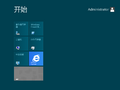
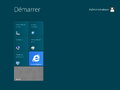
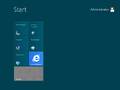
- Minor design updates have been introduced across the Start screen's user interface.
- The default layout has been changed to include the Windows PowerShell, Task Manager, Server Manager and Control Panel shortcuts.
Branding
It is the earliest known build to drop the 2001 flag logo and replace it with the new tilted window logo. The boot screen logo bitmap was changed to utilize a Metro-style betta fish along with the number 8 on the left-hand side. Certain resources (such as branding in the System Control Panel applet) still make use of the older logo design. The disk drive icon used to indicate the currently-running Windows installation in the Computer system folder has been additionally changed to use the new Windows flag.
Boot Graphics Library (BGFX)
- The Boot Graphics Library has been updated to accommodate for legacy BIOS machines utilizing a widescreen monitor configuration; the boot screen, system crash screen and the second stage of setup therefore utilize 16:9 aspect ratio variants of the logo bitmap and Segoe Boot font face, with resources designated under the
Nmoniker.
- System crashes no longer display a sad emoticon by default. This change is also present by default in client releases if a Japanese language pack is being actively used.
Secure Boot Policy
This build uses a preliminary version of the Secure Boot Policy, although the on-disk structure is identical to later builds:
- Signature validation is different: the policy must have a hash in or be signed by a certificate in the UEFI Key Exchange Key signature database.
- The
CanUpdateelement is used here; the code using it was removed later but the element remained in the file format. A path to an updated policy can either be set in a UEFI variable; alternatively, for BitLocker where the VMK is sealed by the TPM, an updated policy is read fromosdevice:\LatestPolicy.p7b. This policy must have a valid signature. - The updated policy must have a
PolicyPublisherequal to one of the CanUpdate GUIDs in the loaded policy; also, the policy version must be greater than the loaded policy's version. If all conditions pass, the updated policy is installed to UEFI non-volatile storage and used as the active policy. - BCD rules are identical to later builds; that is, BCD elements can be overridden by the policy to either be forcibly ignored, or for deletion to be disallowed from the running OS, or for the element value to be locked to a value or one of several values listed in the policy.
- Registry rules are not used for low-level cryptographic settings as in later builds but instead are used to override registry values anywhere in HKLM\SYSTEM. The operating system loader winload.e* and NT kernel both have code implementing this functionality; the former uses the policy to override the registry values it reads from that hive.
- Option flag bits are completely different from later builds; only 3 bits are used, all by the operating system loader; bit 0 disables the Edit Options menu, bit 1 disables the Advanced Options menu, bit 2 is unknown but related to the Advanced Options menu.
Other changes
- The copyright date of
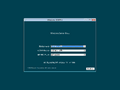
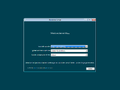
winver.exehas been updated from 2011 to 2012. - The setup background color has been changed from grayish blue to dark teal.
- The Start button has been removed.
- The default accent color, user account profile picture and lock screen backgrounds have been updated.
- The ⊞ Win+X context menu (which contains a list of quick shortcuts intended for power users) was added.
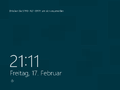
- The date has been removed from the lock screen on Server Core configurations.
- The fallback boot screen (triggered by
bcdedit /set {default} graphicsmodedisabled yes) has been reverted back to the Windows Vista boot screen.
Bugs
Timebomb
Installing this build after the timebomb expires will result in it not installing its licensing policies properly, therefore resulting in no timebomb being displayed and not being able to change the wallpaper.
Compatibility
To install or run this build in VMware Workstation, the hardware compatibility version must be set to version 8.x or 9.x; otherwise, a bugcheck will occur.
Gallery
Chinese (Simplified) language version
-
Setup
-
Start Screen
-
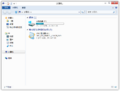
File Explorer in the Aero visual style
-
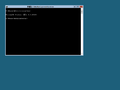
Server Core
-
System crash (Legacy BIOS)
French language version
-
Setup
-
Installation options in Setup
-
Out-of-box experience
-
Lock screen
-
Start screen
-
Desktop
-
Ditto, with the Aero theme enabled.
-
Charms bar
-
winver
German language version
-
Setup
-
Installation options in Setup
-
Out-of-box experience
-
Lock screen
-
Start screen
-
Desktop
-
Ditto, with the Aero theme enabled.
-
Charms bar
-
winver
Japanese language version
-
Setup
-
SKU selection
-
Out-of-box experience
-
Lock screen
-
Start screen
-
Desktop
-
Ditto, with the Aero theme enabled.
-
Charms bar
-
winver
Miscellaneous
-
Boot Screen (Legacy BIOS)
-
Boot Screen (UEFI)