Windows Server 2003 Build 3604.0.idx01.020207-0710
Windows Server 2003 Build 3604 是 Windows Server 2003 的一个版本,提供英语、德语和日语版本。它作为 2002 年 5 月发布的一部分发布给 MSDN 订户。[1]
| Windows Server 2003 的版本 | |
 | |
| 操作系统系列 | Windows NT 系列 |
|---|---|
| NT 版本 | Windows NT 5.1 |
| 内部版本号 | 3604 |
| 修订版本号 | 0 |
| 体系结构 | x86, IA-64 |
| 内部版本实验室 | idx01 |
| 编译日期 | 2002 年 2 月 7 日 |
| 有效期 | |
| 时间炸弹 | +180 天 (自原始安装日期起) |
| 已知 SKU 版本 | |
| Standard Server、 Web Server、 Enterprise Server、 Professional | |
| 产品密钥 | |
| RK7J8-2PGYQ-P47VV-V6PMB-F6XPQ | |
| 关于对话框 | |
 | |
  | |
发布信息
We are pleased to offer this beta release for download from http://windowsbeta.microsoft.com.  This is an interim build between Beta 3 and RC1 is not considered "Beta quality".  This build is intended as a preview of our progress post Beta 3 and to allow you to regress bugs fixed since Beta 3.  We do not require that you install this build.  If you choose to install this build it is recommended that you back up all data and configuration information prior to installation.

Currently the following product images are available:
Standard Server
Web Server
Enterprise Server
Enterprise Server Checked (debug) version for developers
Enterprise Server 64 bit Edition
Enterprise Server 64 bit Edition Checked (debug) version for developers.
The customer support and diagnostics CD will be available in the next several days.
Before you begin please note the following:
1                  Upgrade installations from any prior Whistler or Windows .Net Server are not supported. If you have a prior version, you should do a clean install or a supported upgrade.
2                  Windows .NET Beta requires a product key for installation of the product.  This key can only be used with Windows .NET Server beta builds.   You can obtain your personal product key from http://windowsbeta.microsoft.com/key.asp.  This is the same product key that was used for Whistler Beta 2 and Beta 3.   You are allowed to install this beta software on as many machines as permitted by your license agreement.  The default license limit for technical beta testers is 2 machines per server version (detailed on Windowsbeta.Microsoft.com web site).
3                  Windows .NET Server Beta includes product activation.  You will be required to activate the product within 14 days of installation.  If you have a license extension, each key will permit activation on up to 30 machines.
4                  Windows .NET Server Beta is a time limited release and will expire 180 days after initial installation is complete.
5                  Windows .NET Server Beta is not recommended for production systems unless you are explicitly working with Microsoft on deployment programs.
6                  Due to the nature of pre-release software, some of your applications and hardware may not function correctly.

Review the pre-release license agreements carefully during the installation of Windows .NET Server Beta.  By installing this release, you agree to the terms and conditions of these license agreements.  As a reminder, all licenses associated with the product will expire when the product becomes commercially available.

Before installing this release you must print and fully read Read1st.txt.  This document contains critical pre-installation and upgrade information important to your installation and is located at the root of the installation media.

Visit us at Windowsbeta.microsoft.com

This location is your one-stop information center for program tools and services including documentation, newsgroup forum locations, bug reporting tools and other essential details.  To register, use your unique Beta ID and password to enable your access at the site.  If you experience technical difficulty or have feedback on the site itself, email winbsite@microsoft.com.

How to Obtain Support

Support for this release is provided in the newsgroups beginning with “microsoft.beta.netserver*.”

Answers to common questions may be found in the F.A.Q. section of WindowsBeta. Please search the newsgroups and check http://windowsbeta.microsoft.com/FAQ/area.asp before posting a question to the newsgroups. Your question may already be answered and you won't have to wait for the reply. Due to the high volume of problem reports that we receive, the beta team cannot respond to support requests submitted as bugs.

If at any time you experience difficulty accessing the newsgroups, please send email to srvadmin@microsoft.com.

Customer Problem Reports

Please file problem reports as soon as you encounter a problem.  We are better able to incorporate product feedback when it is received earlier in the beta cycle.  Please see http://windowsbeta.microsoft.com/bugs/report.asp for more information on how to file problem reports.

Testing Focus

Please focus your testing on true “server” scenarios.  The goals of the technical beta group will be to test server functionality, reliability, and server application compatibility, and to provide a development environment.  We are not interested in bug reports on client or end-user scenarios running Windows .Net Server as a desktop or client operating system and will immediately close any such bug reports. Overall, Microsoft is doing many things to improve the Windows XP code for SP1 – using the automated crash reporting tools, product support data and other methods to capture real customer data.  The server technical beta group is focused on server-specific testing.  For example:
·    Graphics Acceleration is disabled by default, which disables DirectX functionality.  This is to enhance server stability and is not needed in standard server scenarios.  Re-enabling such functionality is not a valid server testing scenario.
·    Theme service is disabled by default.  Re-enabling theme service is not a standard server configuration.
·   USB network drivers and other older network card drivers are not supported in the server product family.  Bug reports should not be submitted on drivers that are no longer supported in-the-build.
How To Download the Build

Please see http://windowsbeta.microsoft.com/download/howto.asp for full instructions on how to use the File Transfer Manager to download files from WindowsBeta. Builds will not be made available via FTP.

Thanks for testing Windows .NET Server
新增功能和更改
- 现在默认使用 Windows XP 样式的“开始”菜单。
- 登录背景的颜色从蓝色更改为灰色。
- Windows 产品激活宽限期缩短至 14 天。
- 添加了新的错误检查代码:[2]
BUGCODE_NDIS_DRIVER(0x7C,取代了从 Windows NT 3.1 到 Windows 2000 使用的BUGCODE_PSS_MESSAGE)A driver has overrun a stack-based buffer. This overrun could potentially allow a malicious user to gain control of this machine.(驱动程序已溢出基于堆栈的缓冲区。此溢出可能允许恶意用户获得此计算机的控制权。)(0xF7,后来更名为DRIVER_OVERRAN_STACK_BUFFER)An initialization failure occurred while attempting to boot from the RAM disk.(尝试从 RAM 磁盘引导时发生初始化失败。)(0xF8,后来更名为RAMDISK_BOOT_INITIALIZATION_FAILED)
API与内核函数
以下内核函数和API已添加至:
IMM32.DLL
ImmDisableTextFrameService(已完全实现)
NTDLL.DLL
RtlIsThreadWithInLoaderCallout
Bug
- 就像 Build 3590 一样,系统属性和
winver奇怪地将自己标识为安装了 Service Pack 1。可以通过导航到HKEY_LOCAL_MACHINE\SYSTEM\ControlCurrentSet\Control\Windows并在注册表编辑器中将CSDVersion键值设置为 0 来修复此问题。 - 此版本的日语版本中存在若干未翻译的内容,例如安装过程中提示用户无需管理员密码即可继续的提示信息。
图库
英语变体
-
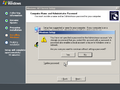
安装程序
-

启动屏幕
-
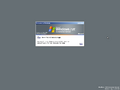
登录屏幕
-
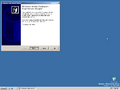
首次启动
-
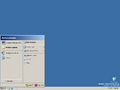
“开始”菜单
-
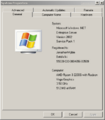
系统属性
-
我的电脑
-
我的文档
-
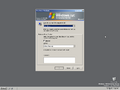
关机选项
-

安全关机屏幕
-

Professional SKU (未泄露)


Checked/debug 编译
-

桌面
-
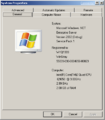
系统属性
-
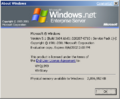
关于对话


德文变体
-
文本模式安装程序
-
图形安装程序
-
Ctrl+Alt+Del 提示
-
登录屏幕
-
桌面
-
系统属性
-
关于对话
-
关机选项
-
正在关机
日文变体
-
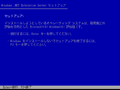
文本模式安装程序
-
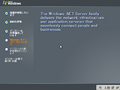
图形安装程序
-
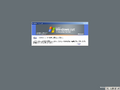
Ctrl+Alt+Del 提示
-
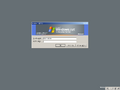
登录屏幕
-

桌面
-
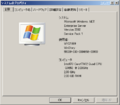
系统属性
-
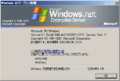
关于对话
-
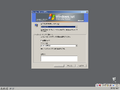
关机选项
-
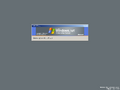
正在关机


其他
-
![x86 英语 CD [Enterprise Server]](/images/thumb/d/d2/WindowsServer2003-5.1.3604-%28Enterprise-Server%29-CD.jpg/120px-WindowsServer2003-5.1.3604-%28Enterprise-Server%29-CD.jpg)
x86 英语 CD [Enterprise Server]
-
![x86 英语 CD [Standard Server]](/images/thumb/1/1c/WindowsServer2003-5.1.3604-%28Standard-Server%29-CD.jpg/119px-WindowsServer2003-5.1.3604-%28Standard-Server%29-CD.jpg)
x86 英语 CD [Standard Server]
-
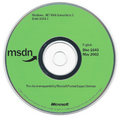
x86 英语 Web Server CD(MSDN)
-
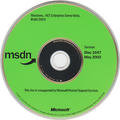
x86 德语 Enterprise Server CD(MSDN)
![x86 英语 CD [Enterprise Server]](/wiki/%E6%96%87%E4%BB%B6:WindowsServer2003-5.1.3604-(Enterprise-Server)-CD.jpg)
![x86 英语 CD [Standard Server]](/wiki/%E6%96%87%E4%BB%B6:WindowsServer2003-5.1.3604-(Standard-Server)-CD.jpg)


