Windows Essential Business Server 2008 Build 5241.0.mms_main.070627-1900
跳转到导航
跳转到搜索
| Windows Essential Business Server 2008 的版本 | |
 | |
| 发布名称 | Community Technology Preview |
|---|---|
| 操作系统系列 | Windows NT 系列 |
| 内核版本 | Windows NT 6.0 |
| 内部版本号 | 5241 |
| 修订版本号 | 0 |
| 体系结构 | x64 |
| 内部版本实验室 | mms_main |
| 编译日期 | 2007 年 6 月 27 日 |
| 基础版本 | |
| Windows Server 2008 Build 6001.16510 | |
| 有效期 | |
| 时间炸弹 | 2008 年 4 月 7 日 (+285 天) |
| 关于对话框 | |
 | |
Windows Essential Business Server 2008 Build 5241 是 Windows Essential Business Server 2008 的官方 Community Technology Preview 版本,于 2007 年 6 月 29 日发布。[1]
New features and changes
- The boot screen has been changed to its final design.
- The setup background has been changed to its final color scheme.
- The login screen background has changed to a solid blue background.
- The Administration Console has its splash screen upon opening the program.
- Many steps during OOBE have been added, such as:
- Connection for Critical Updates - IP Address Settings
- Critical Updates
- Server Addressing
- DHCP Settings 1
- DHCP Settings 2
- Data Location
- Company Information
- The default wallpaper received a revamp and its resolution has increased.
图库
安装程序
-
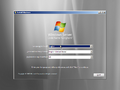
安装程序
-
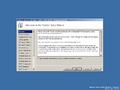
欢迎
-
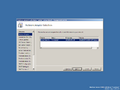
Network Adapter Selection
-
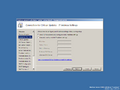
Connection for Critical Updates - IP Address Settings
-
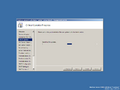
Critical Updates Progress
-
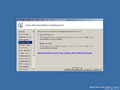
Active Directory Domain Configuration
-
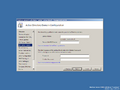
Active Directory Domain Configuration (cont'd)
-
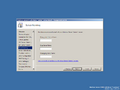
Server Naming
-
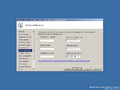
Server Addressing
-
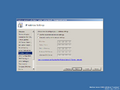
IP Address Settings
-
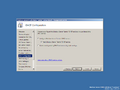
DHCP Configuration
-
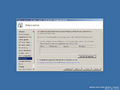
Data Location
-
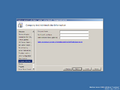
Company And Administrator Information
-
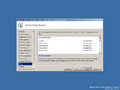
Server Setup Review
-
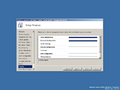
Setup Progress
-
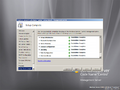
安装完成


界面
-

启动屏幕
-

Ctrl+Alt+Del 提示
-

登录界面
-

Administration Console - Splash screen
-
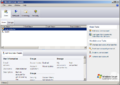
Administration Console
-
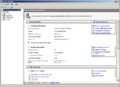
Server Manager
-
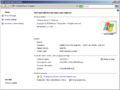
系统属性


Disc scans
-

Installation Disc 1(Management Server)
-

Installation Disc 2(Edge Server)
-

Installation Disc 3(Messaging Server)


