Windows 95 Build 58s
| Windows 95 的版本 | |
 | |
| 操作系统系列 | Windows 9x |
|---|---|
| 内核版本 | 4.00 |
| 内部版本号 | 58 |
| 修订版本号 | s |
| 体系结构 | x86 |
| 编译日期 | 1993 年 8 月 9 日 |
| 产品密钥 | |
| Beta Site ID | 990036 |
| 密码(Password) | N/A |
| 关于对话框 | |
 | |
   | |
Windows 95 Build 58s 是 Windows 95 的 Milestone 4 版本。它是 Chicago 初步开发工具包(PDK,Preliminary Development Kit)的首个版本,该文件最初于 1993 年 9 月起上传至 warez BBS 论坛,后来丢失,直至 2003 年 10 月 13 日左右才被重新发现。[1][2]
NFO 文件
以下 NFO 文件作为 Grebo Guru 和 TEA 版本各自的一部分包含在内。[3]
Grebo Guru NFO 内容
this file brought to you by Grebo Guru care of MrBill's (Californian) Abode


you'll need about 40mb+ to unzip all this shit to, then just run the setup
program from there, hope you enjoy it


bullshit self egotism date stamp of 08/23/93 by Grebo Guru
TEA NFO 内容
                        ----------------------
                        \___   __\  __________\
                            \  \  \  __\\ \__\ \
                             \  \  \ \__ \ \  \ \
                        T_e_A \__\  \____\\_\  \_\
┌──────────────────────────────────────────────────────────────────────────────┐
│       ∙  ∙ -  ─ ─ ── ─────────P R─E─S─E─N─T S───────── ── ─ -  - ∙  ∙        │
├──────────────────────────────────────────────────────────────────────────────┤
│                   CHiKAGΘ [Windows 4.0/Dos 7.0]                              │
│                                                                              │
│Cracker   : ──────────────              FROM    : Microsoft                   │
│                                                                              │
│PACked by : DELEtER                     SiZe    : 10*1.44                     │
│                                                                              │
├──────────────────────────────────────────────────────────────────────────────┤
│Some Words/Greets                                                             │
│Woords :                                                                      │
│Is there somebody who wants to join us ? Call every Tea Destri Site or the WHQ│
│Personal Greets :                                                             │
│Strike , Raiser ,  kEwl Shadow , MAX , Bilbo & TraSH .                        │
│Group Greets :                                                                │
│POG , TEA ;) ,  MCBurn Clan & Willow !                                        │
├──────────────────────────────────────────────────────────────────────────────┤
│MEMBER BOARDS :                                                               │
├──────────────────┬──────────--- - -┬ -  - - - --────┬────────────────────────┤
│Name              │      NumBa      │  SPEED         │ NoTe                   │
├──────────────────┼─────────────────┼────────────────┼────────────────────────┤
│S?A?O?-?B?        │     +49-NOT-4U  │  19k2 ZyX      │ Distri. Site           │
│The ManiaC        │     +49-PRI-VAT │  19k2 ZyX      │ Distri. Site           │
│StriKe BBS        │     +49-PRI-VAT │  19k2 v.32terbo│ Distri. Site           │
│Forbidden City    │     +49-PRI-VAT │  19k2 v.32terbo│ WHQ                    │
┼─────────┼────────┴──────────--- - -┼ -  - - - --────┴────────────────────────┼
│DELEtER  │                          │                                         │
┼─────────┼                          │                                         │
                                  ───┼───
│                                    │                                         │
                                     │
                                     │
│                                                                              │

                                     │
新增功能和更改
此版本属于 Milestone 4 时代,已包含 Windows 95 最终发布版中的多项功能,例如将 Windows 用户界面与 MS-DOS 捆绑,后者现已升级至7.0版本。
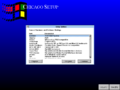
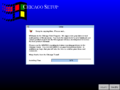
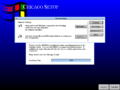
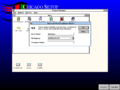
新版安装程序的初始版本也已加入。不过此版本中的SETUP.EXE需在 Windows 环境下运行。若需从DOS环境启动安装程序,请在RETAIL文件夹中运行DOSSETUP.BAT,该文件将启动基于 Windows 3.1 的简易Windows环境。此前用于安装 Windows 3.1 的旧版安装程序仍保留,但已无法使用。启动时会出现要求安装 Plus! 扩展包的对话框。欢迎页面允许用户直接开始安装或修改设置及安装组件;但直接安装选项已被禁用。随后安装程序会要求指定安装目录(默认值已从C:\WINDOWS更改为C:\CHICAGO),并显示可供用户修改的硬件与软件设置列表。文件复制完成后,将出现Windows 3.1的网络安装程序界面,用户可在此指定网络适配器及需安装的软件。最终安装程序将完成并要求重启计算机。
启动画面现由系统分区根目录下的LOGO.SYS文件控制,该文件展示了 Microsoft Chicago 项目的徽标,同时在启动画面的不同位置呈现出多种颜色的Windows flags。
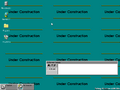
首次启动后,用户将看到关于操作系统正在构建中的提示信息,随后出现一个对话框要求输入 Beta ID 和计算机名称,接着启动打印机向导,允许用户安装本地或网络连接的打印机。完成上述步骤后,新用户界面将启动,默认使用设置为平铺模式的壁纸(WARNING.BMP),同时提示系统仍在建设中。
32位虚拟机管理器的主可执行文件WIN386.EXE已更名为DOS386.EXE(因其分支版本 Cougar 此时已被合并至 Chicago 版本)。此外,当CONFIG.SYS中设置DOS=ENHANCED时,IO.SYS中仍存在尝试加载DOS386.EXE的残留代码,其中包含多条错误提示字符串,使 Cougar 获得了“enhanced mode MS-DOS”的称号。
Shell 功能
新增了一个名为文件柜(CABINET.EXE)的操作壳,后更名为文件资源管理器。这是唯一将该功能作为16位应用程序实现的版本,因为后续版本已采用32位文件柜。Windows 3.x时代的程序管理器和文件管理器应用程序在 Windows 95 正式版(RTM)之前始终保留。相较于 Windows 3.x,该系统更高效地利用桌面空间,允许用户在桌面上放置代表程序、文件和文件夹的图标。
屏幕底部是任务栏,在此版本中它作为存储快捷方式、文件和文件夹的文件夹使用,而非像后期版本那样用于显示正在运行的程序。最小化的程序则类似于 Windows 3.x 系统,以磁贴形式悬浮在桌面上,程序名称显示在图标旁。任务栏设有三个按钮及常用命令菜单:系统、搜索和帮助菜单,这些功能后来被整合为单一的开始按钮。
关机时会出现一条提示:若无磁盘活动请关闭计算机,随后系统将直接退出至 MS-DOS 界面,因为后期版本中出现的“安全关机”界面尚未实现。
应用程序功能
- 当安装在 Windows 3.1x 的现有安装旁边时,Chicago 可以配置为在窗口中运行 Windows 3.1 安装,类似于虚拟机。
- 此版本中存在两个版本的时钟和记事本,
CLOCK.EXE和CLOCK32.EXE,以及NOTEPAD.EXE和NOTE32.EXE。顾名思义,其中一个是 32 位,另一个是 16 位,尽管它们在功能上是相同的。 - 推出 FreeCell(空当接龙)和 Hearts(红心大战)两款游戏。FreeCell 是此版本中包含的唯一 32 位游戏。
- WINBUG 报告工具(版本 1.14)包含在内。
- 尽管大多数应用程序似乎与 Windows 3.1x 没有变化,但其中大多数的版本号为
4.00.58s。但是,有些版本号为4.00.58j,这是早期的版本。 - 包括新版本的 Media Player,但具有额外的控制选项。
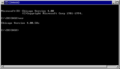
- MS-DOS 提示符现在以窗口形式打开,但不能全屏显示。
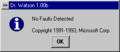
- Dr. Watson 已更新至 1.00b 版本,更新的版权日期为 1991~1993 年。
- 如果在跟踪器中启用了查询模式,则每次计算机关闭或从硬关机启动时,它都会询问原因。
控制面板功能
- 添加了几个新的控制面板选项,Windows 3.11 中的一些选项已更新。
- 鼠标选项已经过大修,具有新的菜单设计和用于更改鼠标类型和指针外观的选项。键盘选项也进行了类似的大修。
- 尝试打开“Printers(打印机)”选项会导致一条警告消息,将用户重定向到 File Cabinet。
- 日期/时间选项已更新,其设计与在 Windows Vista Build 5270 之前的每个 Windows 版本的控制面板中看到的设计几乎相同。
- 添加了一个名为“Window Metrics(窗口度量)”的新选项,允许用户更改窗口的各种元素,例如字体和大小。稍后,这将与“颜色”选项和“桌面”选项合并到 Build 81 的“外观”选项卡中。
- “驱动程序”选项已经过大修,包括“系统资源(System Resources)”和“已安装的产品(Installed Products)”两个选项卡。
Bug
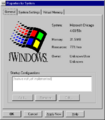
- 新安装程序不要求提供用户名和组织信息,而是保留“Unknown User(未知用户)”和“Unknown Organization(未知组织)”的占位符值。
- 此版本中的软盘驱动程序非常有问题,大多数时候都无法工作。访问软盘驱动器时,Cabinet 将不显示任何内容或垃圾。若要访问软盘驱动器的内容,请返回 MS-DOS 并将内容复制到硬盘驱动器。
- 即使安装过程中没有安装网络,启动时也会显示“找不到 NETWORK.DRV(Cannot find NETWORK.DRV)”的错误,但它是没有影响的,可以删除。有关修复,请参阅下文。
- 如果你直接从 CD 安装,每次启动时都会显示错误“无法访问 D:\(Cannot access D:\)”,但可以跳过。有关修复,请参阅下文。
- Cabinet 不会记住你的视图设置,并且许多菜单选项不起作用,因为它们尚未实现。
- 转到“Programs”>“Main”并尝试打开“Cabinet”将导致一个错误,其中提到“此版本中存在已知的浏览问题(There is a known browsing problem in this release.)”和“它将在下一个版本中修复(It will be fixed in the next release.)”。
- 尝试从“附件”菜单运行“聊天”将导致无法找到
WINCHAT.EXE的错误。 - 版本可能会随机挂起或崩溃,有时可能会相当慢。
- 此版本的某些副本缺少文件
_msnet.inf,必须跳过此文件才能继续安装。 - 此版本的部分副本缺少控制面板中的声音设置小程序。
修复和增强功能
摆脱启动项
默认情况下,三个程序配置为在启动时运行:Dr. Watson (DRWATSON.EXE)、Chicago Beta Warning (WARNING.EXE) 和 Tracker(TRACKER.EXE)。可以通过从桌面上的“Programs(程序)”文件夹内的“Startup(启动)”文件夹中删除其链接(快捷方式)来禁用前两者。
可以通过从 WIN.INI 的 [windows] 部分的 load= 值中删除跟踪器来禁用跟踪器。
配置 CD 驱动器
让 CD 驱动器工作的最佳方法是使用 Adaptec AHA-154x SCSI 适配器和 SCSI CD-ROM 驱动器,驱动程序将自动安装并工作。虽然 ATAPI CD-ROM 驱动器支持不完整,但如果在设置之前安装,此版本仍然可以访问 ATAPI CD-ROM 驱动器而不会挂起,这与一些后来的版本不同。安装 MSCDEX 建议使用 ATAPI CD-ROM 驱动器,没有任何问题。
修复“无法访问 D:\(Cannot access D:\)”错误
打开 SETUP.INI 并将行 OldWinDir=D:\RETAIL 更改为 OldWinDir=,然后保存文件。
修复“找不到 NETWORK.DRV(Cannot find NETWORK.DRV)“错误
在 SYSTEM 文件夹里创建一个虚拟(空)NETWORK.DRV 文件或配置网络。
隐藏功能
JaGoTu 设法找到了一些未使用/隐藏的对话框。其中两个隐藏在 CABINET.EXE(“窗口动画”和“最小化窗口”选项)中,一个隐藏在 DESK.CPL(“外观”选项卡)中,但它们似乎没有太多功能。测试后,最小化动画确实会播放,但旁边的滑块似乎根本没有影响它。最小化选项不起作用,外观选项卡也不起作用,尽管它确实反映了当前活动的主题。
要启用此功能,必须将上述文件放在 CHICAGO 文件夹中(DESK.CPL 进入 SYSTEM 文件夹)。CABINET.EXE 中的两个对话框在“可用性测试选项”对话框中显示为附加选项卡,而“外观”对话框将替换“桌面控制面板”小程序上的“屏幕保护程序”选项卡。
Build 73f 已经取消了这两个窗口选项对话框,这表明它们要么在 58s 被替换(需要进一步证明),要么更有可能的是,它们后来被放弃了,因为那时窗口磁贴被淘汰了。外部标签保留在 73f 和 g 中,但仍隐藏在那里。显示它的第一个版本似乎是 81,它出于相同的目的摆脱了以前的颜色控制面板小程序。
旧版安装程序
在未修改的光盘上有许多旧的安装文件,这些文件可能在 58s 之前的版本中使用过。在安装光盘的 RETAIL 目录中运行 SETUP31.EXE /O:OLDSETUP.INF 将启动 Windows 3.1x 样式安装程序,但由于缺少 184 个文件,安装过程将在文本阶段失败。
它看起来几乎与 Windows 3.1x 安装程序完全相同,除了品牌从“Windows”更改为“Chicago”。它可能是为 Chicago 的调试版本而设计的,因为它需要许多 .SYM 文件、一些调试器可执行文件和批处理文件。其中大多数 .SYM 文件存在于早期的 Win32s 版本中,这意味着 Chicago 的 32 位支持在 1993 年 6 月初仍处于 Win32s 级别。它还要求提供安装光盘中缺少的 Windows for Workgroups 3.1x 中的许多组件。
在安装程序的 GUI 部分复制文件后,安装程序将尝试运行此版本中不存在的 W31TOCHI.EXE。然后,安装程序将启动网络安装程序,并且很可能会由于缺少文件而失败。
尽管如此,可以使用旧安装程序安装此版本,但产生的结果只是此版本的半工作版本,存在视觉故障。启动屏幕是早期版本使用的 SYSLOGO.RLE,而不是新的动画 LOGO.SYS 启动屏幕。“关于”对话框报告“Windows for Workgroups Version 4.00.58s”,因为旧安装程序在安装过程中会复制旧 SHELL.DLL。由于缺少注册表项,File Cabinet 将无法启动,但程序管理器(PROGMAN.EXE)工作正常。由于组文件转换器(GRPCONV.EXE)在启动时未自动执行,因此所有程序组都存在。旧安装程序不安装 MS-DOS,因此需要在安装 Windows 之前安装 MS-DOS 7.0。
图库
安装
-
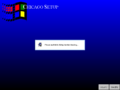
正在加载
-
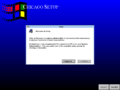
欢迎屏幕
-
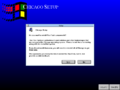
Plus Pack 提示
-
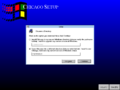
目标目录提示符
-
硬件和软件选项
-
复制文件
-
网络安装程序
-
计算机名称提示
-
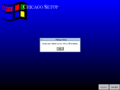
安装程序完成


界面
-

启动屏幕
-
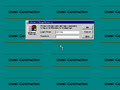
登录
-
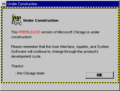
警告
-
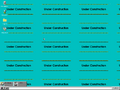
桌面
-
桌面(调试版本)
-
Dr. Watson
-
系统属性
-
MS-DOS 提示符
-

Cabinet
-

Cabinet 关于
-
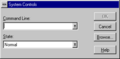
运行
-
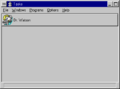
任务
-
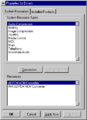
驱动程序(资源)
-
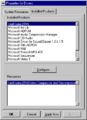
驱动程序(已安装)
-
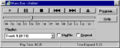
音乐盒(CD player)
-
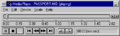
Media Player(MIDI 活动)
-
网络文件夹
-
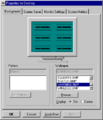
显示属性
-
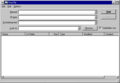
查找文件
-
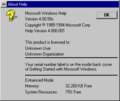
WinHelp 关于
-
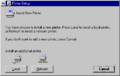
添加打印机
-
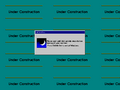
关机/安全关机屏幕


