Windows 95 Build 263
跳转到导航
跳转到搜索
| Windows 95 的版本 | |
 | |
| 操作系统系列 | Windows 9x |
|---|---|
| 内核版本 | 4.00 |
| 内部版本号 | 263 |
| 体系结构 | x86 |
| 编译日期 | 1994 年 11 月 18 日 |
| 有效期 | |
| 时间炸弹 | 1995 年 3 月 31 日 (+133 天) |
| 产品密钥 | |
| Beta Site ID | 186349 |
| 密码(Password) | 94730fb34 |
| 关于对话框 | |
 | |
Windows 95 Build 263 是 Windows 95 的 Beta 2 版本,最初被泄露它的 warez 小组 The Lexicon 错误地标记为 Build 265。它后来于 2019 年 7 月 6 日被发现并共享,文件由 Dave Pennings 提供。[1]
NFO 文件
以下 NFO 文件包含在此版本中:
FILE_ID[2]
The Lexicon Presents: Windows 95 Build 265

Build 265 fixes some problems in build 224. This build of Windows 95 provides a stable platform which is actually usable.  It has quite good network handling (including built-in TCP/IP internet connectivity) and fast serial communications (28.8k modem can run full bore in the background with no errors without a 16550 buffered UART.
NFO[2]
Windows 95                                                     Beta 2 Build 265
~~~~~~~~~~                                                     ~~~~~~~~~~~~~~~~
Build 265 was created on November 18th, 1994.  It is the latest version of Windows 95, and fixes more of the problems from the M7 Beta build 224.

To install, unzip all 22 files into a subdirectory on your hard drive.  It will take approximately 40 megs for this, plus you should have an extra 60 megabytes free for the Windows 95 operating system installation.

Once you have unzipped the files to a subdirectory, switch to that subdirectory and run setup.exe.  Windows95 will proceed to install.

Partway through the installation, Windows95 will ask for a beta site ID and password.  You may use any valid Beta 2 post-216 ID and password.  One which has been floating around is:

ID Site:  162330
Password: 01a749138

Windows 95 has come a long way since the early builds, and is now a viable and (fairly) stable platform for every day use.  If you need bonafide dos, you can hit F4 during the bootup (before the Windows95 graphic comes up), and your old version of DOS will boot.  Windows95 does not require your drive to be
repartitioned.  Windows95 runs Windows16 (old windows applications) as well or better than Windows 3.1x did, and also allows you to run many new full 32-bit
Windows32 applications.  It multitasks DOS sessions quite adequately as well.

This Windows95 Beta has been brought to you by the folks at The Lexicon of the Cabal BBS.
新增功能和更改
- 添加了 Musica 音效方案。
GRPCONV.EXE(在“设置”中显示)已重新设计,其外观在 RTM 中可见。- “previous MS-DOS install(之前的 MS-DOS 安装)”弹出窗口现在使用与安装程序相同的背景,而早期版本中则显示的是灰色背景。
- Windows 漫游已更新,不再在开始时显示桌面体验的模拟。取而代之的是,将播放一个分辨率为 640×480 的简短动画剪辑,显示带有“Microsoft Windows 95”的飞机,直到到达主页“Welcome to the Windows Tutorial(欢迎使用 Windows 教程)”。
- 默认时区现在设置为“(GMT)格林威治标准时间;都柏林、爱丁堡、伦敦”,而非“(GMT -12:00)埃内韦塔克,夸贾林环礁”。
- 引入了对 Sound Blaster 16 PnP 和 Sound Blaster AWE32 的支持。
- 这是首个在安装程序的“选择组件”页面上使用“类似 Windows 3.1 样式的用户界面”选项的可用版本,它可以将程序管理器配置为在启动后运行。
- 实现了用于启动 Windows 资源管理器和运行提示的 Win+E 和 Win+R 键盘快捷方式功能。
Bug
安装程序第二部分中的配置系统提示是空白的,除了动画图标。
图库
安装程序
-
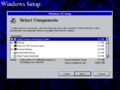
选择组件
-
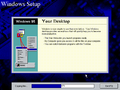
正在复制文件……
-
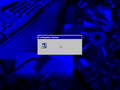
正在配置系统


界面
-
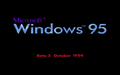
启动屏幕
-
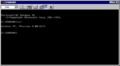
MS-DOS 提示符
-
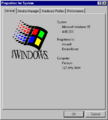
系统属性
-

安全关机屏幕


