Windows 8 Build 8375.0.winmain_win8rc.120504-1900
Windows 8 build 8375 is the official Developer Preview 7 build of Windows 8, released to partners enrolled into the Ecosystem Engineering Access Program on 5 May 2012. The available copy of this build's x86 Enterprise SKU was dumped from a Lenovo ThinkPad Tablet 2 engineering sample and was uploaded on 25 January 2021, whereas the ARMv7 compile was uploaded to BetaWorld on 4 July 2023, and subsequently shared by the aforementioned website on 26 October 2024.
| Windows 8 的版本 | |
 Desktop (x86/AMD64 version) | |
| 屏幕截图 Desktop (ARM32 version) | |
| 发布名称 | Developer Preview 7 |
|---|---|
| 操作系统系列 | Windows NT 系列 |
| NT 版本 | Windows NT 6.2 |
| 内部版本号 | 8375 |
| 修订版本号 | 0 |
| 体系结构 | x86, x64, ARM32 (ARMv7) |
| 内部版本实验室 | winmain_win8rc |
| 编译日期 | 2012 年 5 月 4 日 |
| 有效期 | |
| 时间炸弹 | 2013 年 1 月 15 日 (+256 天) |
| 已知 SKU 版本 | |
| Core RT ( CoreARM)Pro Enterprise | |
| 关于对话框 | |
 | |
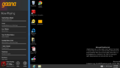
Prior to its public upload, the Core SKU of this build was accidentally pictured in a set of screenshots for the third-party music player Gaana on the Windows Store. A forum thread referencing this build's AMD64 ISO image filename was posted on the Windows Live Connect forums on 14 May 2012.[1] Several photographs of this build's ARM version running on a NVIDIA Tegra 3 Developer Tablet were also found on the BetaWorld Wiki[2]. In addition, various binaries related to the ARM32 compile, particularly the Windows Store General Helper Tool used to debug AppX application installation, were found within a disk dump for Windows 8.1 build 9354 (winmain).
Similar to the unidentified December 2011 build, build 8509 and build 9200.16456 (win8_gdr_soc_intel), despite not being publicly released by Microsoft, the standard set of built-in Metro applications is included by default.
SKU 版本和密钥
| Key | 密钥 |
|---|---|
| Enterprise | CVWV3-RKNBX-3J7X3-H8PYK-DYDPK 2MP7K-98NK8-WPVF3-Q2WDG-VMD98 (alt) |
| RT (CoreARM) | BN4FD-28M77-4VJMY-C9R68-XWW48[a] |
ARMv7 compile installation
(PlaceHolder)
New features and changes
Windows Fingerprinting Service
The Windows Fingerprinting Service has been partially re-enabled, compared to build 8370; in this build, it is in a half-way state where the confidentiality warning is displayed across all UI surfaces, but the actual fingerprint/EULA hash data is not displayed. Later builds from this release branch would disable this functionality entirely, only leaving behind a presence check for the WFS fingerprinting blob in the registry and within the OS installation's registry configuration directory (in Windows\System32\config).
Hardware support
Keyboard layouts
The name of the Georgian Ministry of Education and Science Schools keyboard layout has been simplified into Georgian (MES).
User interface
Boot screen
The boot screen was changed from the betta fish used in the Consumer Preview to a plain black screen that simply displays the generic Windows wordmark, and would remain up through build 8509.
Logon screen
The spacebar key can now be used to dismiss the lock screen.
Wallpaper set
This is the first available build to use the new default wallpaper seen in the official Release Preview build (originally titled Shorty), albeit with a slightly higher color temperature and saturation.
Windows Media Player
The Windows Media Player logo has been removed from the Corporate skin.
Control Panel
Windows Update has received a new icon
Findings
x86 copy
As the x86 Enterprise copy of this build was dumped from an engineering sample device sourced from Lenovo, the provided image dump notably includes several development leftovers. These include calibration logs and debugging tools for the device's built-in GPS location sensor (from 5 May 2012 through 9 August 2012) as well as the needed drivers required for full functionality of the ThinkPad 2 such as chipset drivers for the Intel Atom Z2760 SoC, along with internal documentation sourced from Intel, Broadcom and Ericsson development teams.
The Windows Hardware Certification Kit from build 8523 is additionally present in the provided image, and scripts for updating the firmware included as part of hardware components found within the development kit are present in a separate user account named 8375RC. The image is set up to use a key management server from Microsoft's internal corporate network that was made available to partners.
ARM32 copy
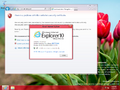
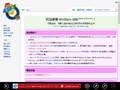
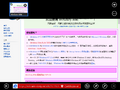
The ARM32 copy of this build includes a private compile of Internet Explorer 10, version 6.2.8375.0 (winmain_win8rc(darrenda).120517-1502), as well as the Application Certification Kit and Visual Studio remote debugger toolsets targeting OS builds 8378 and 8371, respectively. Tegra 3 HALs and Broadcom sensor and modem drivers from builds 8378 and 8381 are also respectively present in the image.
Bugs and quirks
Aero Lite transparency effects
When using the Windows Basic (Aero Lite) visual style, transparency effects can be enabled through the use of a bug in the Personalization Control Panel. To do so:
- Right-click the desktop and open up Personalization, then click on the "Window Color" link given at the bottom of the window. Keep the window open.
- Open a separate personalization window and apply the Windows Basic theme.
- Switch to the other personalization window that was opened at the start, uncheck and re-check the "Enable transparency" option and then click on the "Save changes" button. This will cause transparency effects to take effect.
Miscellaneous
The task previews in this build do not properly display under software rendering.
Gallery
Windows Setup
全新安装体验
-
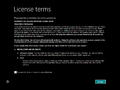
End-user license agreement
-
Onboarding animation
-
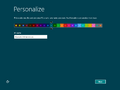
Personalization
-
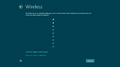
Wireless network configuration
-
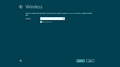
Ditto, password entry
-
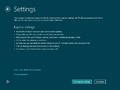
Privacy settings
-
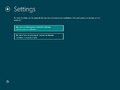
Advanced privacy settings; sharing subpage
-
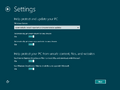
Ditto, update scheduling
-
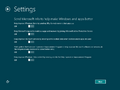
Ditto, telemetry settings
-
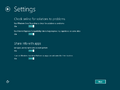
Ditto, error reporting
-
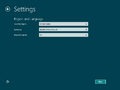
Regional settings
-
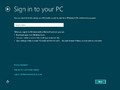
Windows Live sign-in
-
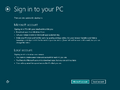
Account types
-
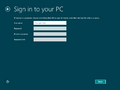
Account credentials
-
Finalization


Interface
-
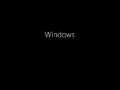
启动屏幕
-
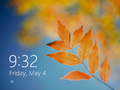
Lock Screen
-

Welcone Screen
-
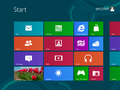
Start Screen
-
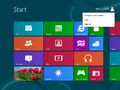
User Menu
-
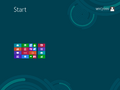
Semantic view
-
Internet Explorer 10
-
Ditto, modernized version
-
Ditto, tab overview


Enterprise
-
Desktop with development tools
-
Alt+Tab and taskbar preview
-
Windows 资源管理器
-
控制面板
-
Desktop Gadgets
-
Windows Basic (Aero Lite) Theme
-
Ditto, with transparency effects resulting from a bug
-
System Properties and
winver
-
Gaana Windows Store app screenshot

RT (CoreARM)
-
Start Screen
-
Ditto, with
winver -
System Properties Control Panel applet
-
Metro Internet Explorer
Cardhu Reference Platform images
-
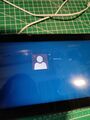
Welcome Screen
-
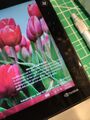
Watermark
-

Start screen - all apps view
-
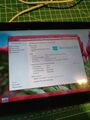
System Properties


-
Watermark


注
- ↑ Preinstalled product key in ARMv7 compile.
引用资料
- ↑ vivian2012. Live SDK 5.0 can not used on Windows8 RC (8375) version?, Windows Live Connect Forum. 14 May 2012.
- ↑ https://www.betaworld.cn/Windows_RT:6.2.8375.0.winmain_win8rc.120504-1900