Windows 8 Build 8330.0.fbl_grfx_dev1.120425-1400
跳转到导航
跳转到搜索
| Windows 8 的版本 | |
 | |
| 操作系统系列 | Windows NT 系列 |
|---|---|
| NT 版本 | Windows NT 6.2 |
| 内部版本号 | 8330 |
| 修订版本号 | 0 |
| 体系结构 | x64 |
| 内部版本实验室 | fbl_grfx_dev1 |
| 编译日期 | 2012 年 4 月 25 日 |
| 有效期 | |
| 时间炸弹 | 2013 年 1 月 15 日 (+265 天) |
| 关于对话框 | |
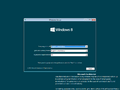
-About.png) | |
Windows 8 build 8330 (fbl_grfx_dev1) is a build of Windows 8, which was uploaded to BetaArchive on 27 January 2020 as an x64 checked/debug compile. This is the first build of Windows 8 that drops support for processors without PAE, SSE2 and NX, as running it on such will yield an UNSUPPORTED_PROCESSOR bugcheck.
SKU 版本和密钥
| Key | 密钥 |
|---|---|
| Core | 2H7NK-3VJJY-HHY3Y-WM3T8-JFCRY |
| Professional | GCNRF-BHBCM-W9YWM-VWQP6-TJBWR |
| ProfessionalWMC (edition upgrade only) | JGN88-JG6P9-XWD9R-3VX46-9KTF7 |
Bugs and quirks
Aero Lite transparency effects
When using the Windows Basic (Aero Lite) visual style, transparency effects can be enabled through the use of a bug in the Personalization Control Panel. To do so:
- Right-click the desktop and open up Personalization, then click on the "Window Color" link given at the bottom of the window. Keep the window open.
- Open a separate personalization window and apply the Windows Basic theme.
- Switch to the other personalization window that was opened at the start, uncheck and re-check the "Enable transparency" option and then click on the "Save changes" button. This will cause transparency effects to take effect.
Gallery
-

启动屏幕
-
-

Start Screen
-
Charms Bar
-
Windows Basic visual style
-
Ditto, with transparency effects

-Setup.png)
-StartScreen.png)
-CharmsBar.png)
-AeroLite.png)
-AeroLite-TransparencyEffectBug.png)