Windows 8 Build 8304.4.fbl dev dp6.120323-2030
| Windows 8 的版本 | |
 | |
| 操作系统系列 | Windows NT 系列 |
|---|---|
| NT 版本 | Windows NT 6.2 |
| 内部版本号 | 8304 |
| 修订版本号 | 4 |
| 体系结构 | x64 |
| 内部版本实验室 | fbl_dev_dp6 |
| 编译日期 | 2012 年 3 月 23 日 |
| 有效期 | |
| 时间炸弹 | 2013 年 1 月 15 日 (+298 天) |
| 关于对话框 | |
 | |
Windows 8 build 8304.4 is an earlier compile of the official Developer Preview 6 build of Windows 8. It was shared on 27 October 2024, along with build 8304.9.
SKU 版本和密钥
New SKUs have been added, including "Professional", "ProfessionalWMC", "Core", "Core Single Language" and "Core Country Specific". All of these SKUs have the brand new Microsoft Confidential banner in winver, except for Prerelease (Consumer Preview) and Professional, which still use the old branding resources.
| Key | 密钥 |
|---|---|
| Windows 8 Consumer Preview | H9VCT-63NFW-FWHDR-F4J43-972K8 |
Windows 8 (Core)
|
2H7NK-3VJJY-HHY3Y-WM3T8-JFCRY |
Windows 8 for China (CoreCountrySpecific)[a]
|
CDD92-JBN3V-X4YQJ-PDKCQ-TCJ6C |
Windows 8 Single Language (CoreSingleLanguage)
|
JNMH9-BGBF6-RM6JP-DCRKM-2PJ6D |
| Pro | GCNRF-BHBCM-W9YWM-VWQP6-TJBWR |
Pro Pack (ProfessionalWMC) (edition upgrade only)
|
JGN88-JG6P9-XWD9R-3VX46-9KTF7 |
New features and changes
Control Panel
- The Parental Controls applet was renamed to Family Safety.
- In "Turn Windows features on or off" (
optionalfeatures.exe), the tooltip description for the Subsystem for UNIX-based Applications has been rewritten to solely inform about the deprecation of the feature. The deprecation notice in the feature name was also rewritten to be in lowercase instead of having all letters in uppercase.
System crash
The word "computer" in the system crash has been replaced by "PC".
Windows Media Center
The about page of Windows Media Center dropped the Consumer Preview string, identifying the OS now as Windows 8.
Deprecations and removals
The Subsystem for UNIX-based Applications has been removed from the operating system.
Gallery
Windows Setup
-
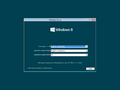
Autorun
-

Product key entry


Out-of-box experience
-

Personalize
-

Settings
-

Microsoft account sign in
-

Ditto
-

Sign in to your PC
-
First Login


Interface
-

Boot Screen
-
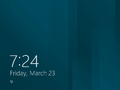
Lock Screen
-

Login Screen
-

Start Screen
-
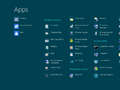
App List
-
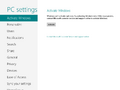
PC Settings
-

Charms Bar


注
- ↑ There are no Simplified Chinese language packs available for this build. To use the China edition, the build's language applicability restriction licensing policies must be modified to allow the English (United States) (
en-US) language code.