Windows 8 Build 8167.0.fbl_grfx_dev1.111207-1400
| Windows 8 的版本 | |
 | |
| 操作系统系列 | Windows NT 系列 |
|---|---|
| NT 版本 | Windows NT 6.2 |
| 内部版本号 | 8167 |
| 修订版本号 | 0 |
| 体系结构 | x64 |
| 内部版本实验室 | fbl_grfx_dev1 |
| 编译日期 | 2011 年 12 月 7 日 |
| 有效期 | |
| 时间炸弹 | 2013 年 1 月 15 日 (+405 天) |
| 已知 SKU 版本 | |
Beta (Prerelease) | |
| 产品密钥 | |
| H9VCT-63NFW-FWHDR-F4J43-972K8 | |
| 关于对话框 | |
 | |
Windows 8 build 8167 is a pre-Consumer Preview/Beta build of Windows 8, which was shared on 16 October 2024.
New features and changes
Windows Setup
The overall setup background color in the Preinstallation Environment has been changed from a grayish blue with low gradient to a dark teal accent. The ability to use the built-in touch keyboard has been added to the product key input page in the legacy Windows Setup user interface, and a dedicated slider for the accent color picker in the out-of-box experience has been added. The slider would later receive further design updates in the lead-up to the Release Preview. The color in the full-screen stage of upgrade setup has nevertheless not been updated yet and remains in the previous color until build 8173.
The headers for the options in the setup type have been reworded:
- "Upgrade: Install Windows Developer Preview and keep files, settings, and apps" to "Keep Windows settings, personal files, and apps".
- "Custom: Install Windows Developer Preview only (advanced)" to "Keep Nothing".
- The Windows Developer Preview references have been replaced by Windows 8 Beta.
Timebomb
The timebomb has been extended to 15 January 2013.
Bugs and quirks
- Opening the Control Panel via the Explorer ribbon will not hide the navigation pane.
Gallery
Windows 安装程序
-
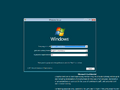
安装程序
-
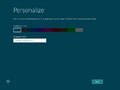


Interface
-
启动屏幕
-
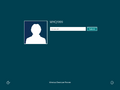
登录界面
-
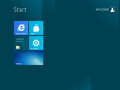
“开始”屏幕
-
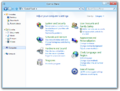
Control Panel with the visible navigation pane


