Windows 8 Build 8110.0.fbl_grfx_dev1.110907-1700
Windows 8 build 8110 is a post-Developer Preview/Milestone 3 build of Windows 8, which was shared on 28 October 2024.
| Windows 8 的版本 | |
 Default desktop | |
 Desktop with Redpill enabled | |
| 操作系统系列 | Windows NT 系列 |
|---|---|
| NT 版本 | Windows NT 6.0 |
| 内部版本号 | 8110 |
| 修订版本号 | 0 |
| 体系结构 | x64 |
| 内部版本实验室 | fbl_grfx_dev1 |
| 编译日期 | 2011 年 9 月 7 日 |
| 有效期 | |
| 时间炸弹 | 2012 年 3 月 11 日 (+186 天) |
| 已知 SKU 版本 | |
Developer Preview (Prerelease)Not available by default:[a] Starter Home Basic Home Premium Professional Enterprise (Evaluation) Ultimate Developer Preview ARM ( PrereleaseARM) | |
| 产品密钥 | |
| H9VCT-63NFW-FWHDR-F4J43-972K8 | |
| 关于对话框 | |
 | |
Bugs and quirks
OOBE background
Like any previous build since 8032, this build's Windows 7 OOBE background is distorted in that the image got squished in monochrome on the left, with a black space being left on the right. This bug was never fixed, as the legacy OOBE was removed with the integration of Redpill features to the main codebase of Windows in build 8128.
Gallery
-

启动屏幕
-
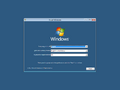
安装程序
-
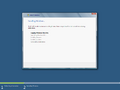
Installing
-
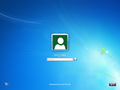
Legacy Login Screen
-

Metro Lock Screen
-
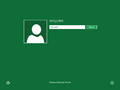
Metro Login Screen
-
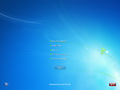
Legacy Security Options
-
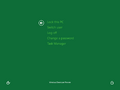
Metro Security Options
-
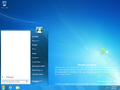
Start menu
-
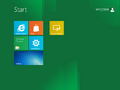
Start screen
-
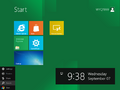
Start screen with left Charms menu
-
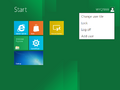
Start screen action selection
-

Windows Store


全新安装体验
-

Computer name
-
User name and password
-
Automatic updates
-
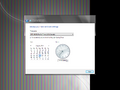
Date and time


注
- ↑ The packages for these SKUs are in the build's component store, however the user must manually stage them to be able to use them