Windows 8 Build 8056.0.fbl grfx dev1.110727-1728
| Windows 8 的版本 | |
 Default desktop | |
 Desktop with enabled Redpill | |
| 操作系统系列 | Windows NT 系列 |
|---|---|
| NT 版本 | Windows NT 6.2 |
| 内部版本号 | 8056 |
| 修订版本号 | 0 |
| 体系结构 | x86, x64 |
| 内部版本实验室 | fbl_grfx_dev1 |
| 编译日期 | 2011 年 7 月 27 日 |
| 有效期 | |
| 时间炸弹 | 2012 年 3 月 11 日 (+228 天) |
| 已知 SKU 版本 | |
Developer Preview (Prerelease)Not available by default:[a] Starter Home Basic Home Premium Professional Enterprise (Evaluation) Ultimate Developer Preview ARM ( PrereleaseARM) | |
| 产品密钥 | |
| H9VCT-63NFW-FWHDR-F4J43-972K8 | |
| 关于对话框 | |
 | |
Windows 8 build 8056 (fbl_grfx_dev1) is a pre-Developer Preview/Milestone 3 build of Windows 8, which was uploaded to BetaArchive on 19 September 2015.[1]
New features and changes
Bugs and quirks
Hardware compatibility on virtual machines
This build is known to be problematic on virtual machines. On VMware Workstation 15 or newer, the hardware compatibility version must be set to versions 8.x/9.x to install this build; otherwise, a partially garbled early-boot error will occur. This bug is common on builds the Release Preview build. Moreover, take into account that if this build (and Redlock) are installed on VirtualBox, the system will be unstable, or even unusable.
Device setup
Device setup windows may not display properly.
Windows Classic
This build's Windows Classic fallback style is much flatter than usual, with a broken title bar gradient (only shown in places such as Windows Classic appearance managers from older versions of Windows NT), and controls lacking Windows Classic's lighter shine in most places, with some controls visually losing all their borders like the taskbar's system tray or the Disk Management (diskmgmt.msc) console's disk area view. Additionally, if Classic is forced on Explorer, the Back/Forward buttons in Explorer are misaligned with the Back/Forward/Recent outline.
Start screen
Setting RPEnabled to 0 in HKEY_LOCAL_MACHINE\SOFTWARE\Microsoft\Windows\Explorer to revert to Windows 7 style Aero and disable the new logon screen will make the Start screen have black bars on the top and bottom similar to letterboxing, only leaving the middle part having the accent color shown.
Gallery
Windows Setup
-

Ramdisk load progress
-
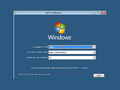
Autorun
-
Upgrade Setup
-
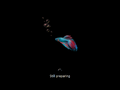
Second phase of setup (hardware detection)


Out-of-box experience
-
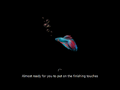
Out-of-box experience initialization
-
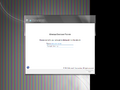
Computer name


Redpill-specific
-

Initial onboarding animation
-
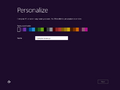
Personalization
-
Finalization


Interface
-
启动屏幕
-
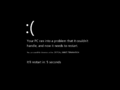
System Crash
-
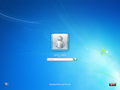
Login Screen
-
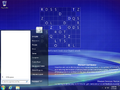
Start Menu
-
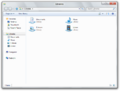
Windows Explorer
-
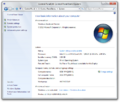
System Properties
-
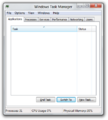
Task Manager
-
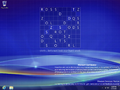
Desktop without start button
-
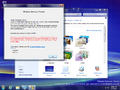
Aero Theme
-
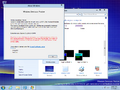
Aero Lite Theme
-
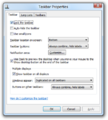
Taskbar Properties with multiple monitors


Redpill-specific
Metro UI
-
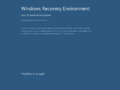
Boot Error
-
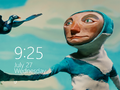
Lock Screen
-
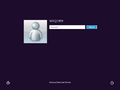
Login Screen
-
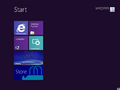
Start Screen
-
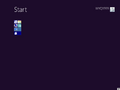
Zoomed Out View
-
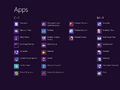
Applications List
-
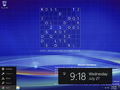
Left-Hand Charm Menu
-
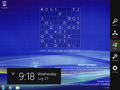
Right-Hand Charms Bar (
⊞ Win+⇧ Shift+C) -
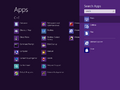
Search Charm
-
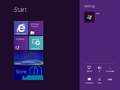
Settings Charm
-
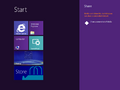
Share Charm
-
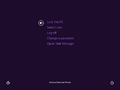
Security Options
-

Split Metro and Desktop (
⊞ Win+.) -
Split Immersive Internet Explorer and Desktop
-
Immersive User Tile Browser
-
Task switching from Metro to Desktop
-
Task switching from Desktop to Metro


Desktop UI
-
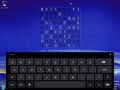
On-screen keyboard
-
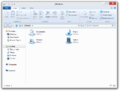
Windows Explorer
-
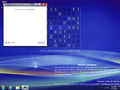
Modern Task Manager
-
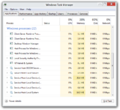
Ditto
-
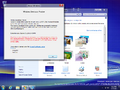
Aero Theme (Redpilled)
-
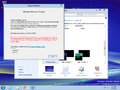
Aero Lite Theme (Redpilled)


Metro Apps
-
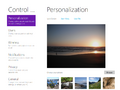
Metro Control Panel
-
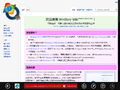
Immersive IE
-
Windows Store
-
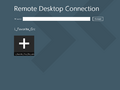
Remote Desktop Connection
-
Ditto, connection confirmation
-
Ditto, disconnected due to errors
-
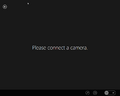
WebCam
-
Ditto, webcam settings
-
Ditto, more settings


Miscellaneous
-
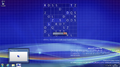
Device setup display bug


注
- ↑ The packages for these SKUs are in the build's component store, however the user must manually stage them to be able to use them