Windows 8 Build 8008.0.fbl_dnt3_wireless.110518-1900
| Windows 8 的版本 | |
 默认桌面 | |
 启用 Redpill 的桌面 | |
| 操作系统系列 | Windows NT 系列 |
|---|---|
| NT 版本 | Windows NT 6.2 |
| 内部版本号 | 8008 |
| 修订版本号 | 0 |
| 体系结构 | x86 |
| 内部版本实验室 | fbl_dnt3_wireless |
| 编译日期 | 2011 年 5 月 18 日 |
| 有效期 | |
| 时间炸弹 | 2012 年 3 月 15 日 (+302 天) |
| 关于对话框 | |
 | |
Windows 8 Build 8008.fbl_dnt3_wireless 是 Windows 8 的 Developer Preview/Milestone 3 前版本,此版本的 x86 体系结构版本于 2021 年 1 月 3 日上传到 BetaArchive。
SKU 版本和密钥
| 版本 / SKU 名称 | 密钥 |
|---|---|
| Starter | 7Q28W-FT9PC-CMMYT-WHMY2-89M6G |
| Home Basic | YGFVB-QTFXQ-3H233-PTWTJ-YRYRV |
| Home Premium | RHPQ2-RMFJH-74XYM-BH4JX-XM76F |
| Professional | HYF8J-CVRMY-CM74G-RPHKF-PW487 |
| Ultimate | D4F6K-QK3RD-TMVMJ-BBMRX-3MBMV |
| Developer Preview(Prerelease) | VKKC6-NQQQH-JW3QX-XRVKX-KJJK9 |
Bug
兼容性
若要在 VMware Workstation 中安装或运行此版本,硬件兼容性版本必须设置为 8.x/9.x,否则将发生错误检查。
品牌
在目前开发阶段,品牌横幅图片的 Alpha 支持尚未完全实现,导致所有版本的横幅图片无法正常显示。
应用磁贴
某些应用名称(例如控制面板、Chess Titans、优化驱动器和碎片整理等)可能会在普通大小的磁贴上被截断。
Metro UI
此版本在被 Redpill 时更改屏幕分辨率可能会导致 Metro 用户界面出现视觉异常;可以通过重启资源管理器来解决这些问题。
Metro 登录密码 bug
在 Metro 登录屏幕上使用密码显示功能时,文本会显示为混乱的状态,由来自阿拉伯语、日语、韩语和中文等多种语言的字母和符号混合组成。
在 redpill 后创建帐户
当在版本被 redpill 后创建帐户,它会要求提供一个 Windows Live ID 账户。任何帐户或像 @anything.com 这样的无意义邮箱都可以输入而不会报错,但必须输入密码,这意味着由于密码 bug,此帐户将无法使用。
一般
如果在 Build 7878 中使用 VMware Workstation 15.x 或更高版本,在此版本中尝试重启或关闭将导致软锁定。若要解决此问题,请从虚拟机部分使用电源菜单。
PDF 阅读器
此版本中的 PDF 阅读器(glcnd.exe)名为“WinRT UI Window”,无法使用程序上的关闭按钮关闭。若要关闭它,请使用任务栏或按 Alt+F4。
MS Help
在此版本中,MS Help 无法使用,原因是打开时会导致资源管理器崩溃。
图库
安装程序
-
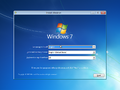
安装程序
-
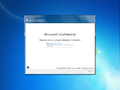
OOBE
-

Metro OOBE
-
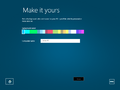
Make it yours(把它变成你的)
-

正在完成你的设置


界面
-
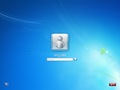
登录屏幕
-
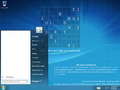
“开始”菜单
-
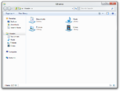
Windows 资源管理器
-
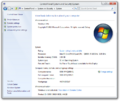
系统属性
-
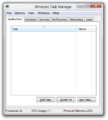
任务管理器
-
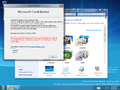
Aero 主题
-
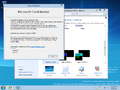
Aero Lite 主题


Redpill 限定
-
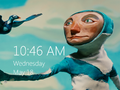
锁定屏幕
-
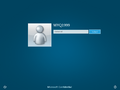
Metro 登录屏幕
-
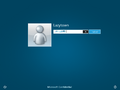
Metro 登录 Bug
-
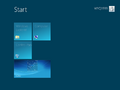
“开始”屏幕
-
搜索 Charm
-
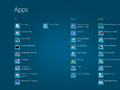
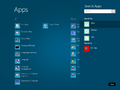
应用
-
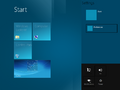
设置 Charm
-
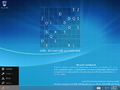
左 Charm 菜单
-
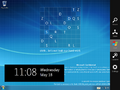
右 Charms 栏
-
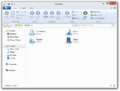
Windows 资源管理器(已 Redpill)
-
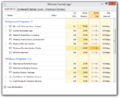
现代任务管理器
-
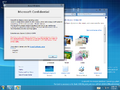
Aero 主题(已 Redpill)
-
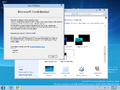
Aero Lite 主题(已 Redpill)
-
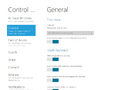
沉浸式控制面板
-
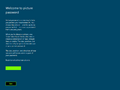
图片密码设置
-
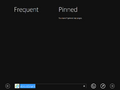
沉浸式 IE
-
PDF 阅读器
-

WebCam
-
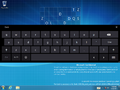
键盘
-
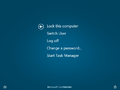
Ctrl+Alt+Del 屏幕


其他
-

启动屏幕
-
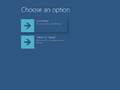
沉浸式启动菜单(
bootim.exe)

