Windows 8.1 Build 9600.17025.winblue_gdr.140214-1706
Windows 8.1 build 9600.17025 is a build of Windows 8.1 Update 1, which was shared online by WZor on 20 February 2014,[1] and while originally lost, it was later shared on 19 April 2025.
| Windows 8.1 的版本 | |
 | |
| 操作系统系列 | Windows NT 系列 |
|---|---|
| NT 版本 | Windows NT 6.3 |
| 内部版本号 | 9600 |
| 修订版本号 | 17025 |
| 体系结构 | x86, x64 |
| 内部版本实验室 | winblue_gdr |
| 编译日期 | 2014 年 2 月 14 日 |
| 已知 SKU 版本 | |
| Core (Single Language, N) China RT (CoreARM) Pro (N, with Media Center) Enterprise (Evaluation, N) | |
| 关于对话框 | |
 | |
  | |
NFO 文件
x86
MICROSOFT.WINDOWS.8.1.2014.UPDATE.X86.ONLY.MSU.9600.17025.WINBLUE_GDR.140214-1706-WZT
RELEASE DATE: 16/02/2014
BUILD: 6.3.9600.17025.WINBLUE_GDR.140214-1706
----------------------------------------------
BUILD: 2014/02/05
FILE: Windows8.1-KB2919442-x86.msu
SIZE: 4,827,193 byte
SHA1: 0bc8daf2988eed74019e42cf6b3b810df5fb13d7
 MD5: 24009cb435cd217e668a0ab5c84d7a6b
 CRC: d110ee47

BUILD: 2014/02/11
FILE: Windows8.1-KB2919442-1-x86.msu
SIZE: 4,827,890 byte
SHA1: b56a7b5beca78cead8b5fe922d1ec3dd2416b981
 MD5: 7884f54c0a69bdc08881670589ae0e1a
 CRC: 1d70a873

BUILD: 9600.17019.WINBLUE_GDR.140205-2003
FILE: Windows8.1-KB2919355-x86.msu
SIZE: 335,668,237 byte
SHA1: ed5f099202f0c307337ad0b257f05b234de33d4c
 MD5: f4d6123ab3a79125ec98be9dba17347f
 CRC: a64f2cca

BUILD: 9600.17025.WINBLUE_GDR.140214-1706
FILE: Windows8.1-KB2932046-x86.msu
SIZE: 49,956,679 byte
SHA1: 5a261cf7374547f7bdecd05a6dfa6495d53b47c3
 MD5: 744d649e77671ea6e14719ead4870c96
 CRC: faec28d4
-----------------------------------------------
NOTE: this is original M$ MSU files.

Recent Changes:
- The Windows 8.1 Update Supplement package (KB2932046) is now available and should be installed after Windows 8.1 Update (KB2919355).
- You can install KB2919355 to Windows Server 2012 R2 images. In the instructions below, change instances of your Windows 8.1 RTM images to Windows Server 2012 R2.
- In some releases, contents of the Windows 8.1 Update Supplement package (KB2932046) will be rolled into the primary Windows 8.1 Update (KB2919355). As a result, no supplement will be released that week. However, if a supplement (KB2932046) is released that week, there are updates that need to be installed.
- This release of the Windows 8.1 Update (KB2919355) contains all previously released

Manual:
Installing the Windows 8.1 Update 2014 MSU build 6.3.9600.17025.WINBLUE_GDR.140214-1706 to a your local Windows 8.1 RTM.

1. Install Windows 8.1 RTM any version!
2. Install one or more Windows 8.1 RTM languages
3. Install all of the previously-released updates for Windows 8.1, this includes:
   - Rollup A (KB2883200)
   - Rollup B (KB2884846)
   - November Rollup (KB2887595)
   - December Rollup (KB2903939)
   - January Rollup (KB2911106)
   Restart your PC.

4. Install Windows8.1-KB2919442-<architecture>.msu update, where <architecture> is x86, x64, by double-clicking on the file.
   This is required to install before you install the Windows 8.1 Update 2014 MSU update!
   Restart your PC. You must restart the PC to complete any pending update actions.

5. Install Windows8.1-KB2919442-1-<architecture>.msu update, where <architecture> is x86, x64, by double-clicking on the file.
   This is required to install before you install the Windows 8.1 Update 2014 MSU update!
   Restart your PC. You must restart the PC to complete any pending update actions.


6. Install the Windows 8.1 Update MSU file, Windows8.1-KB2919355-<architecture>.msu(where    <architecture> is x86, x64) to the by double-clicking on the file.
   The update will be applied for all available languages installed in the Windows 8.1.
7. Restart your PC. You must restart the PC to complete any pending update actions.

8. Install the Windows 8.1 Update Supplement file, Windows8.1-KB2932046-<architecture>.msu (where <architecture> is x86, x64, or arm) to the image by double-clicking on the file. The update will be applied for all available languages installed in the image.
10. Restart your PC. You must restart the PC to complete any pending update actions.


Fine!

20|02|2014
-=W.Z.T=-

ps:
http://youtu.be/zo3nBZWWZGY
x64
MICROSOFT.WINDOWS.8.1.2014.UPDATE.X64.ONLY.MSU.9600.17025.WINBLUE_GDR.140214-1706-WZT
RELEASE DATE: 16/02/2014
BUILD: 6.3.9600.17025.WINBLUE_GDR.140214-1706

BUILD: 2014/02/05
FILE: Windows8.1-KB2919442-x64.msu
SIZE: 10,708,582 byte
SHA1: 0ed435964e1f99e4fdbb4a9bdf88a62c8120b420
 MD5: 1d0d09f46d8bfe5537f0e91aa9164415
 CRC: 7dced403

BUILD: 2014/02/11
FILE: Windows8.1-KB2919442-1-x64.msu
SIZE: 10,667,904 byte
SHA1: 27daa89bc820aa1c3cf2496e55605e433df0ceb1
 MD5: 25c8fa7a8e93172958a37096dac7da5b
 CRC: 246b1466

BUILD: 9600.17019.WINBLUE_GDR.140205-2003
FILE: Windows8.1-KB2919355-x64.msu
SIZE: 730,632,862 byte
SHA1: 3a53663fb1999a1372c3810c52bb942b6bc97362
 MD5: 0d879b22bad773d4689ff6df337df258
 CRC: 9416df02

BUILD: 9600.17025.WINBLUE_GDR.140214-1706
FILE: Windows8.1-KB2932046-x64.msu
SIZE: 88,684,437 byte
SHA1: 83447d80559b21244c658fc9f943e7f1012858a9
 MD5: cb02deeabdc172cde801e471957fdf6b
 CRC: 975ab494

NOTE: this is original M$ MSU files.

Recent Changes:
- The Windows 8.1 Update Supplement package (KB2932046) is now available and should be installed after Windows 8.1 Update (KB2919355).
- You can install KB2919355 to Windows Server 2012 R2 images. In the instructions below, change instances of your Windows 8.1 RTM images to Windows Server 2012 R2.
- In some releases, contents of the Windows 8.1 Update Supplement package (KB2932046) will be rolled into the primary Windows 8.1 Update (KB2919355). As a result, no supplement will be released that week. However, if a supplement (KB2932046) is released that week, there are updates that need to be installed.
- This release of the Windows 8.1 Update (KB2919355) contains all previously released

Manual:
Installing the Windows 8.1 Update 2014 MSU build 6.3.9600.17025.WINBLUE_GDR.140214-1706 to a your local Windows 8.1 RTM.

1. Install Windows 8.1 RTM any version!
2. Install one or more Windows 8.1 RTM languages
3. Install all of the previously-released updates for Windows 8.1, this includes:
   - Rollup A (KB2883200)
   - Rollup B (KB2884846)
   - November Rollup (KB2887595)
   - December Rollup (KB2903939)
   - January Rollup (KB2911106)
   Restart your PC.

4. Install Windows8.1-KB2919442-<architecture>.msu update, where <architecture> is x86, x64, by double-clicking on the file.
   This is required to install before you install the Windows 8.1 Update 2014 MSU update!
   Restart your PC. You must restart the PC to complete any pending update actions.

5. Install Windows8.1-KB2919442-1-<architecture>.msu update, where <architecture> is x86, x64, by double-clicking on the file.
   This is required to install before you install the Windows 8.1 Update 2014 MSU update!
   Restart your PC. You must restart the PC to complete any pending update actions.


6. Install the Windows 8.1 Update MSU file, Windows8.1-KB2919355-<architecture>.msu(where    <architecture> is x86, x64) to the by double-clicking on the file.
   The update will be applied for all available languages installed in the Windows 8.1.
7. Restart your PC. You must restart the PC to complete any pending update actions.


8. Install the Windows 8.1 Update Supplement file, Windows8.1-KB2932046-<architecture>.msu (where <architecture> is x86, x64, or arm) to the image by double-clicking on the file. The update will be applied for all available languages installed in the image.
10. Restart your PC. You must restart the PC to complete any pending update actions.


Fine!

20|02|2014
-=W.Z.T=-

ps:
http://youtu.be/zo3nBZWWZGY
Gallery
-

启动屏幕

English x64 version


Chinese x86 version
-
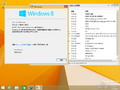
BetaWorld screenshot
