Windows 8.1 Build 9389.0.fbl_ie.130418-2012
Windows 8.1 build 9389 is a build of Windows 8.1, which was shared on 2 November 2024 as a raw folder dump of the installation media from the internal \\winbuilds\ network share.
| Windows 8.1 的版本 | |
 | |
| 操作系统系列 | Windows NT 系列 |
|---|---|
| NT 版本 | Windows NT 6.3 |
| 内部版本号 | 9389 |
| 修订版本号 | 0 |
| 体系结构 | x86 |
| 内部版本实验室 | fbl_ie |
| 编译日期 | 2013 年 4 月 18 日 |
| 有效期 | |
| 时间炸弹 | 2014 年 1 月 15 日 (+272 天) |
| 关于对话框 | |
 | |
SKU 版本和密钥
| 版本 / SKU 名称 | 密钥 |
|---|---|
| Core | 2H7NK-3VJJY-HHY3Y-WM3T8-JFCRY |
| Professional | GCNRF-BHBCM-W9YWM-VWQP6-TJBWR |
| ProfessionalWMC (edition upgrade only) | MBFBV-W3DP2-2MVKN-PJCQD-KKTF7 |
New features and changes
Explorer
The Computer folder have been renamed to This PC, and reorganized the hard disks, network drives and external storage device into single Devices and drives tab. Shortcuts to Desktop and Downloads folders have been added in Folders category.
As a result of Folders tab debut in build 9354, Libraries tab is no longer displayed by default, but can be enabled in Folder Settings.
Applications
Settings
The option to revert to the legacy Windows 8 settings user interface has been removed from the PC settings application.
Applications
Alarms
The internal package name for the Alarms application has been changed from Microsoft.Alarms_8wekyb3d8bbwe to Microsoft.WindowsAlarms_8wekyb3d8bbwe.
It is now possible to preview alarm sounds, as well as new set of alarm sounds have been introduced:
- Alarm 01 (Chimes),
- Alarm 02 (Xylophone),
- Alarm 03 (Chords),
- Alarm 04 (Tap),
- Alarm 05 (Jingle),
- Alarm 06 (Transition),
- Alarm 07 (Descending),
- Alarm 08 (Bounce),
- Alarm 09 (Echo),
- Alarm 10 (Ascending).
In addition, list designs within the Alarms application have been updated to properly reflect the Metro design language guidelines. The "New alarm" heading is no longer present when creating an alarm, and the set time found within the middle of the alarm now uses the Segoe UI Semilight font. Timer animations now transition smoothly, and detailed information, such as elapsed post-countdown time, is now provided within notification toasts. The restart timer/stopwatch button design has been slightly altered to include a positioning fix in the arrow graphic.
Sound Recorder
The user interface for the Sound Recorder application has been completely overhauled to feature a simplified dark orange design that includes a record button in the center of the user's screen. Saved recordings are now displayed on the right-hand side of the user's screen (left if the user is using a right-to-left language). Ease-in/out animations are now present within the Sound Recorder's user interface, and minor iconography changes towards certain buttons have been added to the application.
Photos
The Photos image editing functionality has been updated to support low and high-resolution image processing, patching and cropping (along with the rule of thirds image composition guideline). Zooming functionality have been implemented, and minor animation splining adjustments are now present across the user interface.
Movie Moments
The Movie Moments application has been slightly updated: the disclosure warning is no longer present and now includes the application's title, and the Styles button now functions properly, offering three distinct title/caption styles for comments made throughout the video editing process. The Share button's iconography has been additionally updated.
Other applications
New tile designs for the Calculator, Alarms and Sound Recorder applications have been additionally been added.
Bugfixes
Windows Runtime applications are no longer exhibit graphical artifacting, regardless of the installed graphics driver.
Bugs and quirks
Miscellaneous
Desktop Window Manager window transition animations do not fade in/out correctly.
Gallery
Setup
-
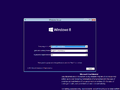
Autorun

Interface
-

启动屏幕
-
Ditto, application list


Metro Applications
-
Alarms
-
Sound Recorder
-
Movie Moments


