Windows 10 Build 9867.0.fbl_release.141018-2359
| Windows 10 的版本 | |
 | |
| 操作系统系列 | Windows NT 系列 |
|---|---|
| NT 版本 | Windows NT 6.4 |
| 内部版本号 | 9867 |
| 修订版本号 | 0 |
| 体系结构 | x86, x64, ARM32 (ARMv7) |
| 内部版本实验室 | fbl_release |
| 编译日期 | 2014 年 10 月 18 日 |
| 有效期 | |
| 时间炸弹 | 2015 年 4 月 15 日 (+179 天) |
| 关于对话框 | |
Windows 10 build 9867 is a build of Windows 10. It was released to the participants of the Technology Adoption Program (TAP). The Windows Driver Kit (WDK) for this build was uploaded to BetaArchive on 12 February 2017. Several files from this build were later discovered on the Microsoft Symbol Server on 24 June 2022. The ARM32 compile of ntkrnlmp.exe and hal.dll along with their symbols were shared on the BetaWiki Discord server on 28 September 2024, followed by the full x64 compile on 2 November 2024.
SKU 版本和密钥
| Key | 密钥 |
|---|---|
| Core | 334NH-RXG76-64THK-C7CKG-D3VPT |
| Professional | XHQ8N-C3MCJ-RQXB6-WCHYG-C9WKB |
| ProfessionalWMC (edition upgrade only) | GBFNG-2X3TC-8R27F-RMKYB-JK7QT |
Changes
桌面窗口管理器
The opening and closing window animations have slightly changed from the previous build, the opening animation now has a slight fade-in effect to it, and the closing animation now fades out while the window decreases in size.
Miscellaneous
- Notification center has changed the location between the clock and the system tray.
- The XAML start menu is now displayed correctly.
Hidden features
The following hidden features have been found within this build:
Hidden login screen
A UWP login screen was added. To enable it, set Threshold to 1 under [HKEY_LOCAL_MACHINE\SOFTWARE\Microsoft\Windows\CurrentVersion\Authentication\LogonUI\TestHooks] in the registry.
This build has a XAML start menu that is disabled by default. It's very raw, some buttons don't work and the start menu often crashes when dragging tiles. To enable it, create and set UseExperience to 1 under HKEY_LOCAL_MACHINE\Software\Microsoft\Windows\CurrentVersion\ImmersiveShell\Launcher.
Ability to disable windowed Metro applications
This is the latest build that has the ability to disable native support for Metro apps in windowed mode. To enable this, merge the following registry setting:
Windows Registry Editor Version 5.00
[HKEY_LOCAL_MACHINE\SOFTWARE\Microsoft\Windows\CurrentVersion\ImmersiveShell]
"ModernDesktopApps"=dword:00000000
This is quite buggy, however in the next build it will result in all Metro applications crashing on launch.
Hidden apps
There are a few hidden apps in this build:
- Windows Default Lock Screen - accessed by running
C:\Windows\explorer.exe shell:AppsFolder\Microsoft.WindowsDefaultLockScreen_8wekyb3d8bbwe!LockApp - Cloud Experience Host - accessed by running
C:\Windows\explorer.exe shell:AppsFolder\Microsoft.CloudExperienceHost_8wekyb3d8bbwe!App - Windows Shell Experience Host - accessed by running
start-menu://test/
-
Windows Default Lock Screen
-
Cloud Experience Host
-
Windows Shell Experience Host
Bugs
Window thumbnail border color error
If window auto-colorization is enabled, the window thumbnail borders on the taskbar do not change color even after the wallpaper changes. This issue can be remedied by manually changing the window color through the Control Panel or restarting Windows.
Gallery
-
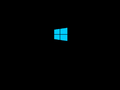
启动屏幕
-
Incorrect window thumbnail border color


