Citrix WinFrame Build 158
跳转到导航
跳转到搜索
| Citrix WinFrame 的版本 | |
 | |
| 操作系统系列 | Windows NT 系列 |
|---|---|
| 内核版本 | 1.50 |
| 内部版本号 | 158 |
| 体系结构 | x86 |
| 编译日期 | 1995 年 8 月 14 日 |
| 已知 SKU 版本 | |
| Server | |
| 关于对话框 | |
 | |
Citrix WinFrame Build 158 是 WinFrame 1.5 的版本,于 2024 年 6 月 24 日共享。[1]
NFO 文件
NFO 内容
WinFrame V1.5 By Citrix - 15 User Version

Everyone acts like this "CD-RIP" is some revolutionary technology, when
it's been used using the ARJ command line for years.  The scene sucks!
Too many lamers. Anyways....

Unzip the Zip files into any root of your favorite drive.  Run the
INSTALL.BAT to recreate the directories.  When done, cleanup by deleting
the WINFRAME.0?? files, the INSTALL.BAT, UNRIP.EXE and README.NFO files.
The LICENSE disk has some lame scheme to prevent you from copying it, use
the enclosed teledisk.exe to restore it.


This is a special version of Windows NT 3.51 that has dial-in session
remote control.  It's much faster than pcANYWHERE since you are controlling
a Windows NT session remotely.  If you understand NT you'll find it easy to
setup.

To start, boot off "BOOT DISK 1" and install. You will need a minimum
of 90 megs free for the operating system (1 gig recommended, FAST WIDE
SCSI-2 recommended), 16 megs RAM for NT plus 4 megs RAM for the Winframe
console overhead, then 8 megs for each user. (more of you have "power users"
such as AutoCAD, Pagemaker, Coreldraw, etc) With a 16 port Digiboard and 15
users, plan on a minimum 128 megs RAM to start.  If you can afford 256 megs
RAM, that would be ideal. (yes! these figures are what Citrix recommends in
the manual, otherwise it will be too slow to use!)

Oh yes, since NT supports 4 CPU's, a if you plan on more than 4 users, buy
a server that supports more than one CPU and install a 2nd.  Dual 100 mhz
Pentium's work very nice. As you can see, this is not lamerware for some
dweeb in a college dorm who can't even afford beer money!

Enjoy!
图库
-
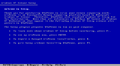
文本模式安装程序
-
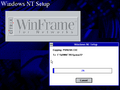
图形安装程序
-

启动屏幕
-
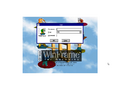
登录提示


