Windows 8 Build 8128.0.fbl_core1_soc_partner.111005-1916
Windows 8 build 8128 (fbl_core1_soc_partner) is a post-Developer Preview build of Windows 8, which was uploaded to BetaArchive on 4 January 2019. The original partner seed for the x64 checked/debug version was shared on 11 June 2022, including the SDK, WDK, Visual Studio 2010 Addons, and private symbols for this build.
| Windows 8 的版本 | |
 | |
| 操作系统系列 | Windows NT 系列 |
|---|---|
| NT 版本 | Windows NT 6.2 |
| 内部版本号 | 8128 |
| 修订版本号 | 0 |
| 体系结构 | x86, x64 |
| 内部版本实验室 | fbl_core1_soc_partner |
| 编译日期 | 2011 年 10 月 5 日 |
| 有效期 | |
| 时间炸弹 | 2012 年 10 月 1 日 (+362 天) |
| 已知 SKU 版本 | |
Developer Preview (Prerelease) | |
| 产品密钥 | |
| 6RH4V-HNTWC-JQKG8-RFR3R-36498 | |
| 关于对话框 | |
 | |
  | |
Bugs and quirks
Compatibility
To install or run this build in VMware Workstation, the hardware compatibility version must be set to versions 8.x; otherwise, a garbled bugcheck will occur and setting hardware compatibility to version 9.x will cause aBAD_POOL_CALLER bugcheck to occur.
Windows Recovery Environment
This build's Windows Recovery Environment is broken:
- It does not work when booted off from the installation media and does the following:
- On Legacy BIOS systems, it will launch the environment with some debug text, but will then be throwed back to the "Install now" page with the background being unchanged.
- On UEFI systems, it will cause the system to be crashed.
- All recovery options except for Automatic Repair do not work when booted off from the system partition.
Hyper-V launch failure message
If the VMX extensions (in the case of Intel processors) or the SVM extensions (in the case of AMD processors) are not present or enabled in the BIOS options, the boot screen will display a Hyper-V launch failed message.
Windows Error Reporter
wermgr.exe will encounter an exception loop; closing the message that the program was terminated will result in it coming back shortly.
Gallery
Setup
-
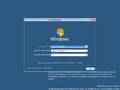
Setup
-
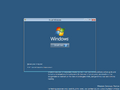
Install Now
-
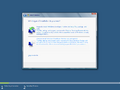
Installation Type
-
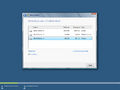
Disk Partitioning
-
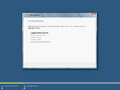
Installing Windows
-
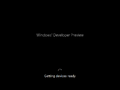
Getting Devices Ready
-
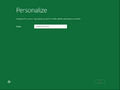


Interface
-

启动屏幕
-

Lock Screen
-
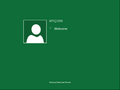
Login Screen
-
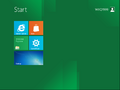
Start Screen
-
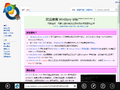
-
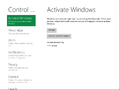
PC Settings
-
-


Miscellaneous
-
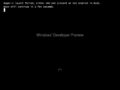
Hyper-V launch failed when booting.
-

Debug text while trying to launch Windows Recovery Environment

