Windows 8 Build 8018.4111.fbl_pdc_4.110715-1445
| Windows 8 的版本 | |
 | |
| 操作系统系列 | Windows NT 系列 |
|---|---|
| 内核版本 | 6.2 |
| 内部版本号 | 8018 |
| 修订版本号 | 4110 |
| 体系结构 | x86, x64 |
| 内部版本实验室 | fbl_pdc_4 |
| 编译日期 | 2011 年 6 月 28 日 |
| Windows 8 的版本 | |
 | |
| 操作系统系列 | Windows NT 系列 |
|---|---|
| NT 版本 | Windows NT 6.2 |
| 内部版本号 | 8018 |
| 修订版本号 | 4111 |
| 体系结构 | x86, x64 |
| 内部版本实验室 | fbl_pdc_4 |
| 编译日期 | 2011 年 7 月 15 日 |
| 证书有效期 | 2012 年 6 月 20 日 (+341 天) |
| 关于对话框 | |
 | |
Windows 8 build 8018 (fbl_pdc_4) refers to two internal Windows 8 Milestone 3 builds compiled on 28 June 2011 and 15 July 2011, made specifically for testing update servicing mechanisms in the lead-up to the upcoming PDC 2011 conference planned for September 2011, before being rebranded to Microsoft Build at the last minute. They are distributed in the form of several update packages that update specific core OS components (including the kernel and the Windows 8 UI) from an unspecified compile of build 8018 to these builds, as placeholder updates KB543222, KB888999, KB999888 and KB381239; the former three correspond to build revision 4110, whereas the latter corresponds to build revision 4111.
The builds in question were compiled using a private build configuration; as such, PE files have the VS_FF_PRIVATEBUILD flag set in their version information and the builder user name is present in the respective certificate chains and in the build string.
Installation
Update servicing must be done offline (preferably via a Windows PE image). To install revision 4110, the below commands must be run in a batch script or Command Prompt window, where drive letters Y and Z correspond to the locations of the target image and the updates, respectively:
DISM /Image:"Y:\" /Add-Package /PackagePath:"Z:\path\to\Windows6.2-KB543222-x64-PDC4.msu"
DISM /Image:"Y:\" /Add-Package /PackagePath:"Z:\path\to\Windows6.2-KB888999-x64-PDC4.msu"
DISM /Image:"Y:\" /Add-Package /PackagePath:"Z:\path\to\Windows6.2-KB999888-x64-PDC4.msu"
Revision 4111, itself an entirely separate update, can instead be installed by running the below command:
DISM /Image:"Y:\" /Add-Package /PackagePath:"Z:\path\to\Windows6.2-KB381239-v2-x64-PDC4.msu"
It is not possible to install KB381239 and KB999888 on an online image (specifically while booted into the target system) as the certificate chains for these updates are self-signed by the account responsible for producing these builds (WinSE Build Service Account (sebldsa)).
Component changes
The below builds modify the following components once installed:
Build 8018.4110 (KB543222, KB888999, KB999888)
- COM+/Windows Runtime Base (
Microsoft-Windows-COM-Base) - Notepad (
Microsoft-Windows-notepad,Microsoft-Windows-notepadwin) - Windows 8 shell ("Tablet Windows UI";
Microsoft-Windows-TwinUI)
Build 8018.4111 (KB381239)
- Windows Runtime Application Model Resources Core (
Microsoft-Windows-ApplicationModel-Resources-Core-WinRT) - Resource Management System/MRT Core (
Microsoft-Windows-Component-Resources-MrmCore) - COM+/Windows Runtime Base (
Microsoft-Windows-COM-Base) - Microsoft JScript Runtime (
Microsoft-Windows-Scripting-JScript) - Shell Core Infrastructure (
Microsoft-Windows-SHCore) - Win32 Shell Interface (
Microsoft-Windows-Shell32) - Win32 Shell Lightweight API (
Microsoft-Windows-Shlwapi) - Windows 8 shell ("Tablet Windows UI";
Microsoft-Windows-TwinUI) - Windows kernel (
Microsoft-Windows-OS-Kernel)
Gallery
Screenshots uploaded prior to publication
-
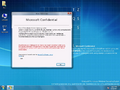
winver
-

Logon screen (Picture password)
-
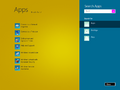
App search
-

Creating picture password
-
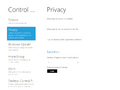
Settings
-
Metro file picker


